English - 17English - 16
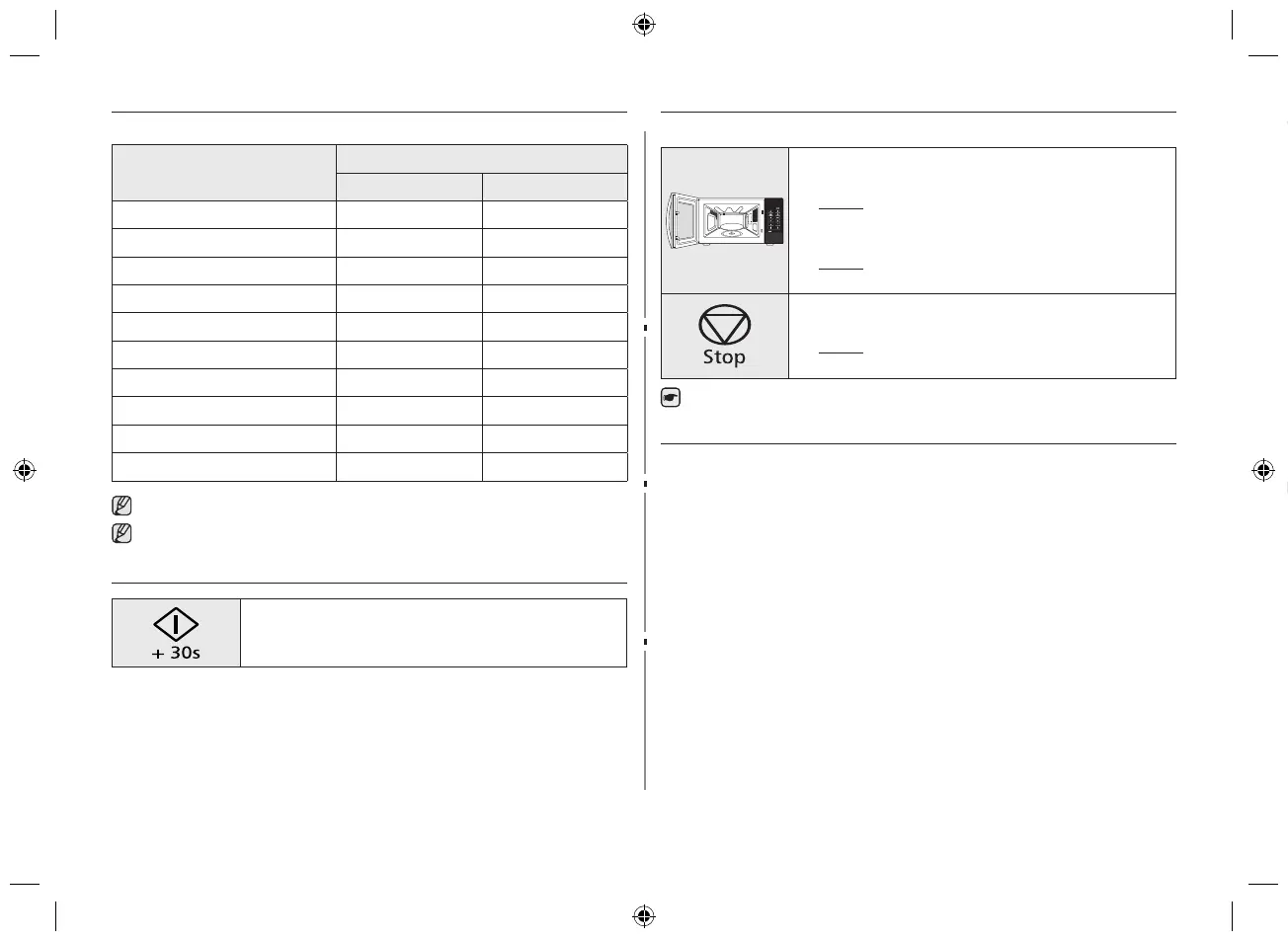
POWER LEVELS
You can choose among the power levels below.
Power level
Output
MWO GRILL
HIGH 800W -
MEDIUM HIGH 600W -
MEDIUM 450W -
MEDIUM LOW 300W -
DEFROST 180W -
LOW/KEEP WARM 100W -
GRILL - 1100W
COMBI I 600W 1100W
COMBI II 450W 1100W
COMBI III 300W 1100W
If you select higher power level, the cooking time must be decreased.
If you select lower power level, the cooking time must be increased.
ADJUSTING THE COOKING TIME
You can increase the cooking time by pressing the START
button once for each 30 seconds to be added.
STOPPING THE COOKING
You can stop cooking at any time to check the food.
1. To stop temporarily;
1)
Open the door.
Result: Cooking stops. To resume cooking, close the
door and press START
button
again.
2)
Press the Stop button.
Result: Cooking stops. To resume cooking, press
START button again.
2. To stop completely;
Press the Stop button.
Result: The cooking stops. If you wish to cancel the
cooking settings, press the Stop button again.
You can also cancel any setting before starting by simply pressing Stop button.
AUTO ENERGY SAVING FUNCTION
If you do not select any function when appliance is in the middle of setting or operating
with temporary stop condition, function is canceled and clock will be displayed after 25
minutes.
Oven Lamp will be turned o after 5 minutes with door open condition.
USING THE AUTO REHEAT FEATURES
The Auto Reheat feature has four pre-programmed cooking time.You do not need to set
either the cooking times or the power level.You can adjust the number of servings by
pressing the Up/Down buttons.
First, place the food in the centre of the turntable and close the door.
1. Select the type of food that you are cooking by pressing the
Auto Reheat button once or more times.
2. Select the size of the serving by pressing the Up/Down
buttons.(Refer to the table on the side).
3. Press the START button.
Result: Cooking starts. When it has finished.
1) The oven beeps 4 times.
2) The end reminder signal will beep 3times
(once every minute).
3) The current time is displayed again.
Use only recipients that are microwave-safe.
GE89M-1SX_XEF_DE68-04258C-01_EN.indd 16 2015-02-14 �� 1:46:28



 To Next Page