EasyManua.ls Logo

Samsung GT-B3310 - User Manual

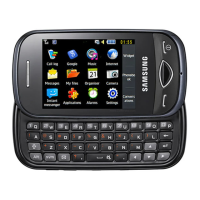
Samsung GT-B3310
94 pages
Print Icon
To Next Page IconTo Next Page
Loading...
Some of the contents in this manual may differ from your phone depending on the software of the phone or your
service provider.
World Wide Web
http://www.samsungmobile.com
Printed in Korea
Code No.:GH68-24716A
English (EU). 07/2009. Rev. 1.0

Other manuals for Samsung GT-B3310

Questions and Answers

  • W
    wwilliamsAug 15, 2025
    What to do if my Samsung Cell Phone battery does not charge properly?
    • T
      Tracey GonzalesAug 15, 2025
      If the battery in your Samsung Cell Phone does not charge properly, wipe the gold-colored contacts with a clean, soft cloth and try charging the battery again, as the battery terminals may be dirty. If the battery still will not charge completely, dispose of the old battery properly and replace it with a new one.
  • B
    Brandon AlexanderAug 18, 2025
    What to do if my Samsung GT-B3310 Cell Phone is beeping and the battery icon is flashing?
    • P
      Patricia RuizAug 19, 2025
      If your Samsung Cell Phone is beeping and the battery icon is flashing, recharge or replace the battery to continue using the phone.
  • A
    Amy HillAug 21, 2025
    What to do if my Samsung GT-B3310 prompts me to insert the SIM card?
    • D
      Dana HortonAug 21, 2025
      If your Samsung Cell Phone prompts you to insert the SIM card, ensure that the SIM or USIM card is installed correctly.
  • D
    dianeparkerAug 25, 2025
    How to unblock SIM card on Samsung GT-B3310?
    • J
      jasonhollowayAug 26, 2025
      To unblock the SIM card on your Samsung Cell Phone, you must enter the PUK supplied by your service provider.
  • R
    Roger WilliamsAug 27, 2025
    What to do if my Samsung Cell Phone displays “Service unavailable”?
    • M
      Mia NicholsAug 28, 2025
      If your Samsung Cell Phone displays “Service unavailable” or “Not done,” it could be due to weak signals or poor reception. Try moving to another area and try again. Also, remember that some options require a subscription, so contact your service provider for more details.
  • Z
    Zachary MoralesAug 30, 2025
    What to do if another caller cannot hear me speaking on my Samsung GT-B3310?
    • C
      Cheyenne WallsAug 30, 2025
      If another caller cannot hear you when you are speaking on your Samsung Cell Phone, make sure that you are not covering the built-in microphone and that the microphone is close to your mouth. If you are using a headset, ensure that it is properly connected.
  • D
    Dwayne MeadowsSep 2, 2025
    What to do if my Samsung GT-B3310 Cell Phone has poor audio quality during calls?
    • R
      Richard TranSep 2, 2025
      If the audio quality of your calls on your Samsung Cell Phone is poor, ensure that you are not blocking the phone’s internal antenna. If you are in an area with weak signals or poor reception, move to another area and try again.
  • V
    Vanessa NashSep 6, 2025
    What to do if I enter a number on my Samsung GT-B3310, but the call is not dialed?
    • J
      joel85Sep 6, 2025
      If you enter a number on your Samsung Cell Phone, but the call is not dialed, ensure that you have pressed the Dial key. Also, ensure that you have accessed the right cellular network and that you have not set call barring for the phone number.
  • J
    Jordan WarnerSep 8, 2025
    What to do if another caller cannot reach me on my Samsung GT-B3310?
    • R
      Ryan HarrisSep 8, 2025
      If another caller cannot reach you on your Samsung Cell Phone, ensure that your phone is turned on and that you have accessed the right cellular network. Also, verify that you have not set call barring for the phone number.
  • A
    Andrea GreenSep 12, 2025
    How to fix Samsung Cell Phone when selecting a contact to call, but the call is not dialed?
    • R
      robert11Sep 12, 2025
      If you select a contact to call on your Samsung Cell Phone, but the call is not dialed, ensure that the correct number is stored in the contact list. If necessary, re-enter and save the number.

Summary

Phone Setup and Safety

Assembling and Preparing

Step-by-step guide to install SIM, battery, and memory card.

Basic Phone Operations

Advanced Phone Features

Advanced Call and Phonebook Management

Managing calls, contacts, speed dials, and groups.

Messaging and Camera Capabilities

Advanced messaging, camera modes, and settings customization.

Tools, Applications, and Safety

Safety and Emergency Features

Activating SOS messages, mobile tracker, and using voice memos.

Health and RF Exposure Information

Detailed safety guidelines, RF exposure, and health considerations.

Safe Device Usage and Maintenance

Precautions for road safety, device care, and general maintenance.

Troubleshooting Common Issues

Samsung GT-B3310 Specifications

General IconGeneral
Display diagonal2 \
Display resolution320 x 240 pixels
Display number of colors262144 colors
Internal memory43 MB
Rear cameraYes
USB 2.0 ports quantity1
Multimedia Messaging Service (MMS)Multimedia Messaging Service (MMS) is a standard way to send messages that include multimedia content to and from a mobile phone over a cellular network
Ringer typePolyphonic
Form factorSlider
Phonebook capacity1000 entries
Text prediction system typeT9
Personal info management (PIM)Alarm clock, Calculator, Calendar, Countdown timer, Stopwatch, To-do list
Product colorBlue
Talk time (2G)5 h
Standby time (2G)380 h
Bluetooth version2.1+EDR
Keyboard layoutQWERTY
Weight and Dimensions IconWeight and Dimensions
Depth17 mm
Width54 mm
Height91 mm
Weight101 g

Related product manuals