Do you have a question about the Samsung GT-I5500 and is the answer not in the manual?
| Model | GT-I5500 |
|---|---|
| Status | Discontinued |
| Network | GSM / HSPA |
| 2G bands | GSM 850 / 900 / 1800 / 1900 |
| 3G bands | HSDPA 900 / 2100 |
| GPRS | Class 10 |
| EDGE | Class 10 |
| Weight | 102 g |
| SIM | Mini-SIM |
| Type | TFT capacitive touchscreen, 256K colors |
| OS | Android 2.1 (Eclair) |
| RAM | 256 MB |
| Single | 2 MP |
| Video | QVGA@15fps |
| Loudspeaker | Yes |
| 3.5mm jack | Yes |
| WLAN | Wi-Fi 802.11 b/g |
| Bluetooth | 2.1, A2DP |
| GPS | Yes, with A-GPS |
| Radio | Stereo FM radio, RDS |
| USB | Micro USB 2.0 |
| Colors | Black, White |
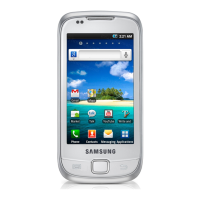
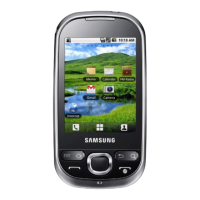
| Also known as | Samsung Galaxy 5 |
| Size | 2.8 inches |
| Resolution | 240 x 320 pixels |
| Card slot | microSD, up to 32 GB |
| Sensors | Accelerometer, proximity |
| Dimensions | 108 x 56 x 12.3 mm |
Important introductory information before using the device and manual.
Explanation of symbols used throughout the manual for clarity.
Step-by-step guide to insert SIM/USIM card and battery into the device.
Instructions on how to charge the device's battery before initial use.
Guide on inserting a microSD card for expanded storage.
Procedure for powering the device on and off.
Diagram and explanation of the device's physical components.
Definitions and meanings of icons displayed on the screen.
Instructions on how to interact with the device's touch screen.
Guidance on how to find and open applications on the device.
Methods for personalizing device settings and features.
Learn to make, answer, and manage phone calls.
Instructions for sending and viewing text and multimedia messages.
How to send and view email messages using the Google Mail app.
Guide to chatting with friends via Google Talk.
Instructions for capturing photos and videos.
How to view and manage photos and videos on the device.
Guide to playing music files on the device.
Instructions for listening to FM radio stations.
How to create, find, and manage contact details.
Guide to creating and managing events and reminders.
Instructions for creating and viewing simple text notes.
Learn to access and bookmark favorite web pages.
Instructions for navigating and viewing web content.
Using Google Maps for navigation and location services.
How to perform searches on the web and device using Google.
Learn to watch and share videos via the YouTube application.
Information on using Bluetooth for wireless communication.
Instructions for connecting to wireless local area networks.
Sharing the device's mobile network connection via USB or WLAN.
How to connect the device to a PC for data transfer.
Using the clock display and setting alarms.
How to access and manage files stored on the device.
Using voice commands to search for information.
How to navigate and use the device's settings menu.
Configuration settings for network connections.
Customizing features related to phone calls.
Adjusting device sounds, ringtones, and alerts.
Settings for screen brightness, rotation, and timeout.
Managing device security, screen lock, and GPS functionality.
Changing display language and configuring text input methods.
Steps to resolve device freezing or critical errors.
Troubleshooting tips for unresponsive touch screen issues.
Solutions for battery charging problems or unexpected power off.
Resolving issues when the camera application fails to launch.
Critical warnings about electrical hazards, fire, and explosions.
Precautions for using the device near medical equipment like pacemakers.
Information regarding device servicing, warranty, and unauthorized modifications.
Guidelines for environmentally safe disposal of the device and accessories.