EasyManua.ls Logo

Samsung GT-I9505 - Air View; Samsung Smart Pause

Samsung GT-I9505
147 pages
Print Icon
To Next Page IconTo Next Page
To Previous Page IconTo Previous Page
Loading...
Basics
30
Air View
On the Home screen, tap
Apps
ĺ
Settings
ĺ
My device
ĺ
Air view
, and then drag the
Air
view
switch to the right.
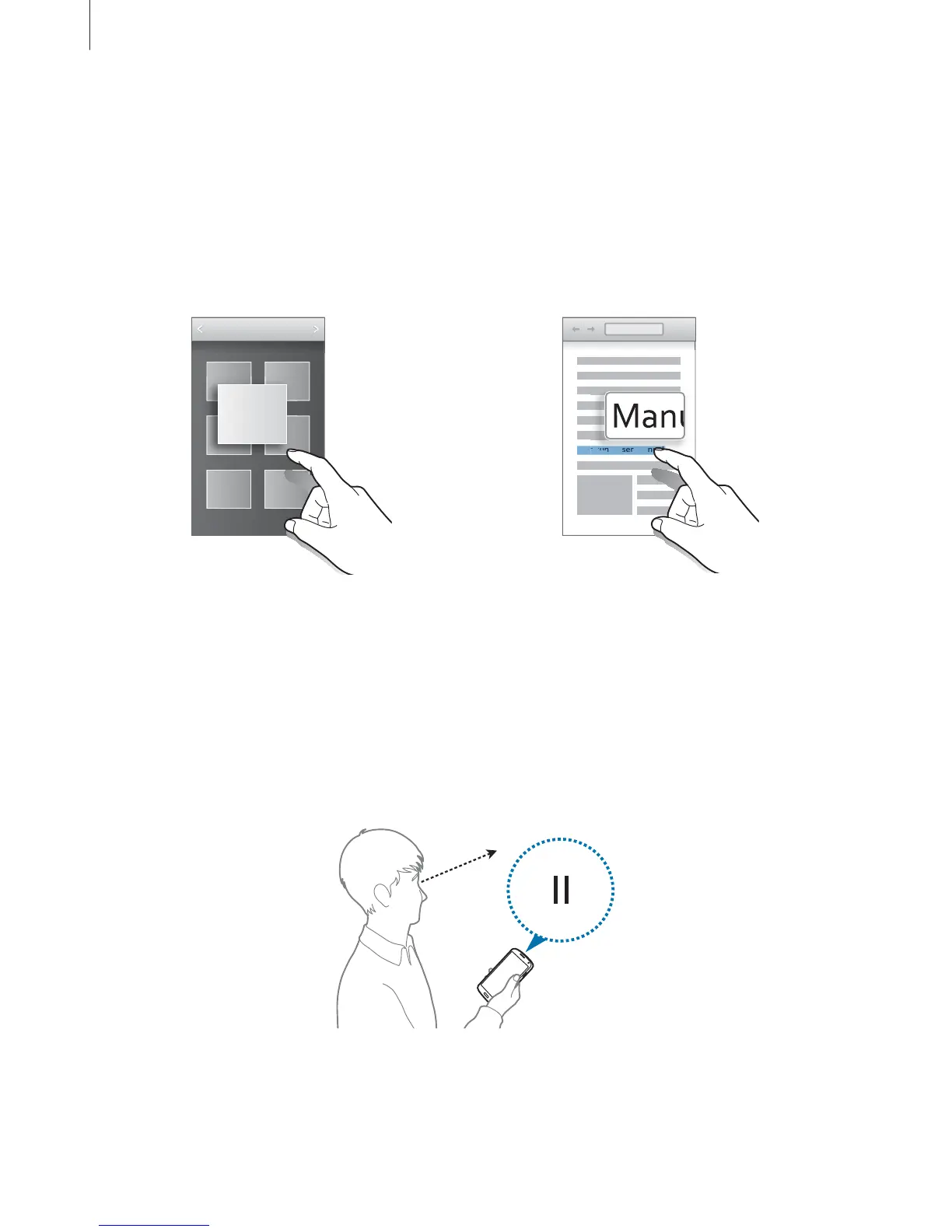
Point at an item with your finger to preview the content or view information in a pop-up
window. When you point at an area on a webpage for a few seconds, the device magnifies the
area.
Samsung User Manual
Samsung User Manu
m
m
sun
sun
sun
gU
g U
ser
ser
Ma
Ma
nua
nu
l
Samsung Smart Pause
On the Home screen, tap
Apps
ĺ
Settings
ĺ
My device
ĺ
Smart screen
, and then tick
Smart pause
.
During video playback, look away from the screen to pause the video. To resume playback,
look at the screen again.

Table of Contents

Other manuals for Samsung GT-I9505

Related product manuals