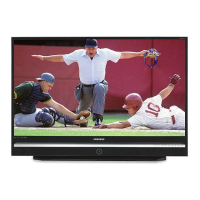
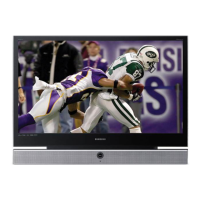
This document describes the Samsung DLP TV, models HL-S4266W, HL-S4666W, HL-S5066W, HL-S5666W, and HL-S6166W. This is a Class B digital apparatus designed for high-quality video and audio transmission, supporting various digital television (DTV) formats and offering a range of user-friendly features.
Function Description:
The Samsung DLP TV is a full-featured, high-performance unit that supports digital television (DTV) broadcasting, including Standard Definition Television (SDTV) and High Definition Television (HDTV). It can receive high-quality video and Dolby Digital surround audio. The TV allows users to connect various external components such as VCRs, DVD players, DTV set-top boxes, camcorders, and PCs. It also features WISELINK, enabling the viewing of photo (JPEG) and audio (MP3) files from a USB mass storage device. The remote control is designed to operate the TV, VCR, Cable box, DVD player, and Set-top box.
Important Technical Specifications:
- Models: HL-S4266W, HL-S4666W, HL-S5066W, HL-S5666W, HL-S6166W
- Voltage: AC 110-120V ± 10%
- Frequency of Operation: 60Hz
- Power Consumption: 200 watts for all models
- Dimensions (W x D x H):
- HL-S4266W: 39.33 x 13.03 x 29.74 inches (999 x 331 x 755.5 mm)
- HL-S4666W: 42.83 x 13.44 x 32.05 inches (1088 x 341.5 x 814 mm)
- HL-S5066W: 46.54 x 14.00 x 34.25 inches (1182 x 355.5 x 870 mm)
- HL-S5666W: 52.36 x 15.26 x 37.87 inches (1330 x 387.5 x 962 mm)
- HL-S6166W: 56.93 x 18.37 x 41.59 inches (1446 x 466.5 x 1056.5 mm)
- Weight:
- HL-S4266W: 25.5 Kg / 56.2 lbs
- HL-S4666W: 27.8 Kg / 61.3 lbs
- HL-S5066W: 30.5 Kg / 67.2 lbs
- HL-S5666W: 34.2 Kg / 75.4 lbs
- HL-S6166W: 40.4 Kg / 89.1 lbs
- DTV Formats:
- SDTV: 480-line interlaced (480i) and 480-line progressive (480p) video.
- HDTV: 1080-line interlaced (1080i) and 720-line progressive (720p).
- Audio: Dolby Digital 2.0 to 5.1 surround sound.
- PC Display Modes (XGA mode optimum):
- VGA: 640 x 350 (70Hz), 720 x 400 (70Hz), 640 x 480 (60Hz, 66.70Hz, 72.80Hz, 75Hz)
- SVGA: 800 x 600 (56.30Hz, 60.30Hz, 72.20Hz, 75Hz)
- XGA: 1024 x 768 (60Hz, 70.10Hz, 75Hz)
- VESA: 640 x 480 (70Hz, 85.008Hz), 720 x 400 (85.039Hz), 800 x 600 (70Hz), 1024 x 768 (72Hz, 84.997Hz)
- DTV: 1920 x 1080i (60Hz), 1280 x 720p (60Hz), 720 x 483p (60Hz)
- Inputs/Outputs:
- ANT 1 IN (CABLE) and ANT 2 IN (AIR) terminals for VHF/UHF antennas or cable system.
- DIGITAL AUDIO OUT (OPTICAL) jack.
- DVI AUDIO input jacks.
- S-VIDEO input jacks.
- VIDEO/AUDIO input jacks (2 sets).
- VIDEO/AUDIO output jacks.
- COMPONENT IN 1, 2 jacks (Y, PB, PR, AUDIO L/R).
- PC VIDEO Input jack.
- PC AUDIO Input jack.
- HDMI (High Definition Multimedia Interface)/DVI Input jack (HDMI IN 2/DVI IN).
- HDMI (High Definition Multimedia Interface) Input jack (HDMI IN 1).
- WISELINK (USB) jack.
- POWER IN.
Usage Features:
- Easy-to-operate remote control: Includes Braille points for visually impaired users on POWER, VOL +, VOL -, CH / , STOP, and PLAY/PAUSE buttons.
- On-screen menu system: Accessible via right-side buttons or remote control for advanced features.
- Automatic timer: To turn the TV on and off at chosen times.
- Adjustable picture and sound settings: With memorization of favorite settings.
- Automatic channel tuning: For up to 181 channels.
- Special filter: To reduce or eliminate reception problems.
- Fine tuning control: For sharpest picture.
- Built-in multi-channel sound decoder: For stereo and bilingual listening.
- Built-in, dual channel speakers.
- Special sleep timer: For automatic shut-off.
- Widescreen TV: With adjustable image size (16:9, Zoom1, Zoom2, Wide Fit, 4:3).
- DNIe technology: Provides life-like clear images with 3D noise reduction, detail, contrast, and white enhancement.
- My Color Control Mode: For customizing color styles (Blue, Green, Pink, Standard, Custom).
- Color Weakness Enhancement Feature: Adjusts Red, Green, or Blue colors for users with color weakness.
- Digital Input jack.
- Digital Audio Output (OPTICAL) jack.
- Game Mode: Enhances gaming experience for consoles like PlayStationTM or XboxTM, supporting resolutions up to 720p for component and HDMI input.
- WISELINK: Allows viewing and playing JPEG photos and MP3 audio files from a USB mass storage device (FAT16/32 file system supported).
- Plug & Play Feature: Guides initial setup for language, antenna input, channel memorization, and time setting.
- Clock Setting: Automatic or manual clock setting, with Daylight Saving Time (DST) and time zone selection.
- On/Off Timer: Sets specific times for the TV to turn on or off, with an "Auto Power Off" function if no controls are operated for 3 hours in timer "On" mode.
- Sleep Timer: Automatically shuts off the TV after a preset time (30 to 180 minutes).
- External Signal Source Selection: Switches between connected components (VCR, DVD, Set-Top Box) or TV source.
- Input Mode Naming: Assigns easy-to-remember labels to input sources (e.g., VCR, DVD, PC).
- Favorite Channels: Stores and quickly accesses frequently watched channels.
- Channel Lists: Displays all memorized channels or favorite channels, with options to add, delete, or set a default list mode.
- Channel Labeling: Assigns custom labels (up to five fields of letters, numbers, or blanks) to analog channels.
- Fine Tuning Analog Channels: Manually adjusts analog channels for optimal reception.
- Digital-Signal Strength Check: Helps adjust antenna for best digital signal reception.
- LNA (Low Noise Amplifier): Improves reception in weak-signal areas (only when antenna is set to Air).
- Digital Noise Reduction: Reduces static and ghosting for weak broadcast signals.
- Film Mode: Automatically processes film signals for optimum picture quality (supported in 480i only).
- Freezing the Picture: Pauses the current screen while sound continues.
- Blue Screen Mode: Replaces noisy picture background with a blue screen when no signal is received or signal is weak.
- Sound Control: Adjusts volume, mute, equalizer settings (100Hz, 300Hz, 1KHz, 3KHz, 10KHz), L/R sound balance, and automatic sound settings (Standard, Music, Movie, Speech, Custom).
- Multi-Channel Sound (MTS): Selects audio tracks (English, Spanish, French) for digital TV transmissions, and Mono, Stereo, or SAP for analog broadcasts.
- Internal Mute: Cuts off sound from the TV's internal speakers when using external audio systems.
- On/Off Melody: Sets a melody sound for powering the TV on or off.
- SRS TruSurround XT: Provides a virtual surround sound experience over two speakers.
- Sound Reset: Resets equalizer settings to factory defaults (activated when Game Mode is On).
- V-Chip: Parental control feature with password protection, allowing restrictions based on TV Parental Guidelines (FCC), MPAA Rating (Movies), Canadian English, and Canadian French ratings.
- PC Display: Allows the TV to be used as a computer monitor, with options to adjust picture quality, position, and resolution.
- WISELINK Menu: Manages photo and music files from USB devices, including slide show speed, background music settings, and screen saver.
Maintenance Features:
- Replacing the Lamp: The DLP TV lamp has a limited lifespan and needs periodic replacement when the screen becomes darker or when all three front LEDs (TIMER, LAMP, & STAND BY/TEMP) are flashing. Users are advised to use the correct code-numbered lamp, turn off power and wait 30 minutes before replacement, avoid touching the glass part of the lamp, and ensure the lamp cover is correctly closed for the TV to power on.
- Troubleshooting Guide: Provides solutions for common TV problems such as poor picture/sound quality, no picture/sound, color issues, erratic operation, remote control malfunction, and digital broadcasting screen problems.
- Cleaning and Maintaining: Guidelines for placement (avoid hot, cold, humid, dusty places, near electric motors, ensure clear ventilation, vertical position only), handling liquids (avoid spills), and cabinet care (never open, wipe with clean dry cloth, avoid heavy objects, do not place face down).
- Temperature Considerations: If moved from a cold to warm place, unplug and allow two hours for moisture to dry completely.

 Need help?







 To Next Page
 General