Need help?
Do you have a question about the Samsung HM6000 and is the answer not in the manual?
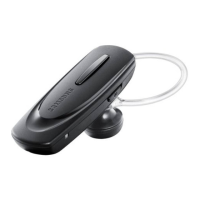
Provides a visual guide to the headset's components and features.
Details the functions of the headset's power, talk, and volume buttons.
Explains how to charge the headset, indicator light status, and battery care.
Instructions on adjusting the headset and using ear rubbers for a comfortable fit.
Step-by-step guide on powering the headset on and off using the power switch.
Explains using voice prompts for status updates and voice commands for headset control.
Details the process of pairing the headset with Bluetooth devices like phones or music players.
Covers making, answering, rejecting, ending, and managing calls on the headset.
Instructions on resetting headset connection settings and re-pairing the device.
Answers common user queries on headset compatibility, interference, and maintenance.
Provides FCC compliance information and safety approvals for the headset.
Details safety requirements and important instructions for the included travel adapter.
Outlines the terms, coverage, and duration of the manufacturer's warranty.
Lists technical details like Bluetooth version, operating range, and battery life.


 To Next Page
 General