EasyManua.ls Logo

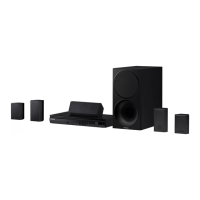
Samsung HT-F455RK - User Manual

Samsung HT-F455RK
30 pages
Print Icon
To Next Page IconTo Next Page
Loading...
imagine the possibilities
Thank you for purchasing this Samsung product.
To receive more complete service,
please register your product at
www.samsung.com/register
Digital Home
Entertainment System
user manual
HT-F450BK /HT-F450RK
HT-F453BK/ HT-F453RK
HT-F453HBK/ HT-F453HRK
HT-F455BK /HT-F455RK
HT-F450BK-ENG MIC-11-05.indd 1HT-F450BK-ENG MIC-11-05.indd 1 2014/2/18 8:27:102014/2/18 8:27:10

Questions and Answers

  • T
    Tristan RossAug 15, 2025
    Why does not the remote control work for my Samsung HT-F455RK?
    • O
      odavisAug 16, 2025
      If the remote control for your Samsung Dvd home theater system isn't working, consider whether you are operating it within the correct angle and distance. Also, check if the batteries are drained, and make sure you have selected the correct mode (RECEIVER DVD/TV).
  • J
    jameshernandezAug 18, 2025
    Why Dolby Digital 5.1 CH Surround Sound is not produced on my Samsung HT-F455RK?
    • A
      Anthony CannonAug 18, 2025
      If Dolby Digital 5.1 CH Surround Sound is not working on your Samsung Dvd home theater system, first, confirm that the disc has the "Dolby Digital 5.1 CH" mark, as the sound is produced only if the disc is recorded with 5.1 channel sound. Also, ensure that the audio language is correctly set to Dolby Digital 5.1-CH in the information display.
  • D
    David SmithAug 21, 2025
    How to reset my Samsung Dvd home theater system?
    • J
      Jaclyn BrownAug 21, 2025
      If your Samsung Dvd home theater system is not working, you can try to reset it. To do this, press and hold the 5 button on the remote control for longer than 5 seconds with no disc inserted. Keep in mind that using the RESET function will erase all stored settings, so only use this if necessary.
  • E
    Emily HarrisAug 25, 2025
    Why sound can be heard only from a few speakers and not all 6 on my Samsung Dvd home theater system?
    • J
      Jason ClaytonAug 25, 2025
      If the sound can be heard only from a few speakers and not all 6 on your Samsung Dvd home theater system, first check if the speakers are connected properly and adjust the volume. Also, remember that on certain DVD discs, sound is output from the front speakers only. When listening to a CD, radio or TV, sound is output to the front speakers only. Select V-SURROUND (Virtual Surround) on the remote control to use all six speakers.
  • M
    Melissa RoyAug 27, 2025
    What to do if disc is rotating but no picture is produced on my Samsung Dvd home theater system?
    • T
      Terry LambertAug 27, 2025
      If the disc is rotating in your Samsung Dvd home theater system but no picture is produced, ensure the TV power is on and the video cables are connected properly. Also, check if the disc is dirty or damaged. A poorly manufactured disc may also cause this issue.
  • S
    Steven StevensonAug 30, 2025
    How to reset the forgotten rating level password on Samsung HT-F455RK Dvd home theater system?
    • J
      Jesse GonzalezAug 30, 2025
      If you've forgotten the rating level password on your Samsung Dvd home theater system, while “NO DISC” message appears on the display of the product, press and hold the remote control's 5 button for longer than 5 seconds. “INIT” appears on the display and all settings will return to the default values. And then press the POWER button. Note that using the RESET function will erase all stored settings, so only use this if necessary.
  • M
    Michelle VillaSep 2, 2025
    Why playback does not start on my Samsung HT-F455RK?
    • C
      Cole GonzalezSep 2, 2025
      If playback does not start on your Samsung Dvd home theater system, first check the region number of the DVD. DVD discs purchased from abroad may not be playable. Also, CD-ROMs and DVD-ROMs cannot be played on this product. Finally, make sure that the rating level is correct.
  • J
    Joanna WrightSep 5, 2025
    What to do if playback does not start immediately when the Play/Pause button is pressed on Samsung HT-F455RK Dvd home theater system?
    • D
      David MoranSep 5, 2025
      If playback doesn't start immediately when you press the Play/Pause button on your Samsung Dvd home theater system, and you are using a deformed disc or a disc with scratches on the surface, wipe the disc clean.
  • A
    Ashley JohnsonSep 8, 2025
    What to do if I can't receive radio broadcast on my Samsung Dvd home theater system?
    • C
      Chad YorkSep 8, 2025
      If you can't receive radio broadcast on your Samsung Dvd home theater system, check if the antenna is connected properly. If the antenna's input signal is weak, consider installing an external FM antenna in an area with good reception.
  • D
    Daniel ChambersSep 12, 2025
    Why sound is not produced by my Samsung Dvd home theater system?
    • L
      Lori OliverSep 12, 2025
      If no sound is produced by your Samsung Dvd home theater system, make sure the speakers are connected properly and the speaker setup is correctly customized. Note that no sound is heard during fast playback, slow playback, and step motion playback. Also, a severely damaged disc may cause this issue.

Summary

Safety Information

Safety Warnings

General safety precautions and warnings for operating the product safely.

Getting Started

Disk and Format Compatibility

Details on disc types and file formats supported by the product.

Getting Started

Notes on the USB connection

Important considerations and guidelines for connecting and using USB devices.

Connections

Front Panel

Overview and description of the product's front panel controls and ports.

Remote Control

Tour of the Remote Control

Detailed explanation of each button and function on the remote control.

Setting the Remote Control

Connections

Connecting the Speakers

Guidance on speaker placement and connection for optimal audio performance.

Connecting Microphone

Steps for connecting and using microphones for karaoke functions.

Connecting The Speakers

Step-by-step instructions for connecting the speaker wires correctly.

Connections

Connecting to a TV

Methods for connecting the product to a television for audio/video output.

Settings

The Initial Settings Procedure

Step-by-step guide for initial setup upon first use of the product.

Settings

Audio Settings

Configuration of audio output, speaker setup, and sound enhancements.

Security

Basic Functions

Disc Playback

Instructions for inserting, playing, and stopping discs.

Basic Functions

Basic Functions

Listening to Radio

Basic Functions

USB Function

Playing media files from USB devices.

USB Recording

Advance Functions

Using Bluetooth(option)

Guide to connecting and using Bluetooth devices for wireless audio.

Disconnecting Bluetooth

Instructions on how to disconnect Bluetooth devices from the product.

Connecting to Bluetooth Device

Steps to pair the product with a Bluetooth-enabled device.

Other Information

Troubleshooting

Solutions for common problems encountered with the product.

Other Information

Specifications

Technical specifications of the product, including dimensions, weight, and power.

Samsung HT-F455RK Specifications

General IconGeneral
BrandSamsung
ModelHT-F455RK
CategoryDvd home theater system
LanguageEnglish

Related product manuals