EasyManua.ls Logo

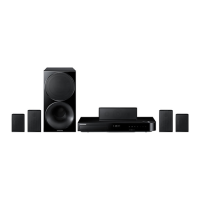
Samsung HT-F5502K - User Manual

Samsung HT-F5502K
60 pages
Print Icon
To Next Page IconTo Next Page
Loading...
imagine the possibilities
Thank you for purchasing this Samsung product.
To receive more complete service,
please register your product at
www.samsung.com/register
5.1CH Blu-ray™
Home Entertainment System
user manual
HT-F5502K
HT-F5530K
HT-F5550K
HT-F5550HK
HT-F5502K_30K_50K_50HK-XL_0528.indd 1HT-F5502K_30K_50K_50HK-XL_0528.indd 1 2013-05-28 2:08:092013-05-28 오후 2:08:09

Questions and Answers

  • C
    Carolyn BarnettAug 19, 2025
    Why is my Samsung Home theatre system remote control not working?
    • V
      Veronica ForbesAug 20, 2025
      The remote control might not work because you are operating it outside of its operational range or at an improper angle relative to the sensor. Also, make sure you have correctly selected the mode (TV/BD) functions of the remote control (TV or BD). The batteries may also be drained.
  • M
    Mark ReynoldsAug 21, 2025
    How to fix no sound on Samsung Home theatre system?
    • R
      Raymond LeeAug 22, 2025
      If no sound is produced, ensure the speakers are connected properly and the speaker setup is correctly customized. Note that the home cinema does not play sound during fast playback, slow playback, and step motion playback. The disc may also be severely damaged.
  • M
    Mark AndersonAug 25, 2025
    What to do if my Samsung HT-F5502K disc is rotating but no picture is produced?
    • B
      Brian GardnerAug 25, 2025
      If the disc is rotating but no picture is produced, check if the TV is powered on and if the video cables are connected properly. The disc might be dirty, damaged, or poorly manufactured, making it unplayable.
  • H
    henryjohnsonAug 26, 2025
    Why can't my Samsung HT-F5502K Home theatre system receive radio broadcasts?
    • R
      Rebecca RodriguezAug 26, 2025
      If you can't receive radio broadcasts, check if the antenna is connected properly. If the antenna's input signal is weak, install an external FM antenna in an area with good reception.
  • J
    James CarrilloAug 27, 2025
    What to do if Samsung Home theatre system playback does not start?
    • J
      Jorge MoralesAug 27, 2025
      If playback does not start, check the region number of the Blu-ray/DVD disc. A Blu-ray/DVD disc purchased from abroad may not be playable. Also, CD-ROMs and DVD-ROMs cannot be played. Make sure that the rating level is correct.
  • S
    shari92Aug 29, 2025
    Why is sound only coming from a few speakers on my Samsung Home theatre system?
    • S
      Shawn CruzAug 29, 2025
      If sound can be heard only from a few speakers and not all 6, it may be because, on certain Blu-ray/DVD discs, sound is output from the front speakers only. Ensure the speakers are connected properly and adjust the volume. When listening to a CD, radio, or TV, sound is output to the front speakers only.
  • D
    Dr. Don SchroederAug 31, 2025
    Why is Dolby Digital 5.1 CH Surround Sound not working on my Samsung HT-F5502K?
    • K
      kriveraAug 31, 2025
      If Dolby Digital 5.1 CH Surround Sound is not produced, verify that the disc has the "Dolby Digital 5.1 CH" mark. Also, check if the audio language is correctly set to Dolby Digital 5.1-CH in the information display.
  • G
    gingramSep 2, 2025
    What to do if Samsung Home theatre system playback does not start immediately?
    • S
      Shelby CurtisSep 3, 2025
      If playback does not start immediately when the Play/Pause button is pressed, the disc might be deformed or have scratches on the surface. Wipe the disc clean.
  • A
    Alan SchaeferSep 4, 2025
    What to do if my Samsung HT-F5502K Home theatre system is not working?
    • B
      Beverly Melendez PhDSep 5, 2025
      If the product is not working, press and hold the remote control's 5 button for 5 seconds in STANDBY mode. Note: Using the RESET function will erase all stored settings. Do not use this unless necessary.
  • E
    Edward BuckSep 6, 2025
    Why do audio language and subtitles not work on Samsung HT-F5502K Home theatre system?
    • T
      Tamara GeorgeSep 7, 2025
      Audio language and subtitles will not work if the disc does not contain them.

Samsung HT-F5502K Specifications

General IconGeneral
TypeHome Theatre System
Total Power Output1000 W
Number of Channels5.1
Blu-ray PlayerYes
HDMI Inputs1
USB PlaybackYes
Wireless ConnectivityNo
3D Blu-rayYes
Smart HubYes
HDMI Out1
USB1
Audio Input1
Anynet+ (HDMI-CEC)Yes
Audio Formats SupportedDolby Digital, DTS
Video Formats SupportedMPEG4, MKV, MPEG2