
 Need help?
Do you have a question about the Samsung HT-J5500K and is the answer not in the manual?
Covers ventilation, placement, water, batteries, outlets, cords, lightning, and electrical safety.
Focuses on touching internal parts, plugging in, wet hands, abnormal operation, and maintenance.
Health and safety info for 3D pictures, covering discomfort, eye strain, children, and misuse.
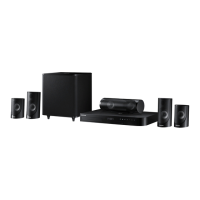
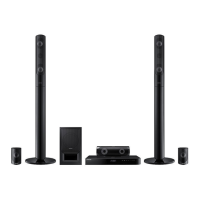
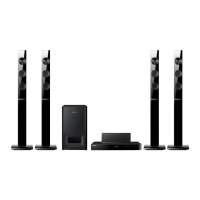
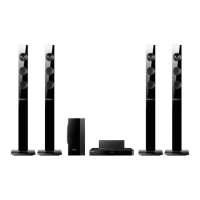
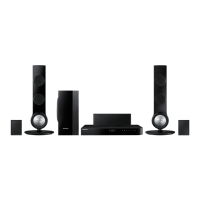
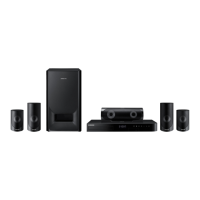
Details the components included for each model (HT-J5500K, HT-J5530K, HT-J5550K, HT-J5550WK).
Describes the buttons, display, and ports on the front of the main unit.
Details the various connection ports and the cooling fan on the rear.
Explains the remote control's buttons and how to install batteries.
Provides instructions on speaker placement, stand installation, and cable connections.
Explains methods for connecting to a TV via HDMI and external devices via AUX or Optical.
Details how to set up a wired or wireless network connection.
Guides users through the first-time setup process, including language and aspect ratio.
Explains the different sections and icons on the home screen.
Describes how to navigate to and open the main settings menu.
Details options for 3D settings, TV aspect ratio, BD Wise, resolution, and HDMI color.
Covers karaoke, speaker adjustments, equalizer, audio return, digital output, and dynamic range.
Explains downmixing, audio sync, Wi-Fi Direct, screen mirroring, and system setup options.
Covers PIN, parental ratings, time zone, and support information.
Instructions for operating the FM radio and setting presets.
How to record radio broadcasts onto a USB device.
Detailed steps for configuring wired and wireless network connections.
Explains how to connect devices using Wi-Fi Direct via Wi-Fi device, PBC, or PIN.
Instructions for updating the product's software using online or USB methods.
Guide to enable DLNA for playing media files from a PC.
Methods to change the input source when multiple devices are connected.
Steps for inserting and playing standard Blu-ray/DVD/CD discs.
Guidelines for handling and cleaning discs to ensure playback quality.
Instructions for playing media from a USB drive when connected before or after powering on.
Explains how to use remote buttons for playback, slow motion, skipping, and menus.
Details playback controls for music, including skipping, pausing, and repeating tracks.
Steps for selecting and organizing music tracks into a playlist.
Process for copying music from discs to a USB device.
How to view photos, use slideshows, zoom, rotate, and create photo playlists.
Instructions for connecting a microphone, adjusting settings, and using the karaoke function.
Covers connecting and using Bluetooth devices for audio streaming.
How Bluetooth connection can automatically turn on the home theater.
Explanation of the TV SOUND button for directing TV audio.
Details on directing TV audio through the home theater speakers.
Explanation of various sound modes for adjusting audio output.
How to access interactive content from Blu-ray discs.
Accessing and playing media files from a PC via DLNA.
Accessing news, movies, weather, and other content via apps.
How to browse and select apps within the Opera TV Store.
How to view, add, and delete apps from the home screen.
Instructions for displaying a smartphone or device screen on the TV.
Notes on HDMI, 3D settings, aspect ratio, BD Wise, and audio output.
Lists supported media types, file formats, and codecs.
Provides solutions for common operational problems and errors.
Provides technical details like weight, dimensions, and operating range.
Details output power, frequency response, and speaker dimensions/weights.
Lists licensing information for various technologies and trademarks.
 General
| Disc loading type | Tray |
|---|---|
| Disc types supported | BD, DVD+R, DVD+RW, DVD-R, DVD-RW |
| Playback disc formats | Blu-Ray audio, Blu-Ray video, DVD-Video, VCD |
| Number of optical discs | 1 discs |
| Optical disc player type | Blu-Ray player |
| Built-in HDD | No |
| MP3 playback | Yes |
| Image formats supported | JPG |
| Aspect ratio | 4:3, 16:9 |
| Video formats supported | AVI, H.264, MKV, MP4, MPEG, MPEG1, MPEG2, PS, WMV |
| Analog signal format system | PAL |
| Audio decoders | DTS 96/24, DTS-HD Master Audio, Dolby Digital |
| RMS rated power | 1000 W |
| Audio output channels | 5.1 channels |
| Audio formats supported | AAC, MP1, MP2, MP3, PCM, WMA |
| Supported radio bands | FM |
| Front speaker type | 2-way |
| Front speaker impedance | 3 Ω |
| Front speakers RMS power | 165 W |
| Front speaker sensitivity | 65 dB |
| Front speaker frequency range | 20 - 20000 Hz |
| Center speaker RMS power | 170 W |
| Satellite speaker type | 1-way |
| Satellite speaker sensitivity | 60 dB |
| Subwoofer type | Passive subwoofer |
| Product color | Black |
| Playback modes | Folder, Playlist, Slideshow, Zoom |
| Supported file systems | FAT16, FAT32, NTFS |
| Consumer Electronics Control (CEC) | Anynet+ |
| Cables included | HDMI |
| HDMI in | 2 |
| USB version | 2.0 |
| SCART ports quantity | 0 |
| Number of HDMI outputs | 1 |
| Power consumption (standby) | 0.5 W |
| Power consumption (typical) | 49 W |
| Package weight | 13600 g |
 Weight and Dimensions
| Main unit weight | 1900 g |
|---|---|
| Subwoofer weight | 6500 g |
| Center speaker weight | 600 g |
| Satellite speaker weight | 400 g |
| Main unit dimensions (WxDxH) | 430 x 224 x 55 mm |
| Subwoofer dimensions (WxDxH) | 221 x 365 x 381 mm |
| Front speaker dimensions (WxDxH) | 83 x 101 x 171 mm |
| Center speaker dimensions (WxDxH) | 269 x 101 x 88 mm |
| Satellite speaker dimensions (WxDxH) | 83 x 101 x 129 mm |






 To Next Page