GB
38
SETUP
21 3
In Stop mode,
press MENU
button.
Press Cursor
button to move to
‘Setup’ and then
press ENTER button.
Press Cursor
button to move to
‘LOGO’ and then
press ENTER button.
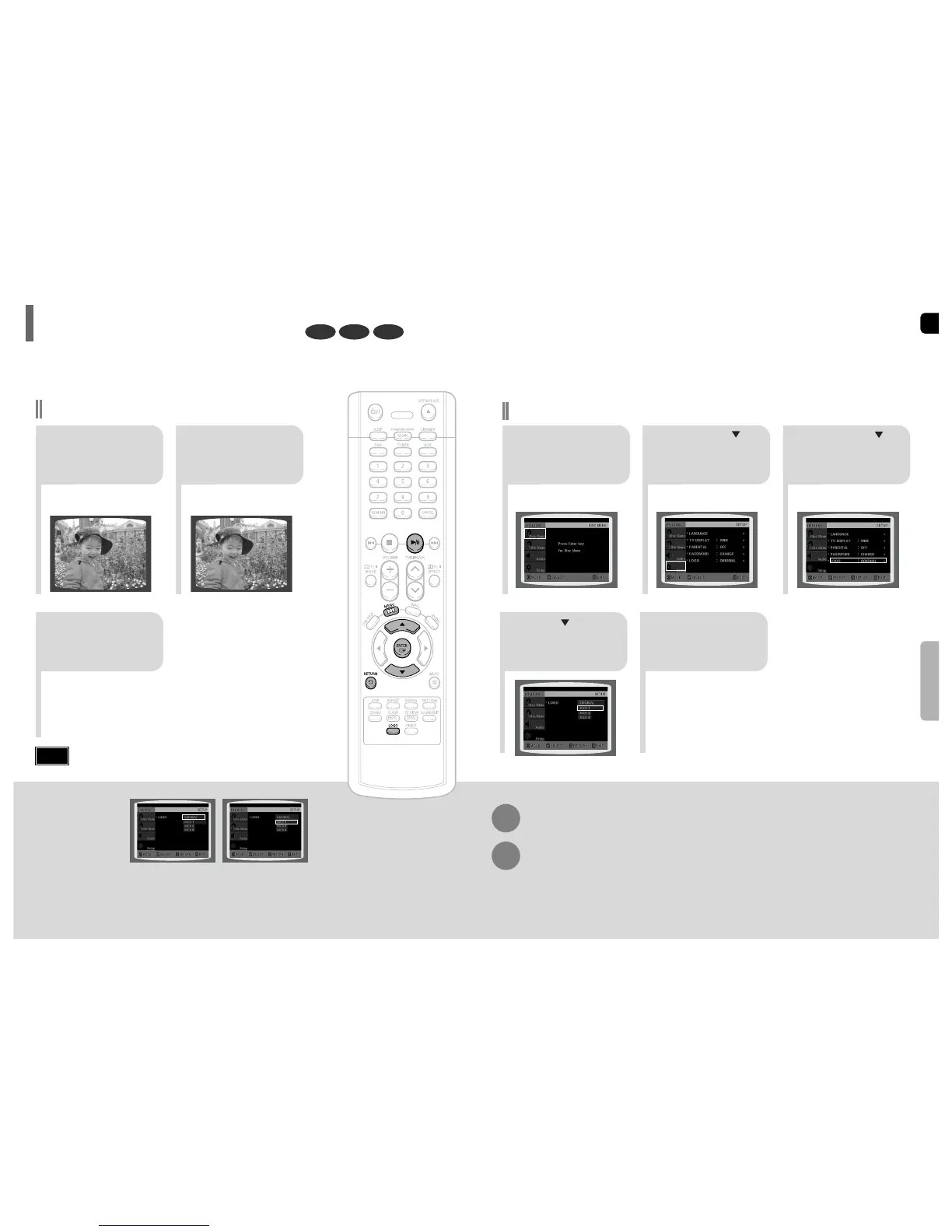
To Change the Wallpaper
54
Press MENU
button to exit the
setup screen.
Press to select
the desired ‘USER’,
and then press
ENTER.
Press RETURN button to return to the previous level.
Press MENU button to exit the setup screen.
37
DVD VCDJPEG
•
“COPY LOGO DATA” will be
displayed on the TV screen.
•
The selected wallpaper will be
displayed.
21
3
During playback, press
PLAY/PAUSE button
when an image you
like appears.
Press LOGO
button.
The power will
turn off and then
back on.
Setting the Wallpaper
While watching a DVD, VCD or JPEG CD, you can set the image you like as background wallpaper.
Setting the Wallpaper
•
You can set up to three wallpapers by repeating operation
from Step1 to Step 3.
Note
PAUSE
COPY LOGO DATA
Select this to set the
Samsung Logo image as
your wallpaper.
Select this to set the desired
image as your wallpaper.



 To Next Page