EasyManua.ls Logo

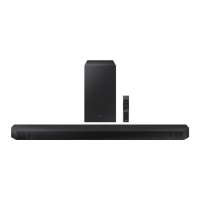
Samsung HW-Q600C - User Manual

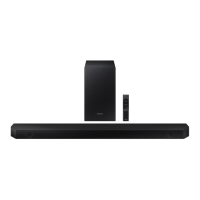
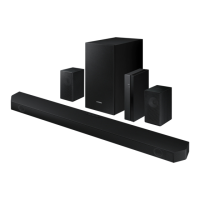
Samsung HW-Q600C
1015 pages
Print Icon
To Next Page IconTo Next Page
Loading...
https://tehnoteka.rs
Uputstvo za upotrebu
SAMSUNG soundbar zvučnik HW-Q600C/EN
Tehnoteka je online destinacija za upoređivanje cena i karakteristika bele tehnike,
potrošačke elektronike i IT uređaja kod trgovinskih lanaca i internet prodavnica u Srbiji.
Naša stranica vam omogućava da istražite najnovije informacije, detaljne karakteristike
i konkurentne cene proizvoda.
Posetite nas i uživajte u ekskluzivnom iskustvu pametne kupovine klikom na link:
https://tehnoteka.rs/p/samsung-soundbar-zvucnik-hw-q600cen-akcija-cena/
1 / 1.015

Table of Contents

Other manuals for Samsung HW-Q600C

Questions and Answers

  • L
    Lisa HarrisonJul 29, 2025
    What to do if my Samsung Soundbar does not output any sound?
    • B
      Brittany MurrayJul 29, 2025
      If your Samsung Soundbar does not output any sound, first, make sure the volume isn't too low or muted. If you have an external device connected (like an STB, Bluetooth device, or mobile device), adjust the volume on that device as well. For TV sound output, ensure you've selected 'Soundbar'. Finally, try removing and reconnecting the cable from the Soundbar.
  • A
    Andrew HardingAug 9, 2025
    Why does my Samsung Speaker System sound drop out via Bluetooth?
    • B
      Brian WellsAug 9, 2025
      If the sound from your Samsung Speaker System drops out when connected via Bluetooth, it might be due to interference from other devices like microwaves or wireless routers. Try moving these devices away from the Soundbar. Also, ensure that the Bluetooth device is not too far from the Soundbar. If a part of your body is in contact with the Bluetooth transceiver or the product is installed on metal furniture, sound may drop out. In this case, check the installation environment and conditions for use.
  • D
    Daniel BlankenshipAug 17, 2025
    How to fix a Samsung Soundbar that is working erratically?
    • M
      Matthew WilliamsAug 18, 2025
      If your Samsung Soundbar works erratically, try these steps: 1. Remove the power cord and then insert it again. 2. Point the remote directly at the Soundbar. 3. Replace the batteries in the remote with new ones. 4. Try resetting the product. 5. Ensure that the power is turned on, as the Soundbar automatically turns off after a certain period of time if there is no signal.

Summary

Safety Information

Safety Warnings

General safety warnings to reduce the risk of electric shock and fire.

Precautions

02 Product Overview

03 Using the Remote Control

How to Use the Remote Control

Explanation of remote control buttons and their functions.

04 Connecting the Soundbar

05 Connecting to a TV

06 Connecting an External Device

11 Software Update

12 Troubleshooting

Samsung HW-Q600C Specifications

General IconGeneral
RMS rated power200 W
Audio output channels3.1.2 channels
Audio Return Channel (ARC)Yes
AUX in-
HDMI in1
Bluetooth version4.2
Connectivity technologyWired & Wireless
Number of speakers9
Subwoofer typeActive subwoofer
Subwoofer connectivityWireless
Woofer diameter (subwoofer)11.61 \
Package typeBox
Package depth238 mm
Package width1088 mm
Package height452 mm
Package weight11700 g
Product colorBlack
Audio formats supportedAAC, AIFF, FLAC, MP3, OGG, WAV, WMA
Audio systemDolby atmos, Dolby TrueHD, Dolby digital plus, Dolby MAT
CompatibilityMP3, WMA, AAC, OGG, FLAC, WAV, AIFF
Brand-specific featuresq symphony
Weight and Dimensions IconWeight and Dimensions
Depth105 mm
Width1030 mm
Height57 mm
Subwoofer depth295 mm
Subwoofer width184 mm
Subwoofer height343 mm
Subwoofer weight5500 g

Videos

How to Setup Samsung Soundbar HW-Q600C

How to Reset Samsung Soundbar HW-Q600C

Related product manuals