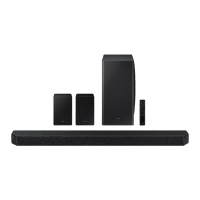
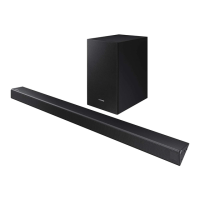
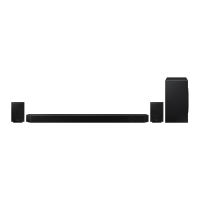
Simple User Guide
Figures and illustrations in this Simple User Guide are provided for reference only
and may differ from actual product appearance
AH81-17461A-00
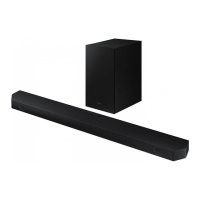
HW-QS730D
You can access the User guide on Samsung’s on-line customer support center by scanning the QR code on
the left.
To see the manual on your PC or mobile device, download the manual in document format from Samsung’s
website. (http://www.samsung.com/support)
QUESTIONS OR COMMENTS?
Samsung Service Center
Web Site Address
1-800-SAMSUNG (726-7864) www.samsung.com/us/support
Samsung Electronics America, Inc.
85 Challenger Road Ridgeeld Park,
NJ 07660
© 2024 Samsung Electronics Co., Ltd. All rights reserved.
SAFETY INFORMATION
• The following also applies to the
Subwoofer (PS-WQ930D).
SAFETY WARNINGS
TO REDUCE THE RISK OF ELECTRIC SHOCK, DO NOT
REMOVE THE COVER (OR BACK).
NO USER-SERVICEABLE PARTS ARE INSIDE. REFER
SERVICING TO QUALIFIED SERVICE PERSONNEL.
Refer to the table below for an explanation of symbols
which may be on your Samsung product.
CAUTION
RISK OF ELECTRIC SHOCK. DO NOT
OPEN.
This symbol indicates that high voltage is
present inside. It is dangerous to make any
kind of contact with any internal part of this
product.
This symbol indicates that this product has
included important literature concerning
operation and maintenance.
Class II product : This symbol indicates that a
safety connection to electrical earth (ground)
is not required.
If this symbol is not present on a product
with a power cord, the product MUST have
a reliable connection to protective earth
(ground).
AC voltage : Rated voltage marked with this
symbol is AC voltage.
DC voltage : Rated voltage marked with this
symbol is DC voltage.
Caution. Consult Instructions for use : This
symbol instructs the user to consult the user
manual for further safety related information.
WARNING
• To reduce the risk of re or electric shock, do not expose
this appliance to rain or moisture.
• To prevent injury, this apparatus must be securely
attached to the oor/wall in accordance with the
installation instructions.
• This product contains chemicals known to the State of
California to cause cancer and birth defects or other
reproductive harm.
CAUTION
• Do not expose this apparatus to dripping or splashing.
Do not put objects lled with liquids, such as vases, on
the apparatus.
• To turn this apparatus off completely, you must pull the
power plug out of the wall socket. Consequently, the
power plug must be easily and readily accessible at all
times.
FCC NOTE (for U.S.A):
FCC Supplier’s Declaration of Conformity
Responsible Party - U.S. Contact Information:
Samsung Electronics America, Inc.
85 Challenger Road.
Ridgeeld Park, NJ 07660
Phone: 1-800-SAMSUNG (726-7864)
FCC Compliance Statement :
This device complies with Part 15 of the FCC Rules.
Operation is subject to the following two conditions:
(1) This device may not cause harmful interference, and
(2) this device must accept any interference received,
including interference that may cause undesired operation.
FCC Caution :
• Any changes or modications not expressly approved
by the party responsible for compliance could void the
user’s authority to operate this equipment.
• This product satises FCC regulations when shielded
cables and connectors are used to connect the unit to
other equipment.
To prevent electromagnetic interference with electric
appliances, such as radios and televisions, use shielded
cables and connectors for connections.
Class B FCC Statement
This equipment has been tested and found to comply with
the limits for a Class B digital device, pursuant to Part
15 of the FCC Rules. These limits are designed to provide
reasonable protection against harmful interference in a
residential installation. This equipment generates, uses
and can radiate radio frequency energy and, if not installed
and used in accordance with the instructions, may cause
harmful interference to radio communications. However,
there is no guarantee that interference will not occur
in a particular installation. If this equipment does cause
harmful interference to radio or television reception, which
can be determined by turning the equipment off and on,
the user is encouraged to try to correct the interference by
one of the following measures:
• Reorienting or relocating the receiving antenna.
• Increasing the separation between the equipment and
receiver.
• Connecting the equipment to an outlet that is on a
different circuit than the radio or TV.
• Consulting the dealer or an experienced radio/TV
technician for help.
FCC Radiation Exposure Statement :
This equipment complies with FCC radiation exposure
limits set forth for an uncontrolled environment. This
equipment should be installed and operated so there is
at least 8 inches (20 cm) between the radiator and your
body. This device and its antenna(s) must not be co-located
or operated in conjunction with any other antenna or
transmitter.
CALIFORNIA USA ONLY (Applicable for networking models
only.)
This Perchlorate warning applies only to primary
CR(Manganese Dioxide) Lithium coin cells in the product
sold or distributed ONLY in California USA “Perchlorate
Material - special handling may apply, See www.dtsc.
ca.gov/hazardouswaste/perchlorate.”
WARNING: Cancer and Reproductive Harm
- www.P65Warnings.ca.gov.
Samsung products and recycling
• Dispose unwanted electronics through an approved
recycler. To nd the nearest recycling location, go to
our website: www.samsung.com/recycling Or call,
1-800-SAMSUNG
• WARNING! Never dispose of batteries in a re because
they may explode. Do not dissemble, crush, puncture,
heat, burn or reuse batteries.
For more information, visit call2recycle.org or call
1-800-822-8837. Alternatively, visit:
www.samsung.com/ recycling or call 1-800-SAMSUNG.
Important Safety Instructions
Read these operating instructions carefully before using
the unit. Follow all the safety instructions listed below.
Keep these operating instructions handy for future
reference.
1. Read these instructions.
2. Keep these Instructions.
3. Heed all warnings.
4. Follow all instructions.
5. Do not use this apparatus near water.
6. Clean only with dry cloth.
7. Do not block any ventilation openings.
Install in accordance with the manufacturer’s
instructions.
8. Do not install near any heat sources such as radiators,
heat registers, stoves, or other apparatus (including
ampliers) that produce heat.
9. Do not hinder in any way the safety purpose of the
polarized or grounding-type plug.
A polarized plug has two blades with one wider than the
other. A grounding type plug has two blades and a third
grounding prong. The wide blade or the third prong are
provided for your safety. If the provided plug does not t
into your outlet, consult an electrician for replacement
of the obsolete outlet.
10. Protect the power cord from being walked on or pinched
particularly at plugs, convenience receptacles, and the
point where they exit from the apparatus.
11. Only use attachments/accessories specied by the
manufacturer.
12. Use only with the cart, stand, tripod,
bracket, or table specied by the
manufacturer, or sold with the apparatus.
When a cart is used, use caution when
moving the cart/apparatus combination
to avoid injury from tip-over.
13. Unplug this apparatus during lightning storms or when
unused for long periods of time.
14. Refer all servicing to qualied service personnel.
Servicing is required when the apparatus has been
damaged in any way, such as power-supply cord or
plug is damaged, liquid has been spilled or objects
have fallen into the apparatus, the apparatus has been
exposed to rain or moisture, does not operate normally,
or has been dropped.
PRECAUTIONS
1. Ensure that the AC power supply in your house complies
with the power requirements listed on the identication
sticker located on the bottom of your product. Install
your product horizontally, on a suitable base (furniture),
with enough space around it for ventilation (3~4
inches). Make sure the ventilation slots are not covered.
Do not place the unit on ampliers or other equipment
which may become hot. This unit is designed for
continuous use.
To fully turn off the unit, disconnect the AC plug from
the wall outlet. Unplug the unit if you intend to leave it
unused for a long period of time.
2. During thunderstorms, disconnect the AC plug from
the wall outlet. Voltage peaks due to lightning could
damage the unit.
3. Do not expose the unit to direct sunlight or other heat
sources. This could lead to overheating and cause the
unit to malfunction.
4. Protect the product from moisture (i.e. vases), and
excess heat (e.g. a replace) or equipment creating
strong magnetic or electric elds. Unplug the power
cable from the AC wall socket if the unit malfunctions.
Your product is not intended for industrial use. It
is for personal use only. Condensation may occur if
your product has been stored in cold temperatures.
If transporting the unit during the winter, wait
approximately 2 hours until the unit has reached room
temperature before using.
5. The battery used with this product contains chemicals
that are harmful to the environment. Do not dispose
of the battery in the general household trash. Do not
expose the battery to excess heat, direct sunlight, or
re. Do not short circuit, disassemble, or overheat the
battery.
CAUTION : Danger of explosion if the battery is replaced
incorrectly. Replace only with the same or equivalent
type.
01 CHECKING THE
COMPONENTS
• Soundbar Main Unit
• Soundbar Remote
Control
• Batteries
• Subwoofer
• Power Cord X 2
(Subwoofer, Soundbar)
• HDMI Cable
• Wall Mount Guide
• Holder-Screw X 2
• Screw (M4 x L10) X 2
• Bracket-Wall Mount X 2
• Rubber-Foot X 4
NOTE
• For more information about the power supply and
power consumption, refer to the label attached to the
product. (Label: Rear of the Soundbar Main Unit)
• To purchase additional components or optional
cables, contact a Samsung Service Center or Samsung
Customer Care.
02 PRODUCT OVERVIEW
Top Panel of the Soundbar
Volume
SourcePower
Display
Bottom Panel of the Soundbar
HDMI IN 1
HDMI IN 2
SERVICE
DIGITAL AUDIO IN
(OPTICAL)
HDMI TO TV
(eARC/ARC)
HDMI
SERVICE
DIGITAL AUDIO IN
(OPTICAL)
HDMI TO TV
(eARC/ARC)
HDMI
HDMI IN 1
HDMI IN 2
SERVICE
DIGITAL AUDIO IN
(OPTICAL)
HDMI TO TV
(eARC/ARC)
HDMI
SERVICE
DIGITAL AUDIO IN
(OPTICAL)
HDMI TO TV
(eARC/ARC)
HDMI
HDMI IN 1
HDMI IN 2
SERVICE
DIGITAL AUDIO IN
(OPTICAL)
HDMI TO TV
(eARC/ARC)
HDMI
SERVICE
DIGITAL AUDIO IN
(OPTICAL)
HDMI TO TV
(eARC/ARC)
HDMI
HDMI IN 1
HDMI IN 2
SERVICE
DIGITAL AUDIO IN
(OPTICAL)
HDMI TO TV
(eARC/ARC)
HDMI
SERVICE
DIGITAL AUDIO IN
(OPTICAL)
HDMI TO TV
(eARC/ARC)
HDMI
2
1
3
5
4
1
POWER
Connect the Soundbar’s AC power cable.
2
SERVICE
Connect a USB storage device to upgrade the
product’s software.
3
DIGITAL AUDIO IN (OPTICAL)
Connect to the digital (optical) output of an external
device.
4
HDMI
Inputs digital video and audio signals
simultaneously using an HDMI cable.
Connect to the HDMI output of an external device.
5
HDMI TO TV (eARC/ARC)
Connect to the HDMI jack on a TV.
03 CONNECTING THE
SOUNDBAR
Connecting the power and units
HDMI IN 1
HDMI IN 2
ID SET
(WOOFER,
REAR)
NETWORK
SERVICE
DIGITAL AUDIO IN
(OPTICAL)
HDMI TO TV
(eARC/ARC)
HDMI 1
HDMI 2
ID SET
HDMI IN 1
HDMI IN 2
SERVICE
DIGITAL AUDIO IN
(OPTICAL)
HDMI TO TV
(eARC/ARC)
HDMI 1
HDMI IN 1
HDMI IN 2
ID SET
(WOOFER,
REAR)
POWER
NETWORK
SERVICE
DIGITAL AUDIO IN
(OPTICAL)
HDMI TO TV
(eARC/ARC)
HDMI 1
HDMI 2
ID SET
HDMI IN 1
HDMI IN 2
SERVICE
DIGITAL AUDIO IN
(OPTICAL)
HDMI TO TV
(eARC/ARC)
HDMI 1
Blue Blinks
Rear of
Subwoofer
Bottom of the
Soundbar Main Unit
• The LINK LED indicator stops blinking and glows a solid
blue when a connection is established between the
Soundbar and the Subwoofer.
04 USING A WIRED
CONNECTION
1
HDMI Cable
2
Optical Cable (not supplied)
HDMI IN
(ARC)
HDMI OUT
DIGITAL AUDIO IN
(OPTICAL)
HDMI TO TV
(eARC/ARC)
HDMI
1
1
Connecting using an HDMI Cable
(External Device (HDMI) / TV ARC/eARC)
OPTICAL OUT
DIGITAL AUDIO IN
(OPTICAL)
2
Connecting using an Optical Cable (D.IN)
NOTE
• When the TV sound is not output, press the (Source)
button at the top of the Soundbar or the (Source)
button on the remote control to select the “TV ARC”
mode.
• The recommended cable is an HDMI cable certied by
HDMI.org.
• When you use an optical cable and the terminals have
covers, be sure to remove the covers.
Using the Q-Symphony Function
When the Soundbar connects to a Samsung TV that
supports the Q-Symphony function, you can play the sound
simultaneously through the Soundbar and the TV. If you use
the Q-Symphony function, the surround sound played on
the TV allows you to enjoy a richer, more three-dimensional
surround sound effect.
When the Soundbar is connected, “Q-symphony” menu
appears on the TV. (The message displayed may differ with
the TV model.)
(Settings ( ) → All Settings ( ) → Sound → Sound
Output)

 Need help?
 General

 To Next Page