EasyManua.ls Logo

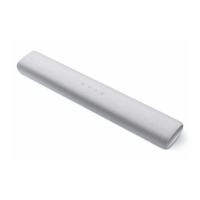
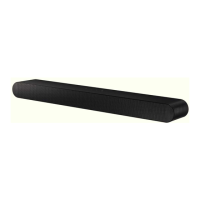
Samsung HW-S61D - User Manual

Samsung HW-S61D
42 pages
Print Icon
To Next Page IconTo Next Page
Loading...
User guide
HW-S60D / HW-S61D
© 2024 Samsung Electronics Co., Ltd. All rights reserved.
Thank you for purchasing this Samsung product.
To receive more complete service, please register your product at www.samsung.com
Figures and illustrations in this User Manual are provided for reference only and may differ from actual product appearance.

Other manuals for Samsung HW-S61D

Questions and Answers

  • K
    Kayla MartinezAug 11, 2025
    Why doesn't my Samsung HW-S61D remote control work?
    • C
      Christopher DavisAug 11, 2025
      If the remote control for your Samsung Speaker System isn't working, try pointing the remote directly at the soundbar. If that doesn't work, replace the batteries with new ones.
  • K
    Kathleen RamseyAug 16, 2025
    Why is my Samsung HW-S61D remote control not working?
    • C
      Candice BrownAug 16, 2025
      If your Samsung Speaker System remote control isn't working, try these steps: * Point the remote directly at the Soundbar. * Replace the batteries with new ones.
  • M
    Matthew AllenAug 23, 2025
    Why is the red LED light on my Samsung Speaker System on?
    • R
      rodriguezlucasAug 23, 2025
      If the red LED indicator light on your Samsung Speaker System stays on, it means the microphone is turned off. To resolve this, turn the microphone on.
  • J
    Jeremy VaughnAug 28, 2025
    What to do if Samsung HW-S61D Speaker System works erratically in Bluetooth mode?
    • L
      Lisa LaraAug 28, 2025
      If your Samsung Speaker System works erratically in “Bluetooth” mode: 1. Remove the power cord and insert it again. 2. Power cycle the external device and try again.
  • R
    Ralph WallaceSep 3, 2025
    What to do if Samsung Speaker System soundbar works erratically in Bluetooth mode?
    • M
      Mariah WhiteSep 4, 2025
      If your Samsung Speaker System soundbar is working erratically in Bluetooth mode, try removing the power cord and then inserting it again. If the issue persists, power cycle the external device and try again.

Samsung HW-S61D Specifications

General IconGeneral
BrandSamsung
ModelHW-S61D
CategorySpeaker System
LanguageEnglish

Related product manuals