EasyManua.ls Logo

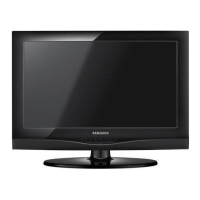
Samsung LE19D450G1W - User Manual

Samsung LE19D450G1W
20 pages
Print Icon
To Next Page IconTo Next Page
Loading...
LCD TV
User Manual
imagine the possibilities
Thank you for purchasing this Samsung product.
To receive more complete service, please register
your product at
www.samsung.com/register
Model _____________ Serial No. _____________
E-MANUAL
[LD450-XU]BN68-03394J-Eng.indd 1 2011-03-08 �� 2:09:40

Other manuals for Samsung LE19D450G1W

Questions and Answers

  • C
    cbarnettSep 4, 2025
    Why is the color wrong or missing on my Samsung LE19D450G1W LCD TV?
    • J
      Julie BallSep 4, 2025
      If you’re using a component connection, make sure the component cables are connected to the correct jacks. Incorrect or loose connections may cause colour problems or a blank screen.
  • M
    Misty MartinSep 18, 2025
    Why does my new Samsung LCD TV have a plastic smell?
    • I
      Ian WilliamsSep 18, 2025
      This smell is normal and will dissipate over time.
  • M
    Michael RamosSep 16, 2025
    Why do I have intermittent loss of audio or video on my Samsung LCD TV?
    • B
      Brian GoodmanSep 16, 2025
      Check the cable connections and reconnect them. Loss of audio or video can be caused by using overly rigid or thick cables, so ensure the cables are flexible enough for long term use.
  • A
    Alexandra OdomSep 14, 2025
    What causes inappropriate noise from Samsung LCD TV speakers?
    • G
      gibbstimothySep 15, 2025
      Check the cable connections, ensuring a video cable is not connected to an audio input. Low signal level may also cause sound distortion; for antenna or cable connections, check the signal strength.
  • R
    Raymond WhiteSep 13, 2025
    How to fix a dotted line on the edge of my Samsung LE19D450G1W screen?
    • M
      Michael RushSep 13, 2025
      If the picture size is set to Screen Fit, change it to 16:9. Also, try changing the cable/satellite box resolution.
  • J
    jeanette23Sep 12, 2025
    What to do if Samsung LE19D450G1W picture freezes or is distorted when changing channels?
    • A
      Abigail VaughnSep 12, 2025
      If connected with a cable box, please try to reset it by reconnecting the AC cord and waiting until it reboots. Set the output resolution of the cable box to 1080i or 720p.
  • A
    Amy GallowaySep 9, 2025
    How to adjust colour or brightness on Samsung LE19D450G1W LCD TV?
    • C
      Christopher AndersonSep 9, 2025
      Adjust the Picture options and the Energy Saving option in the TV menu. You can also try resetting the picture to view the default picture settings.
  • J
    Jeremy GonzalesSep 7, 2025
    Why is the picture on my Samsung LE19D450G1W LCD TV black and white?
    • M
      Michelle ScottSep 7, 2025
      If you are using an AV composite input, connect the video cable (yellow) to the Green jack of component input 1 on the TV.
  • C
    Cindy AdamsSep 6, 2025
    What does 'Mode Not Supported' mean on Samsung LCD TV?
    • D
      Donna ConleySep 6, 2025
      Set your PC’s output resolution so it matches the resolutions supported by the TV.
  • O
    owellsAug 21, 2025
    How to fix Samsung LE19D450G1W LCD TV when there is no picture/video?
    • B
      brossAug 21, 2025
      First, check the cable connections by removing and reconnecting all cables connected to the TV and any external devices. Ensure your external devices' video outputs match the connections to the TV input. Make sure all connected devices are powered on. Select the correct source on your TV by pressing the SOURCE button on the remote. Finally, try rebooting the connected devices by reconnecting their power cables.

Samsung LE19D450G1W Specifications

General IconGeneral
BrandSamsung
ModelLE19D450G1W
CategoryLCD TV
LanguageEnglish

Related product manuals