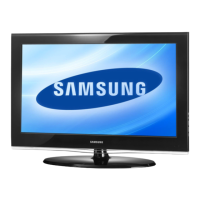
This document is a service manual for Samsung LCD-TV models, specifically the LE32A676A, LE37A676A, LE40A676A, LE46A676A, and LE52A676A, all sharing the N59A chassis. It provides comprehensive information for servicing and maintaining these TFT-LCD televisions.
Function Description:
The Samsung LCD-TVs covered by this manual are designed for digital television reception and display. They offer a range of connectivity options and features for an enhanced viewing experience. Key functionalities include:
- Digital TV Reception: Capable of receiving digital television signals (DVB-T, BG, DK, L/L', I standards).
- Multiple Inputs: Equipped with various input ports including RF, 3 HDMI, 2 External (Ext), 1 Component, 1 A/V, 1 S-video, and D-sub (PC input).
- USB 2.0 (Wiselink): Allows for connectivity with USB devices, likely for media playback or firmware upgrades.
- Picture-in-Picture (PIP): Supports displaying a sub-picture from TV, Ext1/2, or AV sources while the main picture is from HDMI1,2,3, Component1, or PC mode.
- Anynet+: A feature for simplified control of Samsung AV devices connected via HDMI.
- Movie Plus (MJC - Motion Judder Cancellation): This technology is designed to cancel motion judder in HD film images, utilizing Adaptive Recursive Search (ARS) and implementing IPC/MJC simultaneously. It has a search range of ±72 pixels horizontally and ±12 lines vertically, aiming to provide smoother motion.
Important Technical Specifications:
The manual details specifications for various models, with the LE32A676A serving as a representative example. Common specifications across the series include:
- LCD Panel: TFT-LCD panel with RGB vertical stripe and SPVA mode, displaying normally black.
- Display Colors: 16.7 million colors.
- Maximum Resolution: 1920 Pixels (Horizontal) x 1080 Pixels (Vertical), indicating Full HD capability.
- Scanning Frequency: Automatic horizontal scanning from 30 kHz to 80 kHz, and vertical scanning from 56 Hz to 75 Hz.
- Maximum Pixel Clock Rate: 310 MHz.
- Input Signal: Analog 0.7 Vp-p ± 5% positive at 75Ω, internally terminated.
- Input Sync Signal: H/V Separate, TTL, P. or N.
- AC Power Voltage & Frequency: AC 110V ~ 240V, 50/60Hz.
- Sound Output: MAX Internal speaker output of Right => 10W, Left => 10W.
- Audio Control Ranges: BASS and TREBLE control ranges from -8 dB to +8 dB.
- Headphone Out: 10 mW MAX.
- Output Frequency: RF: 80 Hz ~ 15 kHz, A/V: 80 Hz ~ 20 kHz.
- Brightness: 500 cd/m².
- Contrast Ratio: 8000:1.
- Response Time: 6ms.
- Picture Enhancer: DNIe (FBE3).
- Equalizer: 5 Band.
- Environmental Considerations:
- Operating Temperature: 50°F ~ 104°F (10°C ~ 40°C).
- Operating Humidity: 10% ~ 80%, non-condensing.
- Storage Temperature: -13°F ~ 113°F (-25°C ~ 45°C).
- Storage Humidity: 5% ~ 95%, non-condensing.
Specific model dimensions and weights are also provided:
- LE32A676A:
- Set (W x D x H): 31.53 x 9.92 x 22.58 inches (with stand), 28.88 x 3.11 x 20.69 inches (without stand).
- Weight (Set): 28.88 lbs (13.1 kg).
- LE37A676A:
- Set (W x D x H): 36.12 x 11.81 x 25.58 inches (with stand), 36.12 x 3.26 x 23.82 inches (without stand).
- Weight (Set): 39.46 lbs (17.9 kg).
- LE40A676A:
- Set (W x D x H): 39.24 x 11.81 x 27.01 inches (with stand), 39.24 x 3.26 x 25.25 inches (without stand).
- Weight (Set): 46.74 lbs (21.2 kg).
- LE46A676A:
- Set (W x D x H): 44.39 x 11.02 x 30.18 inches (with stand), 44.39 x 3.66 x 28.18 inches (without stand).
- Weight (Set): 60.85 lbs (27.6 kg).
- LE52A676A:
- Set (W x D x H): 49.94 x 12.83 x 33.72 inches (with stand), 49.94 x 4.07 x 31.71 inches (without stand).
- Weight (Set): 71.21 lbs (32.3 kg).
Usage Features:
The manual implicitly describes usage features through its troubleshooting and adjustment sections. Users can expect:
- Remote Control: Standard remote control functionality for navigating menus and adjusting settings.
- On-Screen Display (OSD): An intuitive OSD for accessing various settings, including factory mode adjustments for service technicians.
- Connectivity: Easy connection to various external devices via HDMI, Component, S-Video, and PC inputs.
- USB (Wiselink): The presence of a USB port suggests media playback capabilities, allowing users to view photos or videos from a USB drive.
- Firmware Upgrades: The device supports firmware upgrades via USB, ensuring the TV can receive future enhancements and bug fixes.
Maintenance Features:
The service manual is primarily focused on maintenance and repair, offering detailed procedures and guidelines:
- Safety Precautions: Emphasizes critical safety measures, including disconnecting power before servicing and handling electrostatically sensitive devices (ESD) with care to prevent damage or electrical shock.
- Disassembly and Reassembly: Provides step-by-step instructions with illustrations for disassembling and reassembling the LCD TV, including removal of the stand, rear cover, internal boards (IP and main board), speakers, and panel.
- Troubleshooting: Offers a comprehensive troubleshooting guide for common issues such as "No Power," "No Video" (for Analog PC, HDMI, Tuner_CVBS, Video_CVBS, S-VIDEO_Y,C signals), and "No Sound." Diagnostic flowcharts help identify the root cause of problems.
- Alignments and Adjustments: Details general alignment instructions and specific factory mode adjustments, including:
- Factory Mode Entry: Instructions on how to access the service mode using the remote control.
- Panel Check: Guidance on checking the panel maker for appropriate adjustments.
- Factory Data: Overview of various factory data parameters like application S/W version, scaler S/W version, sub micom version, EDID status, and date of purchase.
- Option Settings: Extensive list of adjustable options in factory mode, including Panel Inch, Dimm Type, Panel Type, Language, D-Gamma, Anynet+, Light Effect, WM Calib, Auto Power, LNA Menu, VOL Table, Shop Mode, Color Space, PC Ident, Country, Lvds Tx Fmt, Lvds Tx Bit, Init Color System, BUS STOP, Manual Store, Panel Time, Number of HDMI, Visual TEST, Carrier Mute, High Devi., Tuner Sel, LNA On/Off, Armani TV, Mosel Sel, PixelShift Test, Hotplug, and Hotplug Delay.
- Calibration: Procedures for AV, DTV, PC, and HDMI calibration, including white balance calibration using specific patterns and equipment (CA210 & Master MSPG925 Generator).
- White Ratio (Balance) Adjustment: Instructions for adjusting white ratio in factory mode, considering input source variations.
- Servicing Information: Includes details on USB download method for firmware upgrades.
- EDID Self-Write Method: Explains how to perform EDID self-write, including OSD displays for success/failure and handling different HDMI versions.
- Exploded View & Part List: Provides detailed exploded diagrams and corresponding part lists for each model (LE32A676A, LE37A676A, LE40A676A, LE46A676A, LE52A676A), aiding in identification and ordering of replacement components.
- Wiring Diagram: Includes wiring diagrams and pictures, along with connector functions and cable details, to assist technicians in understanding the internal connections.
This manual is an essential resource for authorized service personnel to diagnose, repair, and maintain Samsung LCD-TVs, ensuring their proper functioning and longevity.

 Need help?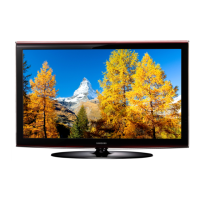


 To Next Page
 General