Getting started
8
After fully charging, disconnect the device from the charger. First unplug the charger from the
device, and then unplug it from the electric socket.
To save energy, unplug the charger when not in use. The charger does not have a
power switch, so you must unplug the charger from the electric socket when not in
use to avoid wasting power. The charger should remain close to the electric socket
and easily accessible while charging.
Checking the battery level
Simultaneously press and hold the Volume up button and the Multifunction button for
1 second. The notification light flashes three times in different colours according to the
charging status.
Status Colour
Less than 30%
•
Red
30-60%
•
Yellow
More than 60%
•
Green
Wearing the device and earphones
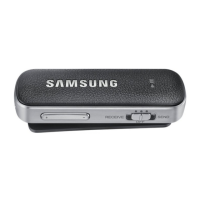
Connect the supplied earphones to the Level Link and wear them around your neck.
1
Plug the earphones into the audio jack of the Level Link.
2
Adjust the earphone clip form a loop large enough to fit your head through.


 To Next Page