EasyManua.ls Logo

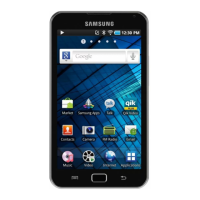
Samsung YP-G1 - User Manual

Samsung YP-G1
111 pages
Print Icon
To Next Page IconTo Next Page
Loading...
Some of the contents in this manual may dier from your device depending on the software of the device or your service
provider.
www.samsung.com English (HK). 04/2011. Rev. 1.0
To install Kies (PC Sync)
Download the latest version of Kies from the Samsung 1.
website (www.samsung.com/kies) and install it on
your PC.
Using a PC data cable, connect your device to your PC.2.
Refer to the Kies help for more information.
Question and Answer IconNeed help?

Do you have a question about the Samsung YP-G1 and is the answer not in the manual?

Summary

Introduction and Setup

Installing Kies PC Sync Software

Guide to installing Samsung Kies for PC synchronization.

Manual Guide and Device Overview

Instructions on using the manual and understanding device basics.

Instructional Icons

Explanation of icons used in the manual for warnings and notes.

Legal and Multimedia Information

Copyright, Trademarks, and DivX Video

Information on copyright, trademarks, and DivX video format details.

Device Assembly and Initial Setup

Unpacking, Battery, and Memory Card

Steps for unpacking the device, installing the battery, and inserting a memory card.

Attaching Hand Strap and Charging

Instructions for attaching a hand strap and charging the device battery.

Navigating the User Interface

Device Basics: Power, Layout, and Keys

Understanding device power, physical layout, and key functions.

Touchscreen Operations and Idle Screen

How to use the touch screen and navigate the idle screen.

Application Management and Customization

Accessing, organizing, and customizing applications on the device.

Device Settings and Personalization

Display, Sound, and Security Settings

Configuring display brightness, sound options, and screen lock security.

Text Input and Voice Features

Using virtual keyboards, changing types, and entering text via voice.

Data Management and Communication

Downloads, Copy;Paste, and Synchronization

Managing files, copying text, and synchronizing device data.

Communication: Email, Chat, and Video Calls

Using email, Google Talk chat, and Qik Video for communication.

Entertainment Features

Camera and Video Recording Operations

Capturing photos and recording videos with various camera modes.

Media Gallery and Music Player

Viewing photos, videos, and playing music files.

FM Radio Usage

Listening to FM radio, tuning stations, and managing favorites.

Personal Information and Web Services

Contacts, Calendar, and Memos

Managing contacts, events, and creating memos.

Web Browsing, Maps, and Navigation

Browsing the web, using maps, and GPS navigation services.

Connectivity and PC Integration

Bluetooth, Wi-Fi, and AllShare

Connecting via Bluetooth, Wi-Fi, and sharing media with AllShare.

PC and VPN Connections

Connecting the device to a PC and setting up VPN connections.

Device Tools and Settings

Alarms, Clocks, Calculator, and Files

Using tools like alarms, clocks, calculator, and managing files.

General Device Settings and Voice Search

Configuring system settings, voice input, and search functionalities.

Troubleshooting Common Issues

Resolving Device and Connectivity Problems

Solutions for common device errors, network, and connectivity issues.

Safety Precautions

General Safety and Usage Guidelines

Important safety information for device usage and handling.

Samsung YP-G1 Specifications

General IconGeneral
BrandSamsung
ModelYP-G1
CategoryPortable Multimedia Player
LanguageEnglish

Related product manuals