
 To Next Page
D
Denise CoxSep 9, 2025
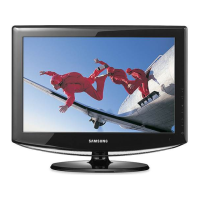
How do I get rid of ghosting on my Samsung LN19A330 LCD TV picture?
- MMeredith MasonSep 9, 2025
If you are experiencing ghosting on your Samsung LCD TV picture, try connecting Component cables instead.

How do I get rid of ghosting on my Samsung LN19A330 LCD TV picture?
If you are experiencing ghosting on your Samsung LCD TV picture, try connecting Component cables instead.
How to fix poor picture quality on Samsung LN19A330 LCD TV?
If you are experiencing poor picture quality on your Samsung LCD TV, try the following: * Try another channel. * Adjust the antenna. * Check all wire connections.
How to fix the image being too light or too dark on Samsung LN19A330 LCD TV?
If the image on your Samsung LCD TV is too light or too dark, adjust the Brightness and Contrast. Also, adjust the Fine tuning.
How to fix a Samsung LN19A330 LCD TV picture with a Red/Green or Pink tint?
If your Samsung LCD TV picture has a Red/Green or Pink tint, make sure the Component cables are connected to the correct jacks.
How to fix horizontal bars that flicker on my Samsung LCD TV?
If horizontal bars appear to flicker, jitter, or shimmer on the image of your Samsung LCD TV, adjust the Coarse tuning and then adjust the Fine tuning.
How to fix vertical bars that flicker on my Samsung LN19A330 LCD TV?
If vertical bars appear to flicker, jitter, or shimmer on the image of your Samsung LCD TV, adjust the Coarse tuning and then adjust the Fine tuning.
Why is the image not centered on my Samsung LN19A330 LCD TV screen?
If the image is not centered on your Samsung LCD TV screen: * Adjust the horizontal and vertical position. * The screen position must be adjusted on the output source (i.e. STB) with a digital signal.
Why does the picture appear distorted in the corner of my Samsung LCD TV screen?
If the picture appears distorted in the corner of your Samsung LCD TV screen, and 'Just Scan' is selected with some external devices, this symptom is caused by the external devices, not the TV.
Why does my Samsung LCD TV picture roll vertically?
If the picture on your Samsung LCD TV rolls vertically, check all wire connections.
Why is my Samsung LCD TV operating erratically?
If your Samsung LCD TV is operating erratically, unplug the TV for 30 seconds, then try operating it again.
Provides contact details for Samsung customer care worldwide for product inquiries.
Details the North American warranty service for Samsung products, including cross-border repairs.
Advises on preventing screen image retention or burn-in from static images on LCD displays.
Lists the key features of the LCD TV and the included accessories in the package.
Describes the buttons on the TV's control panel for basic functions and menu navigation.
Details the various input and output ports available on the TV's rear panel.
Explains the function of each button on the TV's remote control for operation.
Instructions for connecting VHF, UHF, and separate antennas to the TV.
Guides for connecting the TV to a cable TV system, with or without a cable box.
Steps for connecting devices using HDMI or DVI-HDMI cables to the TV.
Instructions for connecting Component video sources and camcorders to the TV.
Details on how to connect a VCR to the TV for video and audio playback.
Guides for connecting digital audio systems or amplifiers to the TV.
Instructions for connecting a computer to the TV via D-Sub or HDMI/DVI cables.
Covers turning the TV on/off and the initial Plug & Play setup process.
Explains how to change channels using the channel buttons or number buttons.
Details on using specific buttons (VOL, MUTE, INFO) and navigating TV menus.
Using the TOOLS button and memorizing available TV channels for easy access.
Guides on changing picture modes (Dynamic, Standard, Movie) and customizing settings.
Configures picture options like color tone, screen size, and digital noise reduction.
Instructions to reset all picture settings to their factory default values.
Selects sound modes (Standard, Music, Movie, Speech, Custom) and customizes equalizer settings.
Enables TruSurround XT and selects preferred audio tracks for multi-channel sound.
Manages automatic volume control and toggles TV speakers on or off.
Clears scrambled digital channels and views/manages channel lists.
Sets up favorite channels and labels channels for easier identification.
Adjusts analog channel reception and checks digital signal strength.
Guides on using the TV as a PC monitor and understanding display modes.
Adjusts PC display automatically and improves screen image quality.
Adjusts screen position and confirms PC resolution for optimal display.
Instructions for manually or automatically setting the TV's clock.
Configures the sleep timer and on/off timers for automatic TV operation.
Sets the menu language and configures the V-Chip parental control system.
Sets parental restrictions using TV ratings and MPAA ratings.
Enables and configures closed captions for analog and digital broadcasts.
Adjusts melody sounds, energy saving, and upgrades TV software.
Provides solutions for common TV problems and issues.
Instructions for attaching and detaching the TV stand.
Guides for installing auto wall mounts and VESA specifications.
Details on using an optional Kensington lock for security.
Presents technical specifications including dimensions, weight, and environmental considerations.
Provides detailed dimensional drawings and measurements for various TV models.
 General
| Audio system | SRS TrusurroundXT |
|---|---|
| RMS rated power | 6 W |
| Number of speakers | 2 |
| Package depth | 185.4 mm |
| Package width | 556.2 mm |
| Package height | 487.6 mm |
| Package weight | 6985 g |
| Product color | Black |
| LED indicators | Stand-by |
| Sustainability certificates | ENERGY STAR |
| HD type | WXGA |
| Response time | 8 ms |
| Display diagonal | 18.9 \ |
| Display resolution | 1440 x 900 pixels |
| Display technology | LCD |
| Native aspect ratio | 4:3 |
| Supported video modes | 720p |
| Viewing angle, vertical | 160 ° |
| Contrast ratio (dynamic) | 3000:1 |
| Viewing angle, horizontal | 170 ° |
| Package weight (imperial) | 15.4 lbs |
| Analog signal format system | NTSC |
 Weight and Dimensions
| Depth (with stand) | 180 mm |
|---|---|
| Width (with stand) | 480 mm |
| Height (with stand) | 390 mm |
| Weight (with stand) | 5200 g |
| Depth (without stand) | 58.42 mm |
| Height (without stand) | 361 mm |
| Weight (without stand) | 4717 g |