EasyManua.ls Logo

Samsung LN32R71B - User Manual

Samsung LN32R71B
151 pages
Print Icon
To Next Page IconTo Next Page
Loading...
Owners
Instructions
Register your product at www.samsung.com/global/register
Record your Model and Serial number here for future reference.
· Model __________ · Serial No. ____________
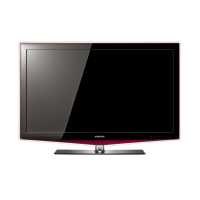
TFT-LCD TELEVISION
LN23R71B
LN26R71B
LN32R71B
LN40R71B
Contact SAMSUNG WORLD-WIDE
If you have any questions or comments relating to Samsung products,
please contact the SAMSUNG customer care center.
Contacte con SAMSUNG WORLD-WIDE
Si tiene alguna pregunta o comentario referente a nuestros productos,
por favor contacte con nuestro Servicio de Atención al Cliente.
Contate a SAMSUNG EM TODO O MUNDO
Caso tenha dúvidas ou comentários sobre os produtos da Samsung,
entre em contato com o centro de atendimento ao cliente da SAMSUNG.
Country
Customer Care Center
Web Site
ARGENTINE 0800-333-3733 www.samsung.com/ar
BRAZIL 4004-0000 www.samsung.com/br
CHILE 800-726-7864 (SAMSUNG) www.samsung.com/cl
COLOMBIA 01 8000 112 112 www.samsung.com/co
COSTA RICA 0-800-507-7267 www.samsung.com/latin
ECUADOR 1-800-10-7267 www.samsung.com/latin
EL SALVADOR 800-6225 www.samsung.com/latin
GUATEMALA 1-800-299-0013 www.samsung.com/latin
JAMAICA 1-800-234-7267 www.samsung.com/latin
MEXICO 01-800-SAMSUNG (7267864) www.samsung.com/mx
PANAMA 800-7267 www.samsung.com/latin
PUERTO RICO 1-800-682-3180 www.samsung.com/latin
REP.DOMINICANA 1-800-751-2676 www.samsung.com/latin
TRINIDAD &TOBAGO 1-800-7267-864 www.samsung.com/latin
VENEZUELA 1-800-100-5303 www.samsung.com/latin
IMPORTADO POR:SAMSUNG ELECTRONICS MÉXICO.S.A.de C.V.
Vía Lopez Portillo No.6,
Col.San Fco.Chilpan
Tultitlán,Estado de México,C.P.54940
TEL.01-55-5747-5100 / 01-800-726-7864
EXPORTADO POR:Samsung Electronics CO.,LTD.
416,Mae tan-3dong,Yeongtong -gu,
Suwon City,Gyeonggi-do Korea
BN68-01200A-01
BN68-01200A-01L03-Cover.indd 1 2007-03-16 �� 9:32:27

Table of Contents

Question and Answer IconNeed help?

Do you have a question about the Samsung LN32R71B and is the answer not in the manual?

Summary

Samsung TV Contact and Precautions

Contact SAMSUNG WORLD-WIDE

Provides contact information for Samsung customer support centers globally.

Precautions for Still Images

Advises on preventing screen damage from prolonged display of static images.

General Information, Setup, and Remote Control

TV Features, Accessories, and Panel Guides

Overview of TV features, included accessories, and panel layouts for connectivity.

Remote Control Setup and Operation

Instructions for installing batteries and setting up the remote to control other devices.

Connecting External Devices

Antennas, Cable TV, and Video Sources

Guides for connecting antennas, cable TV, VCRs, camcorders, DVD players, and PCs.

Basic TV Operation

Power, Plug & Play, and Channel;Volume Control

Basic TV functions including power, initial setup, channel surfing, and volume adjustment.

Menus, Display Information, and Channel Memorization

Navigating the TV menu, viewing information, and memorizing channels.

Picture Settings and Enhancements

Picture Modes and Quality Adjustments

Selecting preset picture modes and fine-tuning color, DNIe, and screen size.

Advanced Picture Features

Using HDMI Black Level and Picture-in-Picture (PIP) functionalities.

Sound Settings and Features

Sound Modes and Customization

Adjusting sound via equalizer or selecting preset modes for different content.

Audio Technologies and Controls

Utilizing TruSurround XT, MTS, volume control, and internal mute.

Headphones and PIP Sound

Connecting headphones and selecting audio source for PIP display.

Channel Management and Tuning

Channel Manager, Child Lock, and Fine Tuning

Managing channels, activating parental locks, and fine-tuning reception.

PC Display and Connectivity

Using TV as a PC Monitor

Connecting and configuring the TV to display computer output.

PC Display Modes and Adjustments

Supported resolutions, frequencies, and adjusting screen position/quality.

Time Settings and Timers

Clock, Sleep Timer, and On;Off Timer

Setting the clock, sleep timer for auto shut-off, and on/off timers.

Advanced Function Descriptions

Menu Language, Blue Screen, and Game Mode

Features for language selection, blue screen display, and gaming optimization.

Noise Reduction, Captions, and Energy Saving

Enhancing picture quality, displaying captions, and saving energy.

Appendix and Troubleshooting

Problem Identification and Solutions

A guide to common TV issues and their recommended solutions.

Installation and Security Features

Instructions for stand installation, wall mounting, and using a security lock.

Product Specifications

Samsung LN32R71B Specifications

General IconGeneral
Screen Size32 inches
Resolution1366 x 768
Display TypeLCD
Brightness500 cd/m²
Response Time8 ms
HDMI Ports2
Component Inputs1
Composite Inputs1
Aspect Ratio16:9
Viewing Angle178 degrees
Input PortsHDMI, Component, Composite, PC Input
Sound Output10W x 2

Related product manuals