32 Section 2A: Your Phone: The Basics
Backing Up Within a Menu
To go to the previous menu:
䊳 Press .
To return to standby mode:
䊳 Press .
Displaying Your Phone Number
Just in case you forget your phone number, your phone can
remind you.
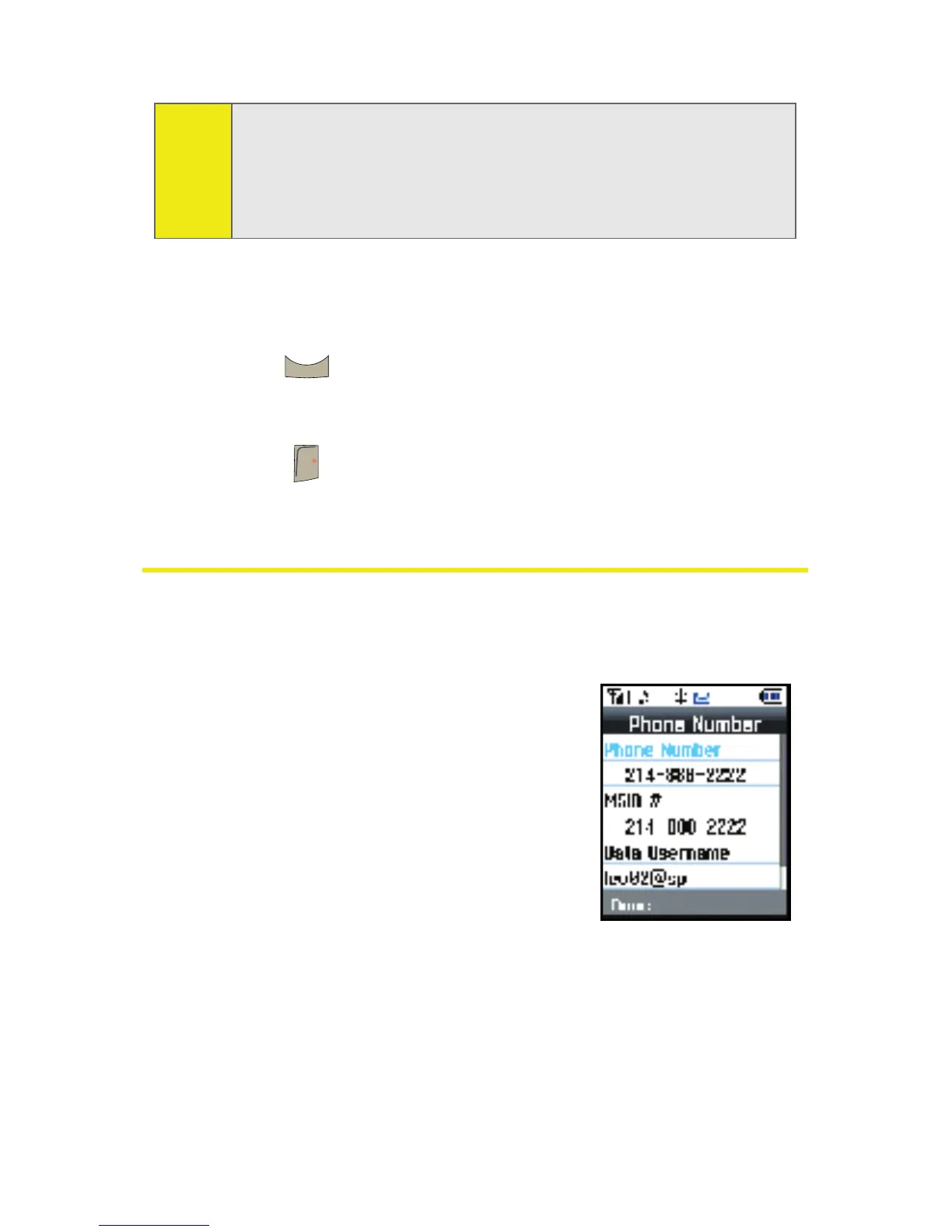
To display your phone number:
䊳 Select Menu > Settings > Phone Info
> Phone Number. (Your phone
number and other information
about your phone and account
will be displayed.)
Note:
To select Menu, press the Menu key. To select menu options
(such as Settings on the previous page), highlight the option
and press OK. (If the menu options are numbered, you may
also select an option simply by pressing the corresponding
number key.)
BACK
END











 To Next Page