50 Section 2A: Your Phone: The Basics
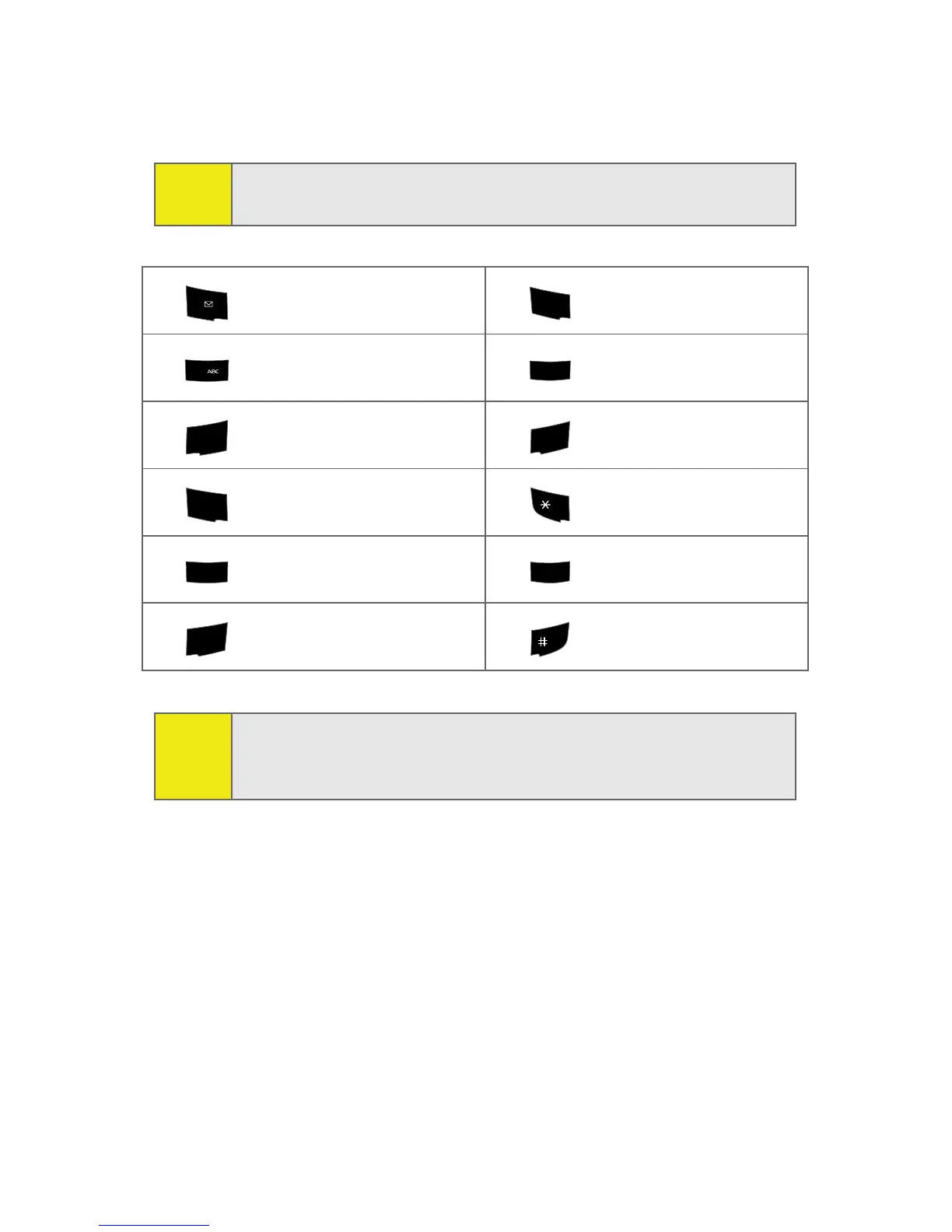
Characters scroll in the following order (lowercase characters
shown in parentheses):
Note:
Accented characters are available only if the Dual Language
text option is set to Spanish.
. ,@ 1 ? ! * # / P Q R S 7 (p q r s 7)
A B C 2 Á Ã Ç (a b c 2 á ã ç) T U V 8 Ú Ü (t u v 8 ú ü)
D E F 3 É (d e f 3 é) W X Y Z 9 (w x y z 9)
G H I 4 Í (g h i 4 í) Shift (Toggles the case)
J K L 5 (j k l 5) 0
M N O 6 Ó Ñ (m n o 6 ó ñ) Space
Tip:
When entering the same letter twice or a different letter on
the same key, wait a few seconds for the cursor to move to
the right automatically, and then select the next letter.
1
7
PQRS
2
8
TUV
3
DEF
9
WXYZ
4
GHI
Shift
5
JKL
0
+
Next
6
MNO
Space








 To Next Page