EasyManua.ls Logo

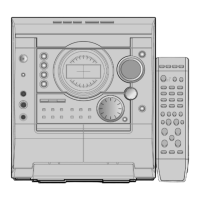
Samsung MAX-T35 - User Manual

Samsung MAX-T35
14 pages
Print Icon
To Next Page IconTo Next Page
Loading...
Instruction Manual
THREE-CD CHANGER
MINI-COMPACT SYSTEM
MP3-CD/WMA-CD/CD-R/RW
PLAYBACK
MAX-T35
MAX-T35 GB noR 1~15 4/21/06 8:2312:0 Page 1

Table of Contents

Question and Answer IconNeed help?

Do you have a question about the Samsung MAX-T35 and is the answer not in the manual?

Summary

SAMSUNG MAX-T35 Instruction Manual

Safety Warnings and Precautions

General Safety Guidelines

Covers electrical shock, moisture, and environmental disposal warnings for safe operation.

Laser Product Classification

Identifies the unit as a Class 1 Laser Product, outlining radiation exposure precautions.

Initial Setup and Connections

Optimal System Placement

Guidance on selecting a suitable location for the mini-compact system.

Connecting Power and Speakers

Instructions for connecting the system to a power source and loudspeakers.

Basic System Operations

CD Loading and Playback

Steps for loading discs into the changer and initiating CD playback.

CD Playback Features

Disc and Track Management

Managing discs, selecting tracks, medley play, and skipping tracks.

MP3;WMA CD Playback and Compatibility

Radio and Cassette Operations

Cassette Playback and Recording

Instructions for listening to cassettes and performing CD synchro recording.

Recording, Dubbing, and Timers

Timer Functionality

Setting the system to automatically switch on or off, and how to cancel it.

Usage, Maintenance, and Support

General Handling Precautions

Essential precautions for handling the system, discs, and cassettes.

Technical Specifications

Summary

SAMSUNG MAX-T35 Instruction Manual

Safety Warnings and Precautions

General Safety Guidelines

Covers electrical shock, moisture, and environmental disposal warnings for safe operation.

Laser Product Classification

Identifies the unit as a Class 1 Laser Product, outlining radiation exposure precautions.

Initial Setup and Connections

Optimal System Placement

Guidance on selecting a suitable location for the mini-compact system.

Connecting Power and Speakers

Instructions for connecting the system to a power source and loudspeakers.

Basic System Operations

CD Loading and Playback

Steps for loading discs into the changer and initiating CD playback.

CD Playback Features

Disc and Track Management

Managing discs, selecting tracks, medley play, and skipping tracks.

MP3;WMA CD Playback and Compatibility

Radio and Cassette Operations

Cassette Playback and Recording

Instructions for listening to cassettes and performing CD synchro recording.

Recording, Dubbing, and Timers

Timer Functionality

Setting the system to automatically switch on or off, and how to cancel it.

Usage, Maintenance, and Support

General Handling Precautions

Essential precautions for handling the system, discs, and cassettes.

Technical Specifications

Samsung MAX-T35 Specifications

General IconGeneral
BrandSamsung
ModelMAX-T35
CategoryStereo System
Number of Discs1
BluetoothYes
USB PortYes
FM RadioYes
Remote ControlYes
TypeMini
Playable MediaCD
ConnectivityUSB

Related product manuals