EasyManua.ls Logo

Samsung MC28A6036Q Series - User Manual

Samsung MC28A6036Q Series
180 pages
Print Icon
To Next Page IconTo Next Page
Loading...
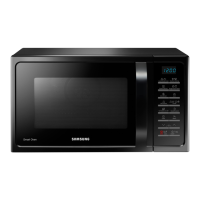
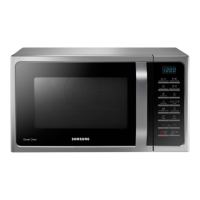
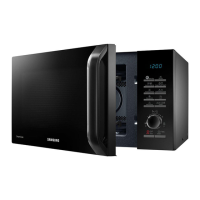
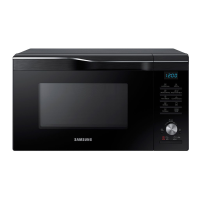
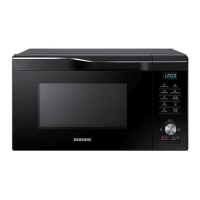
Microwave Oven
User manual
MC28A6036Q*
MC28A6036QK_TL_DE68-04544C-00_EN.indd 1MC28A6036QK_TL_DE68-04544C-00_EN.indd 1 8/9/2021 5:33:21 PM8/9/2021 5:33:21 PM

Questions and Answers

  • T
    Teresa LaneAug 5, 2025
    Why does my Samsung MC28A6036Q power turn off during operation?
    • R
      Richard WolfAug 5, 2025
      Your Samsung Microwave Oven might be turning off during operation due to several reasons: * It has been cooking for an extended period; let the oven cool down. * The cooling fan might not be working; listen for the fan's sound. * You might be trying to operate the oven without food inside; put food in the oven. * There might not be sufficient ventilation space; ensure there are adequate gaps around the intake/exhaust outlets. * Too many power plugs might be used in the same socket; designate one socket for the oven.
  • M
    Mark SchmidtAug 9, 2025
    What to do if my Samsung MC28A6036Q doesn't work?
    • J
      Jason WrightAug 9, 2025
      If your Samsung Microwave Oven isn't working, check the following: * Ensure that power is supplied to the oven. * Make sure the door is completely closed. Close the door and try again. * Check if the door open safety mechanisms are covered in foreign matter; if so, remove it and try again.
  • K
    kara22Aug 14, 2025
    How to fix buttons that won't press properly on my Samsung MC28A6036Q?
    • D
      Darlene WardAug 14, 2025
      If the buttons on your Samsung Microwave Oven are not pressing properly, it could be due to a few reasons: * Foreign matter might be caught between the buttons; remove any foreign matter and try again. * For touch models, moisture might be on the exterior; wipe the moisture from the exterior. * The child lock might be activated; deactivate the child lock.
  • O
    owhiteAug 20, 2025
    Why is there a popping sound and my Samsung MC28A6036Q doesn't work?
    • P
      parkerjenniferAug 20, 2025
      The popping sound during operation, and the oven not working, may be caused by cooking sealed food or using a container with a lid. Do not use sealed containers as they may burst during cooking due to expansion of the contents.
  • R
    ramirezdennisAug 25, 2025
    Why is the time not displayed on my Samsung Microwave Oven?
    • D
      Daniel ThompsonAug 25, 2025
      If the time is not displayed on your Samsung Microwave Oven, it is likely because the Eco (power-saving) function is activated. Turn off the Eco function to display the time.
  • D
    Douglas HowellAug 30, 2025
    What to do if my Samsung Microwave Oven stops while in operation?
    • K
      Kim SchultzAug 30, 2025
      If your Samsung Microwave Oven stops while in operation, it might be because you opened the door to turn the food over. After turning the food, press the START/+30s button again to resume operation.

Summary

Microwave Oven

User Manual

Provides instructions for using the microwave oven.

Safety Instructions

Important Safety Instructions

Crucial safety information to be read and kept for future reference.

General Safety

Covers general precautions and guidelines for operating the microwave oven safely.

Microwave Oven Precautions

Precautions to take when using the microwave function of the oven.

Installation

Accessories

Lists and describes the various accessories supplied with the microwave oven.

Installation Site

Provides guidance on selecting a suitable location for installing the microwave oven.

Maintenance

Cleaning

Instructions for cleaning the oven interior, door, and seals to maintain hygiene.

Replacement and Repair

Information on user-non-removable parts and when to contact service for repairs.

Oven Features

Control Panel Overview

Detailed explanation of the oven's control panel buttons and functions.

Oven Use

How the Microwave Oven Works

Explains the basic principles of microwave cooking and its applications.

Cooking and Reheating

Step-by-step guide for cooking or reheating food using the microwave function.

Using Hot Blast Auto Features

How to use pre-programmed cooking times for Hot Blast mode.

Using the Power Defrost Features

Enables defrosting of meat, poultry, fish, bread, cake, and fruit automatically.

Using the Crusty Plate

Explains how to use the crusty plate for browning and crisping food.

Hot Blast

Details on using the Hot Blast mode for powerful grilling and convection.

Microwave + Grill

Combines microwave and grill functions for faster cooking and browning.

Using the Child Lock Features

Enables locking the oven to prevent accidental operation by children.

Cookware Guide

Cookware Safety and Usage

Lists various cookware types and their suitability for microwave oven use.

Cooking Guide

Reheating

Guidelines for reheating various types of food efficiently using power levels and times.

Defrosting

Instructions and guidelines for defrosting frozen food using microwave power.

Grill

How to use the grill function for quick heating and browning of food.

Tips and Tricks

Helpful tips for melting butter, chocolate, honey, and cooking glaze/jam.

Troubleshooting and Information Code

Troubleshooting

Solutions for common problems encountered while operating the oven.

Information Code

Explanation of error codes and their corresponding causes and actions.

Technical Specifications

Model Information

Details about the microwave oven model, power source, and consumption.

Samsung MC28A6036Q Series Specifications

General IconGeneral
BrandSamsung
ModelMC28A6036Q Series
CategoryMicrowave Oven
LanguageEnglish

Related product manuals