EasyManua.ls Logo

Samsung MG28F303T Series - User Manual

Samsung MG28F303T Series
36 pages
Print Icon
To Next Page IconTo Next Page
Loading...
imagine the possibilities
Thank you for purchasing this Samsung product.
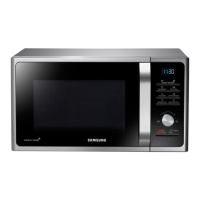
Microwave Oven
Owners instructions & Cooking guide
MG28F303T**
MG28F304T**
This manual is made with 100 % recycled paper.
Please be advised that the Samsung warranty does NOT cover service
calls to explain product operation, correct improper installation, or
perform normal cleaning or maintenance.
MG28F303TJS_EG_DE68-04179M-01_EN.indd 1 6/23/2014 10:51:22 AM

Other manuals for Samsung MG28F303T Series

Questions and Answers

  • C
    Craig ThomasJul 27, 2025
    What to do if my Samsung Microwave Oven does not work?
    • M
      Mario ChenJul 27, 2025
      If your Samsung Microwave Oven isn't working, there might be a few reasons: * Check that the power is supplied. * Ensure the door is fully closed and try again. * Inspect the door's safety mechanisms for any foreign matter; if present, remove it and try again.
  • A
    Ann CarrAug 3, 2025
    How to fix buttons that won't press properly on a Samsung MG28F303T?
    • M
      Maria NorrisAug 3, 2025
      If the buttons on your Samsung Microwave Oven aren't pressing properly: * Check for any foreign matter caught between the buttons and remove it. * For touch models, wipe any moisture from the exterior. * Ensure the Child lock is deactivated.
  • E
    Edward GonzalesAug 10, 2025
    Why does my Samsung MG28F303T Microwave Oven stop while in operation?
    • M
      Melissa JenkinsAug 10, 2025
      If your Samsung Microwave Oven stops during operation, it's possible that the door was opened to turn the food over. To resume, press the START/+30s button again.
  • J
    Jessica DillonAug 17, 2025
    What to do if the time is not displayed on my Samsung MG28F303T?
    • J
      John MoranAug 17, 2025
      If the time isn't showing on your Samsung Microwave Oven, the Eco (power-saving) function may be activated. Try turning off the Eco function.

Summary

Safety Information

Safety Precautions

Explains general safety rules, warnings, and precautions for operating the microwave oven.

Symbols and Icons Legend

Defines the meaning of various safety symbols and icons used throughout the manual.

Oven Use

Basic Cooking and Reheating

Step-by-step instructions for cooking or reheating food.

Power Levels and Time Control

Details on selecting power levels and adjusting cooking times.

Power Defrost Features

Instructions for using the automatic defrost function for various foods.

Grilling

Guide on how to use the grill function for browning and heating food.

Combination Cooking Modes

Instructions for using combined microwave and grill cooking modes.

Cookware Guide

Cooking Guide

Defrosting Guide

Instructions and guidelines for defrosting various types of food.

Troubleshooting and Error Code

Troubleshooting Common Issues

Solutions for common problems encountered during oven operation.

Samsung MG28F303T Series Specifications

General IconGeneral
BrandSamsung
ModelMG28F303T Series
CategoryMicrowave Oven
LanguageEnglish

Related product manuals