EasyManua.ls Logo

Samsung NU7300 TV - User Manual

Samsung NU7300 TV
5 pages
Print Icon
To Next Page IconTo Next Page
Loading...
Samsung TV • TracyLocke
210798 Studio# 211305
TV Spec Sheets
Sell SheetNU7300 - CI
tss210798_mch_sls_NU7300_CI.indd
Print Code:
Contact: Denise Thomas
Studio Artist: ZL
Built At: 100%Print Scale: None
4-Color Process: Cyan, Magenta, Yellow, Black
Placed Images:1240UHD-NorthAmerica_r.tif (CMYK; 300 ppi;
99.96%)
NU7300(UNK0)_001_Front_Black_sam_r.tif (CMYK; 300 ppi; 99.98%)
Document Fonts:SamsungOne (800, 400), Samsung InterFace
(Regular)
3-9-2018 3:29 PM
2
Mech Trim: 8.5” x 11”
Mech Live: 8.25” x 10.75”
Mech Bleed: 8.75” x 11.25”
Final Trim: 8.5” x 11”
Final Live: 8.25” x 10.75”
Final Bleed: 8.75” x 11.25”
NU7300 TV
PRODUCT HIGHLIGHTS
PurColor™
Motion Rate 120
HDR
Smart TV
SIZE CLASS
KEY FEATURES
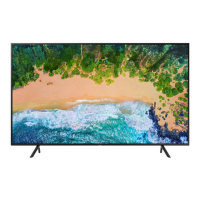
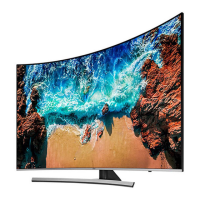
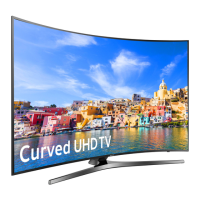
Ahead of the curve with the clarity of the NU7300. Like its NU7100 Flat sibling, it has 4X the resolution of Full HD. Non-4K
TV content is upscaled to 4K with an immersive curve. The curve is the clear choice.
Product Type
Ultra HDTV
4K UHD Picture
PurColor™
Essential Contrast
HDR
4K UHD
Game Mode
UHD Engine™
Motion Rate 120
UHD Dimming
Auto Depth Enhancer
Design
Clean Cable Solution
®
Curved Slim Design
Curved Screen
Bezel Color: Charcoal Black
Stand Color: Dark Gray
Smart TV
Universal Browse
Connect & Share
Connections
3 HDMI Connections
1
2 USB Connections
1 Component Video Input (shared)
1 Composite Video Input (shared)
LAN Port
802.11AC built-in Wi-Fi
RS232 Control (requires adaptor)
2
Optical Audio Output Port
Audio
Dolby
®
Digital Plus
20 Watt 2 Channel
Included Accessories
Standard Remote
Industry Certications
CTA 4K Ultra HD Connected
1
HDMI—CEC (Consumer Electronics Control) facilitates convenient control functions with compatible devices.
2
Serial control requires USB adaptor provided by participating dealers and distributors.
SEE BACK FOR DETAILS
65"
65NU7
55"
55NU7
S:8.25”
S:10.75”
T:8.5”
T:11”
B:8.75”
B:11.25”
Question and Answer IconNeed help?

Do you have a question about the Samsung NU7300 TV and is the answer not in the manual?

Summary

TV Installation

Mounting the TV on a wall

Instructions and safety precautions for wall-mounting the TV, including adapter installation.

VESA Mounting Specifications

Details screw hole specs, dimensions, and quantities for wall mounts.

TV Dimensions

Port Panel and Rear View

Diagram showing port locations and rear panel details on the TV.

Initial Setup

Using the TV Controller

Guide on operating the TV using the physical controller button and its menu.

TV Models and Specifications

UN65 NU7300 Model Details

Specifications for the 65-inch UN65NU7300 model, including dimensions and weight.

UN55 NU7300 Model Details

Specifications for the 55-inch UN55NU7300 model, including dimensions and weight.

Summary

TV Installation

Mounting the TV on a wall

Instructions and safety precautions for wall-mounting the TV, including adapter installation.

VESA Mounting Specifications

Details screw hole specs, dimensions, and quantities for wall mounts.

TV Dimensions

Port Panel and Rear View

Diagram showing port locations and rear panel details on the TV.

Initial Setup

Using the TV Controller

Guide on operating the TV using the physical controller button and its menu.

TV Models and Specifications

UN65 NU7300 Model Details

Specifications for the 65-inch UN65NU7300 model, including dimensions and weight.

UN55 NU7300 Model Details

Specifications for the 55-inch UN55NU7300 model, including dimensions and weight.

Overview

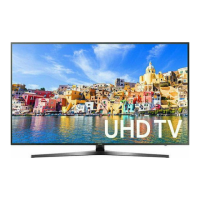
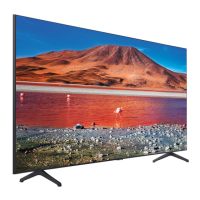
The Samsung NU7300 TV is an Ultra HDTV designed to deliver a high-quality viewing experience with its 4K resolution and curved display. It is available in 65-inch and 55-inch size classes, offering an immersive visual experience for various living spaces.

Function Description

The primary function of the NU7300 TV is to display high-definition video content. It boasts 4K UHD resolution, providing four times the detail of Full HD. For content that is not natively 4K, the TV employs a UHD Engine™ to upscale it, ensuring a sharp and clear picture even from lower-resolution sources. The curved screen design aims to enhance immersion by creating a wider field of view and a more uniform viewing distance from all angles.

Beyond basic display capabilities, the NU7300 is a Smart TV, offering a range of connected features. Users can access various streaming services and online content through its Universal Browse function. The "Connect & Share" feature allows for easy sharing of content from other devices to the TV.

For audio, the TV integrates a 20 Watt 2 Channel sound system with Dolby® Digital Plus support, providing clear and immersive sound to complement the visuals.

Usage Features

The NU7300 TV is designed for user-friendly operation with several features enhancing the viewing experience:

  • Picture Quality Enhancements:

    • PurColor™: This technology is designed to deliver a wide spectrum of colors, making images appear more vibrant and lifelike.
    • Essential Contrast: Aims to optimize contrast levels, making bright areas brighter and dark areas darker for a more dynamic picture.
    • HDR (High Dynamic Range): Supports HDR content, which expands the range of both light and dark tones in an image, resulting in greater detail and a more realistic picture.
    • Motion Rate 120: Reduces motion blur in fast-paced scenes, such as sports or action movies, by increasing the effective refresh rate.
    • UHD Dimming: Divides the screen into smaller zones and adjusts the light in each zone independently to optimize contrast and color.
    • Auto Depth Enhancer: This feature applies varying levels of contrast to different areas of the screen to give an image more depth, enhancing the immersive effect of the curved display.
    • Game Mode: Optimizes settings for gaming, potentially reducing input lag for a more responsive gaming experience.
  • Smart TV Functionality:

    • Universal Browse: Provides a centralized interface to discover and access a wide range of content, including live TV, streaming apps, and connected devices.
    • Connect & Share: Facilitates easy sharing of photos, videos, and music from compatible smartphones, tablets, or other devices directly to the TV screen.
    • Built-in Wi-Fi (802.11AC): Ensures a stable and fast wireless connection for streaming and online activities.
  • Connectivity:

    • HDMI Connections (3): Allows for multiple external devices like Blu-ray players, gaming consoles, and soundbars to be connected simultaneously. HDMI-CEC (Consumer Electronics Control) enables convenient control functions with compatible devices, allowing a single remote to manage multiple devices.
    • USB Connections (2): For playing media files from USB drives or connecting other USB-powered accessories.
    • Component and Composite Video Inputs (shared): Provides compatibility with older video devices.
    • LAN Port: Offers an option for a wired internet connection, which can be more stable than Wi-Fi.
    • Optical Audio Output Port: For connecting to external audio systems like soundbars or home theater receivers for enhanced sound.
  • Design:

    • Curved Slim Design: The aesthetic appeal of the TV is enhanced by its curved screen and slim profile.
    • Clean Cable Solution®: Helps manage and conceal cables, contributing to a tidier setup.
    • Bezel Color (Charcoal Black) and Stand Color (Dark Gray): These color choices provide a sleek and modern look that can blend well with various interior decors.
  • Initial Setup:

    • The TV guides users through an initial setup process when first turned on, allowing them to configure basic settings to suit their viewing environment.
  • TV Controller:

    • In addition to the standard remote, the TV features a physical TV Controller button at the bottom. This allows users to power the TV on/off, adjust volume, change channels, and select input sources directly from the TV itself, serving as a backup or alternative to the remote control.

Maintenance Features

While specific maintenance features are not extensively detailed, the design and connectivity options imply certain aspects:

  • Software Updates: As a Smart TV, it is expected to receive periodic software updates to improve performance, add new features, and address security vulnerabilities. These updates typically occur automatically when the TV is connected to the internet.
  • Physical Cleaning: The smooth surfaces of the screen and bezel are designed for easy cleaning with appropriate screen-cleaning solutions and microfiber cloths, as is standard for modern televisions. The "Clean Cable Solution®" also aids in keeping the area around the TV tidy, which can contribute to easier dusting and cleaning.
  • Troubleshooting: The manual provides guidance on initial setup and basic operation, which can help users troubleshoot minor issues. For more complex problems, Samsung Customer Care is available for support.
  • Wall Mounting: The TV is designed to be wall-mountable, offering flexibility in placement. The manual provides detailed instructions and VESA specifications for proper installation, including the use of wall mount adapters and recommended screw types, which is crucial for safety and long-term stability. This feature allows for easier cleaning of the area beneath the TV and can prevent accidental damage from impacts if placed on a stand.

In summary, the Samsung NU7300 TV is a feature-rich Ultra HDTV that combines a curved 4K display with smart capabilities and a user-friendly design, aiming to provide an immersive and convenient entertainment experience.

Samsung NU7300 TV Specifications

General IconGeneral
Display TechnologyLED
Smart TVYes
Operating SystemTizen
HDMI Ports3
USB Ports2
Refresh Rate60Hz
ProcessorQuad-Core
Wi-FiYes
BluetoothYes
Audio Output20W
Screen Size55 inches
Resolution3840 x 2160
HDR SupportHDR10, HLG

Related product manuals