
 Need help?
Do you have a question about the Samsung NU8500 and is the answer not in the manual?
Information on product safety, installation, accessories, configuration, and specifications.
How to access and use the e-Manual's search, index, and topic navigation features.
Warnings about high voltage and servicing only by qualified personnel.
Guidelines for proper TV placement and ventilation to prevent overheating.
Advises against water exposure and safe handling of power cords and outlets.
Safe practices for using power cords, plugs, and wall outlets to prevent shocks.
Instructions on preventing damage from dropping, striking, or improper cleaning.
Warning to keep open flames away from the TV to prevent fire spread.
Lists essential items included with the TV purchase, like remote and power cord.
Precautions for safely handling the TV screen to avoid damage.
Guidelines and warnings for securely mounting the TV on a wall.
Details on VESA screw hole specs and screw lengths for wall mounting.
Explains the purpose and operation of each button on the Samsung Smart Remote.
Instructions for automatically or manually pairing the remote to the TV.
Guides on opening the remote and correctly inserting batteries.
Configuration steps upon first TV power-on for basic settings like broadcast and network.
How to operate the TV using its built-in controller for navigation and menu access.
Steps to connect the TV to the internet via Wi-Fi.
Instructions for connecting the TV to the internet using a LAN cable.
Common issues and solutions, directing users to e-Manual or website for support.
Troubleshooting for TV not turning on or lacking picture/sound/signal.
Steps to fix issues with the remote, including battery replacement and pairing.
Solutions for intermittent Wi-Fi, checking distance, interference, and password.
How to resolve problems with video apps and Smart Hub by adjusting settings.
Explanation and procedure for using Samsung's remote technical assistance service.
How the Eco Sensor optimizes screen brightness for power saving and its adjustment.
Guidelines for cleaning the TV screen and body safely and effectively.
Precautions against using harsh chemicals or liquids that can damage the TV.
Detailed specs for TV models, including screen size, resolution, and dimensions.
Recommended temperature and humidity ranges for operating and storing the TV.
Tips on reducing power usage, such as unplugging the TV when not in use.
Information on software licenses and trademarks associated with the TV.
Lists customer care phone numbers for various countries.
Provides website links for Samsung product support by country.
 General
| Panel Type | VA |
|---|---|
| Refresh Rate | 120Hz |
| Smart TV | Yes |
| Operating System | Tizen |
| HDMI Ports | 4 |
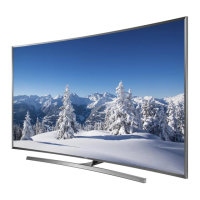
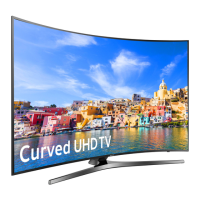
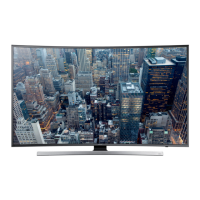
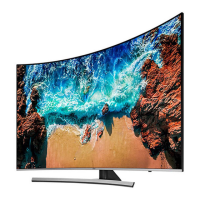
| Curved Screen | Yes |
| Bluetooth | Yes |
| Wi-Fi | Yes |
| Resolution | 3, 840 x 2, 160 |
| HDR Support | HDR10 |
| Motion Rate | 240 |
| Dimensions (Without Stand) | Varies by screen size |
| Weight (Without Stand) | Varies by screen size |
| Screen Size | 55 inches, 65 inches |


 To Next Page