EasyManua.ls Logo

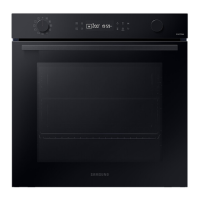
Samsung NV7B411 Series - User Manual

Samsung NV7B411 Series
44 pages
Print Icon
To Next Page IconTo Next Page
Loading...
Built-in Oven
User & Installation manual
NV7B411**** / NV7B412**** / NV7B413**** / NV7B414**** /
NV7B415**** / NV7B411**C* / NV7B412**C* / NV7B414**C*

Questions and Answers

  • J
    Jaclyn SpencerSep 23, 2025
    Why I get electric shock from my Samsung NV7B411 Oven?
    • C
      Cindy BurkeSep 23, 2025
      If you experience an electric shock from your Samsung oven, the issue may be with the grounding. Check whether the power supply is properly grounded and ensure you are not using a socket without grounding.
  • R
    ronald19Aug 23, 2025
    Why Samsung Oven does not heat?
    • C
      craneangelaAug 25, 2025
      If the door is open, close the door and restart. If oven controls are not correctly set, refer to the chapter on oven operation and reset the oven. If the household fuse has been blown or the circuit breaker has been tripped, replace the fuse or reset the circuit. If it happens repeatedly, call an electrician.
  • J
    Jeffery KiddAug 25, 2025
    Why is my Samsung NV7B411 not heating up?
    • C
      Craig PayneAug 26, 2025
      If your Samsung oven isn't heating, there could be a few reasons: * Ensure the oven door is completely closed. * Verify that the oven controls are correctly set according to the oven operation guide. * Check your household fuse or circuit breaker; replace the fuse or reset the breaker if necessary. If the issue persists, contact an electrician.
  • C
    Cody RichardsAug 27, 2025
    Why is my Samsung Oven smoking?
    • M
      Michael GreerAug 27, 2025
      Smoke may come from your Samsung oven during operation due to these reasons: * During initial operation, smoke from the heater is normal. Run the oven 2-3 times to resolve this. * If there is food on the heater, let the oven cool sufficiently and remove the food.
  • C
    Cynthia BlakeAug 27, 2025
    Why is steam cleaning not working on my Samsung NV7B411 Oven?
    • G
      Gerald YoungAug 27, 2025
      If the steam cleaning function isn't working on your Samsung oven, it could be because the oven temperature is too high. Allow the oven to cool down before using the steam cleaning function.
  • P
    Paul JohnsonSep 17, 2025
    Why is my Samsung Oven so hot on the outside?
    • W
      wsmithSep 17, 2025
      If the exterior of your Samsung oven gets too hot, ensure it's installed with adequate ventilation. Maintain the clearances specified in the product installation guide.
  • P
    Penny BellSep 14, 2025
    Why is water dripping from my Samsung Oven?
    • K
      kathleen99Sep 14, 2025
      Water or steam may appear in your Samsung oven depending on the food being cooked. This is not a malfunction. Let the oven cool and then wipe it with a dry dish towel.
  • R
    ramirezbrandySep 15, 2025
    Why doesn't single cook mode work on my Samsung Oven?
    • M
      Mary GarrettSep 16, 2025
      If the single cook mode is not working on your Samsung oven, make sure the divider is not inserted in the oven. Remove the divider and try again.
  • J
    Jennifer WarnerSep 6, 2025
    How to fix Samsung NV7B411 Oven buttons that are not responding?
    • K
      Kathleen DaySep 6, 2025
      If the buttons on your Samsung oven aren't working, here's what to do: * Check for and remove any foreign matter caught between the buttons. * If it's a touch model, wipe away any moisture on the exterior. * Verify that the lock function is not enabled.
  • A
    Arthur NelsonSep 3, 2025
    What to do if Samsung NV7B411 buttons don't work?
    • T
      Tina YangSep 3, 2025
      If the buttons on your Samsung oven aren't working properly: * Check for any foreign matter caught between the buttons and remove it. * Remove any moisture from the exterior. * Verify that the lock function is not enabled.

Summary

Using this manual

The following symbols are used in this User Manual

Explains symbols used for warnings and notes in the manual.

Safety instructions

IMPORTANT SAFETY PRECAUTIONS

Key safety measures and warnings for oven operation and installation.

Correct Disposal of This Product

Instructions for environmentally safe disposal of the oven and its accessories.

Auto energy saving function

Tips for saving energy, such as switching off the oven lamp.

Installation

Whats included

Lists all parts and accessories provided with the oven package.

Oven at a glance

Diagrams identifying key parts of the built-in oven.

Accessories

Details the various accessories that come with the oven.

Power connection

Instructions on how to safely connect the oven to the electrical power supply.

Cabinet mount

Guidelines for installing the oven into a built-in cabinet.

Required Dimensions for Installation

Specifies the necessary cabinet dimensions for proper oven installation.

Mounting the oven

Instructions on how to properly mount the oven within the cabinet.

Installing with a hob

Guidance on installing a hob on top of the oven.

Before you start

Initial settings

Steps to set the current time on the oven display for the first time.

New oven smell

Procedure to clean the oven and remove any new smell before first use.

Smart safety mechanism

Explanation of how the oven light and heating elements behave when the door is opened.

Soft closing door

Describes the oven's soft closing door feature for gentle and silent closing.

Accessories

Tips for cleaning and using oven accessories for the first time.

Basic use

Guide to familiarising with how to use each oven accessory.

Mechanical lock

Instructions for installing, uninstalling, and locking/unlocking the oven door.

Operations

Control panel

Overview of the oven's front panel, detailing each button and its function.

Common settings

How to adjust default temperature and cooking time for various modes.

End time

Steps to set or clear the desired end time for cooking.

Delay End

Explanation and examples of using the Delay End feature for convenient cooking.

Clear Cooking Time

Instructions on how to cancel or reset the set cooking time.

Clear End Time

Instructions on how to cancel or reset the set end time for cooking.

Cooking modes (except for Grill)

Details various cooking modes like Convection, Conventional, Top/Bottom heat.

Cooking modes (Grill)

Details grill cooking modes including Large grill, Eco grill, and Fan grill.

Cooking with the meat probe

Instructions for using the meat probe to measure internal temperature for cooking.

To stop cooking

How to turn off the oven manually during cooking.

Special function

How to use special functions to enhance the cooking experience.

Natural Steam

Guide to using the Natural Steam function for baking bread.

Auto Cook

Instructions for using the 20 auto cooking recipes for various dishes.

Cleaning

Guide to cleaning the oven interior using Steam Clean mode.

Pyrolytic Cleaning

Instructions for using the Pyrolytic cleaning function for high-temperature thermal cleaning.

Timer

How to set and use the oven timer for cooking duration.

Sound On;Off

Instructions for enabling or disabling the oven's sound alerts.

Wi-Fi On;Off

Instructions for connecting or disconnecting the oven from Wi-Fi.

Cooking smart

Manual cooking

Guide to manually setting temperature and time for cooking various dishes.

Baking

Recommendations and recipes for baking cakes, tarts, and pastries.

Accessory tips

Advice on how to use and interchange oven accessories for best results.

Roasting

Recommendations and recipes for roasting various meats, poultry, and fish.

Grilling

Instructions for grilling food using the large grill mode.

Frozen ready-meal

Cooking recommendations for ready-made frozen meals.

Pro-Roasting

Details the Pro-Roasting mode for searing and gently cooking meat.

ECO convection

Using ECO convection mode for energy-saving cooking.

Auto Cook programmes

Overview of 20 pre-programmed auto cook recipes for convenience.

Test Dishes

Baking recommendations according to standard EN 60350-1.

Collection of frequent Auto cook recipes

Specific recipes for potato gratin and vegetable gratin.

Maintenance

Cleaning

Instructions for cleaning the oven interior, exterior, and accessories.

Catalytic enamel surface

Instructions for cleaning removable parts coated with catalytic enamel.

Oven door cleaning

Steps for removing and cleaning the oven door and its glass panes.

Water collector

Guide to cleaning the water collector for moisture and residue.

Side runners

Instructions for removing and reinstalling the oven's side runners.

Bulb Replacement

Steps for safely replacing the oven light bulb.

Troubleshooting

Checkpoints

Table of common problems, their causes, and suggested solutions.

Information codes

Explanation of error codes displayed on the oven and their meanings.

Technical specifications

Appendix

Product data sheet

Detailed sheet providing energy efficiency and appliance mass information.

Power management and energy saving

Information on standby power, Wi-Fi power, and energy saving tips.

Open Source Announcement

Information about open source software used in the product and its license URL.

Samsung NV7B411 Series Specifications

General IconGeneral
BrandSamsung
ModelNV7B411 Series
CategoryOven
LanguageEnglish

Related product manuals