EasyManua.ls Logo

Samsung NZ36C3060UK - User Manual

Samsung NZ36C3060UK
110 pages
Print Icon
To Next Page IconTo Next Page
Loading...
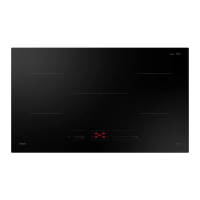
Electric Cooktop
User manual
NZ36C3060UK

Table of Contents

Questions and Answers

Summary

Regulatory Notice

FCC Notice

Any changes or modifications not expressly approved by the party responsible for compliance could void the user's authority to operate the equipment.

IC Notice

Industry Canada technical specifications, operation subject to two conditions, and compliance with ICES-003.

General Safety Instructions

Tested and found to comply with limits for Class B digital device, with measures to correct interference.

Important Safety Instructions

General Safety Information and Symbols

Overview of safety warnings, precautions, and hazard symbols used throughout the manual.

Product-Specific Safety Precautions

Covers Proposition 65, general safety, child safety, fire prevention, and proper apparel for use.

Operational Safety Guidelines

Safe practices for surface units, handling cookware, preventing scratches, and using accessories.

Handling and Maintenance Safety

Safe practices for cookware handles, cleaning, utensil placement, and preventing damage.

Electrical Safety

Electrical Safety Precautions

Guidelines for correct power cord usage, qualified service, and handling malfunctions.

Child Safety

Child Safety Guidelines

Ensures children are supervised and kept away from hot cooking zones and accessible hot parts.

Ventilating Hood

Ventilating Hood Maintenance

Advice on cleaning hoods frequently and using the fan for flaming foods.

Glass;Ceramic Cooking Surfaces

Safe Handling of Glass;Ceramic Surfaces

Precautions for touching hot surfaces, avoiding broken cooktops, and proper cleaning methods.

Critical Installation Warnings

Installation Requirements

Appliance must be installed by a qualified technician, checking for damage and proper grounding.

Electrical Connections and Location

Ensures proper grounding, correct amperage circuit, and suitable location avoiding humidity or direct sunlight.

Critical Usage Warning

Usage Precautions and Hazards

Warnings about flooded appliances, strange noises, gas leaks, and handling power cords.

Operational Safety and Supervision

Advice on avoiding contact with hot surfaces, supervising children/pets, and keeping packaging away.

Flammable Materials Warning

Do not use or place flammable sprays or objects near the cooktop due to fire or explosion risk.

Usage Cautions

Foreign Objects and Misuse Warnings

Do not insert foreign objects, use for non-cooking, or use non-paper/plastic containers.

Food Handling Safety

Precautions for handling hot food, using gloves, and testing food temperature for infants.

Liquid Heating and Surface Safety

Care when heating liquids, avoiding spills, not standing on appliance, and not spraying chemicals.

Appliance and Food Safety

Avoid close contact, keep children away, prevent scratching, do not store on top, avoid overheating food.

Critical Cleaning Warnings

Cleaning Precautions

Do not spray water directly, avoid harsh chemicals, be careful when cleaning, and avoid steam cleaners.

About Induction Cooktop Cooking

Induction Cooking Best Practices

Use as cutting board, store items, turn on after placing cookware, store heavy items, use for home cooking.

Cooking Safety and Cookware Handling

Handle metallic objects, switch off elements, avoid heating room, plug in safely, manage fat/oil.

Post-Cooking Safety and Fan Operation

Cool down elements, clean spills, fan operates for cooling, check cabinet storage safety.

Location of the Induction Cooktop Elements and Controls

Cooking Zones and Components

Diagram showing zones, control panel, and Wi-Fi area with specifications.

Control Panel

Control Panel Functions

Explanation of buttons: Power, Timer, Simmer, Pause, Zone, Wi-Fi, Control, Boost.

Cooking Areas

Cooktop Zone Identification

Identifies cooking areas by circles; fit pan size to element size for efficiency.

Initial Cleaning

First-Time Cleaning Procedure

Wipe with damp cloth and ceramic cleaner, avoiding abrasive cleaners.

Digital Display

Digital Display Codes and Messages

Explains codes for heat settings, residual heat, child lock, overheat, and unsuitable cookware.

Safety Shutoff

Automatic Shutoff Conditions

Cooktop turns off due to overheat or unsuitable cookware after displaying specific codes.

Residual Heat Indicator

Residual Heat Display and Usage

Shows residual heat (H/h) for thawing/warming; risk of burns when illuminated.

Switching the Appliance On

Powering On the Cooktop

Touch Power key (1-2s). Select heat setting within 20s to prevent automatic shutoff.

Select Cooking Zone and Heat Setting

Zone Selection and Heat Adjustment

Select zone by sensor, adjust power with heat selectors.

Using Keep Warm

Keep Warm Function

Use Simmer key after selecting zone/heat to keep food warm.

Power Boost Control

Power Boost Functionality

Provides extra power for faster heating, with a maximum boost time.

Power Management

Power Management System

Reduces heat settings automatically to protect components when Power Boost exceeds range.

Recommended Settings

Cooking Method Settings

Table of power levels and cooking methods for various settings.

Switching the Appliance Off

Turning Off the Cooktop

Touch and hold Power key for 1-2 seconds to switch off.

Quick Stop

Quick Stop Function

Switch off a cooking zone by pressing and holding its sensor for 3 seconds.

Pause

Pause Functionality

Temporarily pauses zones to low power, disabling most sensors except Pause/Lock.

Using the Child Safety Lock

Child Safety Lock Operation

Locks controls to prevent accidental activation; toggle with Lock key (3s).

Timer

Setting and Cancelling the Timer

Procedure to set, adjust, and cancel the timer; notes on default time and beep alerts.

Sound On;Off

Audio Feedback Control

Toggle sound feedback on/off via Timer key within 10s of powering on.

Use Quality Cookware in Good Condition

Cookware Material and Base Requirements

Emphasizes flat bottoms, straight sides, and correct size for optimal contact and efficient cooking.

Cookware Handling and Sensor Detection

Advice on avoiding sliding cookware, handling hot items, and sensor detection of incorrect cookware.

Cookware for Induction Cooking Zones

Magnetic Cookware Suitability

Lists suitable materials (steel, cast iron) for induction and notes on labeling and noise.

Using the Correct Size Cookware

Pan Size Guidelines

Details minimum/maximum pan sizes, ensuring full zone coverage and glass contact.

Pot and Pan Sizes

Automatic Size Adaptation

Zones adapt to cookware size; magnetic base must meet minimum diameter for heating.

Operating Noises

Understanding Normal Operational Noises

Describes common noises (cracking, whistling, humming, clicking) as normal operation.

Using Suitable Induction Cookware

Cookware Suitability Test

Test cookware by magnetic attraction and manufacturer labeling for induction compatibility.

Choosing Quality Cookware

Recommends thick, flat bases, correct diameter, and avoiding damaged pans or bowed bottoms.

Energy Saving Tips

Energy Efficiency Practices

Tips: position pots before heating, clean zones, use lids, use residual heat.

Temperature Detection

Automatic Temperature Reduction

Zones reduce heat if temperature exceeds safety levels; cooling fan runs post-use.

Protecting the Cooktop Surface

Cooktop Cleaning and Maintenance

Instructions for cleaning, preventing stains, avoiding abrasive cleaners, and protecting the surface.

Preventing Surface Marks and Damage

Avoid scratches, don't use trivets, keep pans clean, and don't slide cookware.

Using the SmartThings Connect Feature

SmartThings App Connectivity

Connects cooktop to SmartThings app for remote monitoring and control.

Care and Cleaning of the Glass Cooktop

Daily Glass Cooktop Cleaning

Use ceramic cleaner, apply drops, clean with paper towel, remove residue with dry cloth.

Removing Burned-On Residue

Burned-On Residue Removal

Steps for removal using cleaner and pad, repeating if necessary.

Removing Heavy, Burned-On Residue

Heavy Residue Removal with Scraper

Use scraper for heavy residue, then clean and polish.

Removing Metal Marks and Scratches

Metal Marks and Discoloration Removal

Remove marks from sliding pans and black discoloration from boiled-dry pans.

Cleaning the Cooktop Seal

Cooktop Seal Cleaning

Wet seal, then wipe with nonabrasive cleaner.

Potential for Permanent Damage to the Glass Surface

Damage from Sugary Spills;Melted Plastics

Sugary spills/plastics can cause pitting; clean while hot, use sharp scraper.

Troubleshooting

Surface Units Not Heating Properly

Addresses issues: cookware, low voltage, improper control settings.

Surface Units Not Turning On

Check fuses, breakers, or control settings for units not turning on.

Cooktop Discoloration

Explains discoloration from spillover or hot surfaces; resolves as glass cools.

Surface Unit Cycling Issues

Units cycle on/off for power maintenance or due to small/unflat cookware.

Scratches and Abrasions on Cooktop

Non-removable scratches; visibility reduces over time with proper cleaning.

Cookware Causing Scratches

Avoid scratches from rough pans or particles; ensure clean pans.

Streaks, Specks, and Discoloration

Solutions for brown streaks (boil-overs) and metallic sheen (mineral deposits).

Cracking or Popping Sounds

Normal operational sounds from metal heating and cooling during cooking.

Information Codes

Error Codes C0, C1, C2 (Sensor;Temperature)

Indicates sensor issues or abnormal internal temperature; troubleshooting steps provided.

Error Codes D0, F0, F1, F2 (Input;Communication)

Relates to key press duration or PCB/EEP-ROM communication failures.

Error Codes UP, R2, U (Voltage;Motor;Container)

Indicates voltage issues, motor faults, or unsuitable cooking containers.

Warranty (U.S.A.)

Limited Warranty Terms and Conditions

Details one-year warranty, exclusions (cosmetic damage, misuse), and service procedures.

Warranty (Canada)

Limited Warranty Terms and Conditions (Canada)

Covers manufacturing defects (1 year); includes exclusions and service contact.

Warranty Exclusions and Limitations

Specifies exclusions (shipping damage, misuse) and limitations on implied warranties.

Appendix

Open Source Software Announcement

Informs about open source software and provides a URL for license information.

Model Name & Serial Number

Product Identification Information

Location and fields to record model name and serial number for future reference.

Samsung NZ36C3060UK Specifications

General IconGeneral
TypeInduction
Control TypeTouch
ColourBlack
Voltage220-240 V
Frequency50/60 Hz
Total Power7400 W
Safety FeaturesChild Lock, Auto Shut-off
Width590 mm

Related product manuals