WWiinnddoowwss 注注册册
Windows Registration /
WWiinnddoowwss 注注册册
Useful Functions /
有有用用功功能能
Useful Functions
有有用用功功能能
2
CHINESE
安安装装说说明明书书
Checking Contents
检查物品内容
Turning On Your Computer
打开计算机
Windows Registration
Windows注册
The image shown on the cover may differ from the product.
封封面面上上的的图图像像根根据据产产品品的的不不同同可可能能有有所所不不同同。。
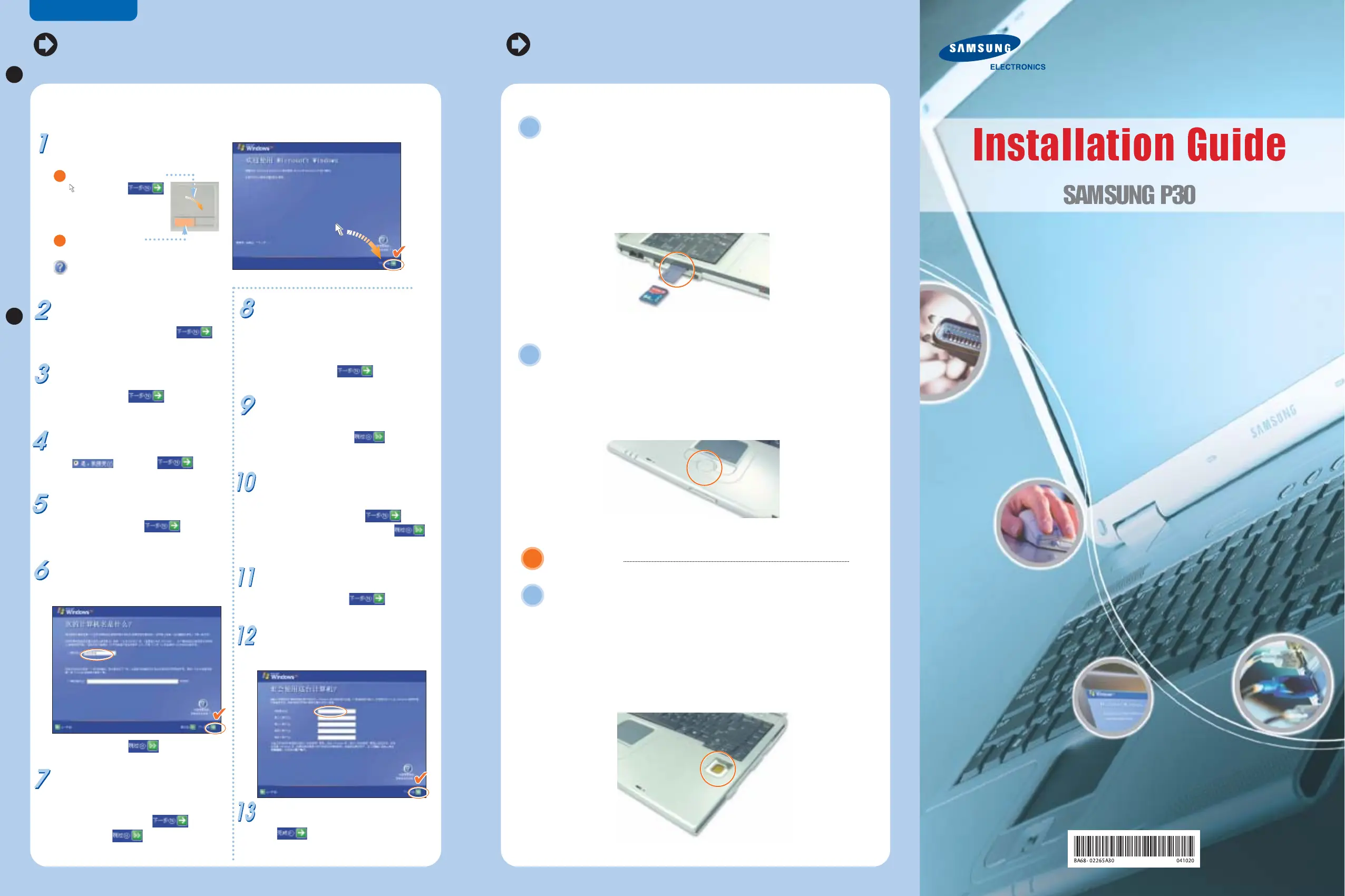
Memory Card Slot
存存储储卡卡插插槽槽
You can save and carry data conveniently using the Memory Card.
(For more information, refer to Page 3-8 in 'Chapter 3. Using the Memory Card Slot' in the User Guide)
使用存储卡可以方便地保存和装载数据。
(有关详情,清参见用户指南的第3-8页“使用存储卡插槽”)
Scroll Button
滚滚动动按按钮钮
You can conveniently move up and down the screen with this function as if using a normal wheel
mouse.
使用此功能可以方便地上下翻动屏幕,就像使用标准光学鼠标一样灵活自如。
Options /
选选件件
You can start up the computer or connect to an Internet site via fingerPrint identification
instead of typing the password from the keyboard.
(For more information, refer to the additionally supplied manual.)
可通过指纹识别而无需在键盘上键入口令,来启动计算机或连接到互联网站点。
(有关详情,清参见另外随附的手册。)
FingerPrint
指指纹纹识识别别装装置置
首次启动电脑时, 会出现 Windows注册屏幕。
由于Windows是计算机的主操作系统, 用户必须完成注册过程才能使用计算机。
出出现现““欢欢迎迎使使用用 MMiiccrroossoofftt WWiinnddoowwss””消消息息。。
出出现现““日日期期和和货货币币应应如如何何显显示示??””消消息息。。
选择位置、语言和键盘,然后单击 。
出出现现““您您在在哪哪个个时时区区??””消消息息。。
选择您的时区并单击 。
出出现现““最最终终用用户户许许可可协协议议””消消息息。。
选择 ,然后单击 。
出出现现““帮帮助助保保护护您您的的 PPCC””消消息息。。
选择一个配置,然后单击 。
出出现现““管管理理员员密密码码是是什什么么??””消消息息。。
(当正在安装 Windows XP Professional 时。)
输入管理员密码,然后单击 。 要稍后
设置密码,单击 按钮。
出出现现““这这台台计计算算机机在在一一个个域域中中吗吗??””消消息息。。
(当正在安装 Windows XP Professional 时。)
如果您的计算机未连接到网络上,或您不能确定
此选项,则选择“否,不要将这台计算机作为域
的一部分”,然后单击 。
出出现现““正正在在检检查查您您的的 IInntteerrnneett 连连接接””消消息息。。
稍后,出现步骤 10 中的屏幕。 如果您的计算机
未连接到 Internet,则单击 按钮。 出现
步骤 11 的屏幕。
出出现现““这这台台计计算算机机如如何何连连接接到到 IInntteerrnneett??””
消消息息。。
选择一个连接方法,然后单击 。 如果
您的计算机未连接到 Internet,则单击
按钮。
出出现现““是是否否准准备备注注册册到到 MMiiccrroossoofftt??””消消息息。。
选择一个配置,然后单击 。
出出现现““谢谢谢谢!!””消消息息。。
单击 。 Windows 注册过程完成。 现在
可以使用您的计算机了。
出出现现““您您的的计计算算机机名名是是什什么么??””消消息息。。
例如,输入“Samsung”。
要跳过此步骤,单击 按钮。
出出现现““谁谁会会使使用用这这台台计计算算机机??””消消息息。。
例如,输入您的名字。
在触摸板上用手指将
(光标)放在
按钮上。
单击左触摸板按钮。
有关如何使用触摸板的信息,请参阅
[帮助]。
1
2



 To Previous Page