EasyManua.ls Logo

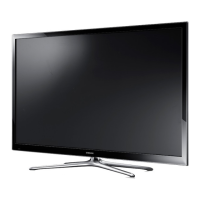
Samsung PN60F5300 - User Manual

Samsung PN60F5300
24 pages
Print Icon
To Next Page IconTo Next Page
Loading...
Plasma TV
user manual
E-MANUAL
© 2014 Samsung Electronics Co., Ltd. All rights reserved.
Contact SAMSUNG WORLD WIDE
If you have any questions or comments relating to Samsung products, please contact the SAMSUNG customer care
center.
Country Customer Care
Center
Web Site Address
CANADA 1-800-SAMSUNG
(726-7864)
www.samsung.com/ca (English)
www.samsung.com/ca_fr (French)
Samsung Electronics Canada Inc., Customer
Service 55 Standish Court Mississauga,
Ontario L5R 4B2 Canada
U.S.A 1-800-SAMSUNG
(726-7864)
www.samsung.com/us Samsung Electronics America, Inc. 85
Challenger Road Ridgefield Park, NJ 07660
Thank you for purchasing this Samsung product.
To receive more complete service, please register
your product at
www.samsung.com/register
Model ____________ Serial No. _____________
If you have any questions, please call us at 1-800-SAMSUNG (1-800-726-7864) for assistance.
This Nanum Gothic Eco font is provided by NAVER.
BN68-05661A-00
[PH4500-5000-ZA]BN68-05661A-00ENG.indb 1 2014-01-03  10:30:38

Questions and Answers

Summary

Plasma TV User Manual

Contact SAMSUNG WORLD WIDE

Find contact information for Samsung customer care worldwide for product inquiries and support.

Important Safety Instructions

CAUTION: RISK OF ELECTRIC SHOCK

Warnings and precautions to prevent electric shock and ensure safe operation of the TV.

Providing Proper Ventilation for Your TV

Important User Information

Screen Image Retention and Burn-in

Information on preventing screen burn-in and image retention on the plasma display panel.

Cell Defects and Operating Conditions

Details on pixel defects and recommended operating temperatures for optimal TV performance.

Warranty Notes on Image Retention

Notes regarding warranty coverage for image retention and burn-in issues on the TV.

List of Features

Accessories and Cables

Making Connections

Display Modes for HDMI Input

The Remote Control Buttons

Installing the Batteries Into the Remote

Changing the Input Source

How to Navigate Menus

Using the TVs Controller (Panel Key)

How to operate the TV using the physical controller located on the TV itself.

How to View the e-Manual

e-Manual Navigation and Operation

Details on using the e-Manual's screen display, operation buttons, and toggling to OSD menus.

Viewing the Contents

How to Search for a Topic on the Index Page

Steps to find specific topics within the e-Manual using the index feature.

Troubleshooting - Core Issues

Flickering, Dimming, and Power Issues

Solutions for intermittent flickering, dimming, and unexpected power off/on problems.

Connection and Color Problems

How to resolve issues related to component connections, screen color, and brightness.

Channel Reception and Signal Issues

Troubleshooting difficulties with TV channel reception and signal quality.

Troubleshooting - Picture and Sound

Picture Quality and Display Issues

Solutions for poor picture, distortion, color, brightness, and screen display anomalies.

Sound and Audio Problems

Guidance on resolving no sound, low volume, and sound distortion issues.

Troubleshooting - Connectivity and Signal

No Picture, Power, or Video Issues

Solutions for scenarios where the TV has no picture, video, or will not turn on.

Signal, Captioning, and Noise Issues

Troubleshooting problems with TV signal reception, digital captions, and plasma TV noises.

Troubleshooting - Controls and Settings

Remote Control and Connectivity Messages

Solutions for remote control malfunctions, connectivity errors, and specific on-screen messages.

TV Settings, Maintenance, and Display Anomalies

Addressing lost settings, tilted TVs, plastic smells, and image retention.

Installing the Wall Mount (Optional)

Wall Mount Kit Specifications (VESA)

Details on VESA specifications and compatibility for wall mounting the TV.

Securing the TV to the Wall

Installing the TV-Holder Kit

Instructions for installing the optional TV-holder kit to secure the TV to a wall or cabinet.

Anti-theft Kensington Lock

Storage and Maintenance

Specifications

JACK PANEL DETAIL; REAR VIEW

Supported Video File Formats

Supported Subtitle, Photo, and Music Formats

Important Warranty Information

Samsung Brand Product Limited Warranty

Summary of the limited warranty provided for Samsung brand TV products.

Limited Warranty Details and Exclusions

Samsung PN60F5300 Specifications

General IconGeneral
3DNo
Depth55.7 mm
Width1388.3 mm
Height823.3 mm
Weight26700 g
Tuner typeAnalog & digital
Smart modesGame
Audio systemSRS TheaterSound HD, Dolby Digital Plus/Dolby Pulse, DTS 2.0+
Package depth430 mm
Package width1502 mm
Product colorBlack
Package height965 mm
Package weight37800 g
Noise reductionYes
RMS rated power20 W
AC input voltage110 - 120 V
Display diagonal60 \
AC input frequency60 Hz
Depth (with stand)375.5 mm
Display brightness- cd/m²
Display technologyPlasma
Number of speakers2
Height (with stand)924.1 mm
High frequency rate600 Hz
Weight (with stand)29300 g
USB 2.0 ports quantity1
Number of OSD languages3
S-Video inputs quantity0
Contrast ratio (typical)-
Annual energy consumption- kWh
Power consumption (standby)0.3 W
Sustainability certificatesENERGY STAR
Digital signal format systemATSC
Picture processing technologySamsung Wide Color Enhancer
On Screen Display (OSD) languagesENG, ESP, FRE

Related product manuals