Need help?
Do you have a question about the Samsung Q9FN Series and is the answer not in the manual?
Key selling points of the Q9FN TV, including Q Contrast EliteMax, Q HDR EliteMax, Q Style Elite, and Smart TV features.
Detailed feature categories like Q Picture, Smart TV functions, connectivity options, Q Style Elite, audio, accessories, and certifications.
Instructions and warnings for securely mounting the TV on a wall, including details on VESA compatibility and screw specifications.
Provides specific measurements for different TV models, including depth, width, and height, with a diagram of port panel location.
Guide on operating the TV using the Control Stick located on the bottom of the TV for menu navigation and control.
Detailed specifications for the 75-inch model, including screen size, dimensions, weight, and included accessories.
Detailed specifications for the 65-inch model, including screen size, dimensions, weight, and included accessories.
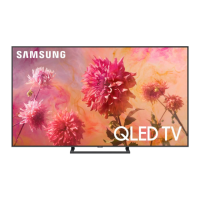
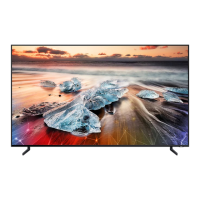
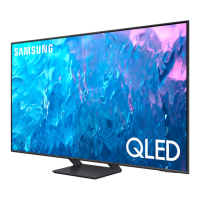
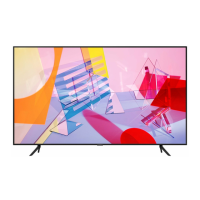
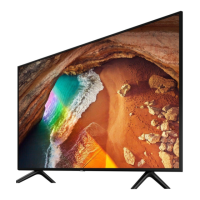
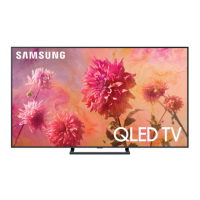
This document describes the Samsung Q9FN TV, a high-end QLED television designed to deliver a premium viewing experience with advanced picture quality, smart features, and sophisticated design.
The Samsung Q9FN TV is a QLED television that utilizes quantum dot technology to produce over a billion shades of color, ensuring a vibrant and lifelike picture. Its core function is to display high-definition video content from various sources, including broadcast television, streaming services, and external media devices. The TV incorporates a Full Array Elite Backlight system, which precisely controls individual zones of backlighting to achieve deep blacks and bright whites, enhancing contrast and detail. The Q Contrast EliteMax™ and Q HDR EliteMax™ technologies further refine the picture by optimizing brightness and contrast for a dynamic range of content.
Beyond its primary display function, the Q9FN TV integrates smart capabilities powered by Bixby Voice. This allows users to control the TV and access content using voice commands, simplifying navigation and content discovery. The Smart TV platform provides access to a wide array of streaming applications, web browsing, and other interactive features. The Q Engine™ processor is responsible for upscaling content to near 4K resolution, optimizing picture quality, and ensuring smooth performance across all functions.
The TV also features an Auto Game Mode, which automatically optimizes settings for gaming, reducing input lag and enhancing responsiveness for a more immersive gaming experience. Audio is delivered through a 60 Watt 4.2 Channel system with Dolby® Digital Plus support, providing clear and powerful sound that complements the visual experience.
The Q9FN TV is designed for intuitive and seamless usage. The Q Style Elite™ design philosophy emphasizes a clean and minimalist aesthetic. A key feature is the One Invisible Connection™, a single, thin cable that carries both power and data to the TV from the One Connect Box™. This box houses all the TV's connections, allowing users to keep unsightly cables out of view and maintain a clutter-free living space. The No Gap Wall Mount™ (sold separately) further enhances this minimalist design by allowing the TV to sit flush against the wall, creating a picture-frame-like appearance.
The Ambient Mode™ is another innovative usage feature, transforming the TV from a black screen into a purposeful canvas when not in active use. It can display decorative content, useful information like weather or news, or even mimic the wall behind it to blend seamlessly into the environment. This feature adds a touch of sophistication and utility to the TV even when it's off.
Navigation and control are streamlined through the Samsung OneRemote², which is designed to control not only the TV but also other compatible connected devices. For situations where the remote is not available, the TV includes a Control Stick located on the bottom of the unit. This stick allows users to access the control menu, change channels, adjust volume, and select items with simple presses and movements.
Connectivity options are extensive, with four HDMI connections³ for various external devices, three USB connections for media playback or accessories, a LAN port for wired internet, and built-in 802.11AC Wi-Fi and Bluetooth® for wireless connectivity. The Universal Browse feature simplifies content discovery by aggregating content from different sources into a single, easy-to-navigate interface.
The TV also boasts an Ultrawide Viewing Angle, ensuring that picture quality remains consistent and vibrant even when viewed from off-center positions, making it ideal for larger rooms or multiple viewers.
While the document does not explicitly detail routine user maintenance, several design choices and support features contribute to the overall longevity and ease of ownership of the Q9FN TV.
The One Connect Box™ plays a crucial role in maintenance and future-proofing. By housing all connections externally, it simplifies cable management and makes it easier to connect or disconnect devices without needing to reach behind the TV. This design also allows for potential upgrades to connectivity standards in the future, as the One Connect Box could theoretically be replaced without replacing the entire TV.
Samsung provides comprehensive customer support for installation and troubleshooting. For instance, instructions for wall mounting are clearly outlined, emphasizing the importance of correct installation to prevent damage or injury. Users are advised to contact Samsung Customer Care for wall mount kits and assistance. The document also specifies VESA screw hole dimensions and screw requirements for wall mounting, ensuring compatibility and proper installation.
The durable construction and high-quality components inherent in a premium QLED TV contribute to its long-term reliability. The "Bezel-free Design" and "Boundless 360° Design™" not only enhance aesthetics but also minimize exposed edges, potentially reducing dust accumulation and simplifying cleaning of the display surface.
The inclusion of RS232 Control (EX-Link) and IP Control Support⁴ indicates that the TV is designed to integrate into professional custom installation environments, where remote diagnostics and control by trained technicians can be part of a comprehensive maintenance strategy. This suggests a robust internal architecture capable of supporting advanced management.
In summary, the Samsung Q9FN TV is engineered for high performance, user convenience, and a sophisticated aesthetic, with design elements that indirectly contribute to ease of maintenance and long-term satisfaction.
 General
| Display Technology | QLED |
|---|---|
| Smart TV | Yes |
| Refresh Rate | 120Hz |
| HDMI Ports | 4 |
| USB Ports | 3 |
| Series | Q9FN |
| Processor | Q Engine |
| Motion Rate | 240 |
| Operating System | Tizen |
| WiFi | Yes |
| Bluetooth | Yes |
| Dimensions (Without Stand) | Varies by screen size |
| Weight (Without Stand) | Varies by screen size |
| Screen Size | 65", 75" |
| Resolution | 3840 x 2160 |
| HDR (High Dynamic Range) | HDR10+ |
| HDR | HDR10+ |
| Audio Output | 60W (RMS) |

 To Next Page