
 Need help?
Do you have a question about the Samsung QE65Q8CAMU and is the answer not in the manual?
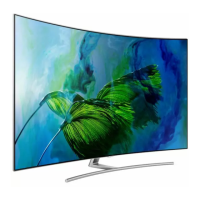
This document is a user manual for the Samsung QLED TV models QE55Q8CAMU, QE65Q8CAMU, and QE75Q8CAMU. It provides comprehensive information on product safety, installation, features, specifications, and maintenance.
The Samsung QLED TV is a visual display device designed for displaying textual and graphical information. It features an embedded e-Manual for detailed information and supports various online services through Smart Hub, as well as software updates. The TV can be controlled using the Samsung Smart Remote or the TV Controller buttons located on the bottom panel.
The QLED TV models come with a display resolution of 3840 x 2160.
Environmental Conditions:
The TV supports Dolby Audio, DTS Premium Sound 5.1, DivX HD, and QuickSet technologies. It also features HDMI High-Definition Multimedia Interface.
Initial Setup: The TV guides users through an initial setup process upon first activation. This can also be accessed later via the "Settings > General > Start Setup" menu. If a device is connected to HDMI1 before setup, the channel source automatically defaults to a set-top box. Users can select "Aerial" if a set-top box is not desired.
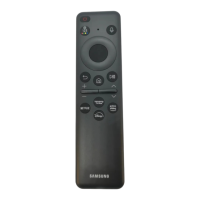
Samsung Smart Remote: The remote control features a power button, a number pad (123), directional pad, return button, play/pause button, Smart Hub button, voice interaction button, 4 colour buttons, select button, volume control (VOL), and channel control (CH). The remote automatically pairs with the TV upon first use. If pairing fails, users can manually pair by pointing the remote at the TV's sensor and holding the return and play/pause buttons for 3 seconds or more. Batteries (AAA x 2) are installed by sliding open the remote's body.
TV Controller: Located on the bottom of the TV, the TV Controller allows users to turn on the TV and access a control menu with options for power off, volume up/down, channel up/down, and source selection.
Network Connection: The TV supports both wireless and wired network connections. For wireless connection, a standard router or modem with a DHCP server is required. For wired connection, a LAN cable (Cat7 STP Type recommended) can be used. The TV does not support network speeds less than or equal to 10 Mbps.
Eco Sensor: This feature automatically adjusts the TV's screen brightness based on the ambient light in the room, optimizing power consumption. It can be turned off in "Settings > General > Eco Solution > Ambient Light Detection." Users are advised not to block the sensor to prevent decreased picture brightness.
Remote Support: Samsung offers a remote support service where a technician can remotely diagnose, adjust settings, perform a factory reset, and install firmware updates on the TV. Users can access this service by calling the Samsung Contact Centre, navigating to the "Support" section on their TV, selecting "Remote Management," agreeing to the service terms, and providing a PIN to the agent.
Troubleshooting: The manual provides a list of common problems and solutions, including issues with the TV not turning on, no picture/sound from external devices, "Weak or No Signal" messages, and remote control malfunctions. Users are advised to check cable connections, input sources, and perform self-diagnosis tests. Software updates are recommended to maintain optimal TV performance.
Still Image Warning: To prevent image burn-in on the LED screen, users are advised to avoid displaying still images (e.g., JPEG files, TV channel logos, stock tickers, or content in panorama/4:3 format) for extended periods. Recommendations include watching different channels, using full-screen mode, reducing brightness and contrast, and utilizing TV features designed to reduce image retention.
Caring for the TV:
Safety Instructions: The manual emphasizes critical safety precautions, including avoiding electric shock, proper ventilation, careful handling of power cords, and correct battery installation. It also warns against opening the TV, as it contains high voltage components. Users are advised to secure the TV to a wall to prevent falling, especially if children are present. The Invisible Connection cable should be handled with care to prevent bending, twisting, pulling, stepping on, or pressing on it, as this can cause damage or performance degradation. The product is a Class 1 Laser Product, and users should avoid staring into the laser beam.
Power Consumption: The TV enters standby mode when turned off, consuming a small amount of power. To further reduce power consumption, unplug the power cord when the TV will not be used for a long time.
Disposal: The manual provides instructions for the correct disposal of the product (Waste Electrical & Electronic Equipment) and batteries, adhering to environmental regulations and promoting material reuse. Chemical symbols (Hg, Cd, Pb) on batteries indicate the presence of mercury, cadmium, or lead. Users are directed to local authorities or retailers for proper recycling information.
EU Recommendation: Samsung Electronics declares that the TV complies with Directive 1999/5/EC. The official Declaration of Conformity can be found on the Samsung website. This equipment is intended for indoor use in all EU countries.


 To Next Page
 General