Overview
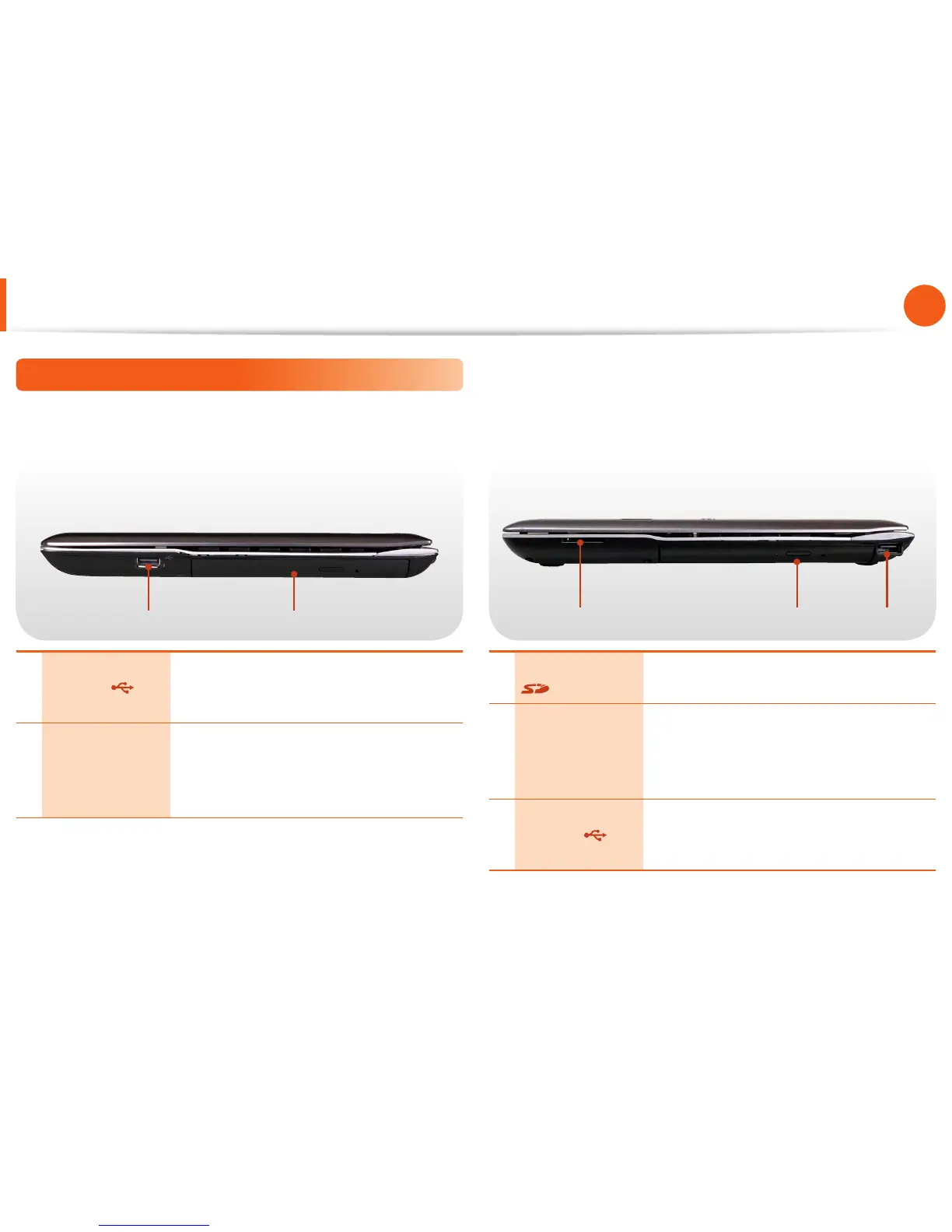
Right View
►
For 13.3 inch models
21
1 USB Port
You can connect USB devices to the USB
port such as a keyboard/mouse, digital
camera, etc.
2
CD Drive (ODD)
(Optional)
Plays CD or DVD titles.
Since an ODD(Optical Disk Drive) is
optional, the installed drive depends on the
computer model.
►
For 15.6/14 inch models
2 31
1
Multi Card Slot
(Optional)
A card slot that supports SD Card, SDHC,
MMC and SDXC cards.
2
CD Drive (ODD)
(Optional)
Plays CD or DVD titles.
Since an ODD(Optical Disk Drive) is
optional, the installed drive depends on the
computer model.
3 USB Port
You can connect USB devices to the USB
port such as a keyboard/mouse, digital
camera, etc.



 To Next Page