EasyManua.ls Logo

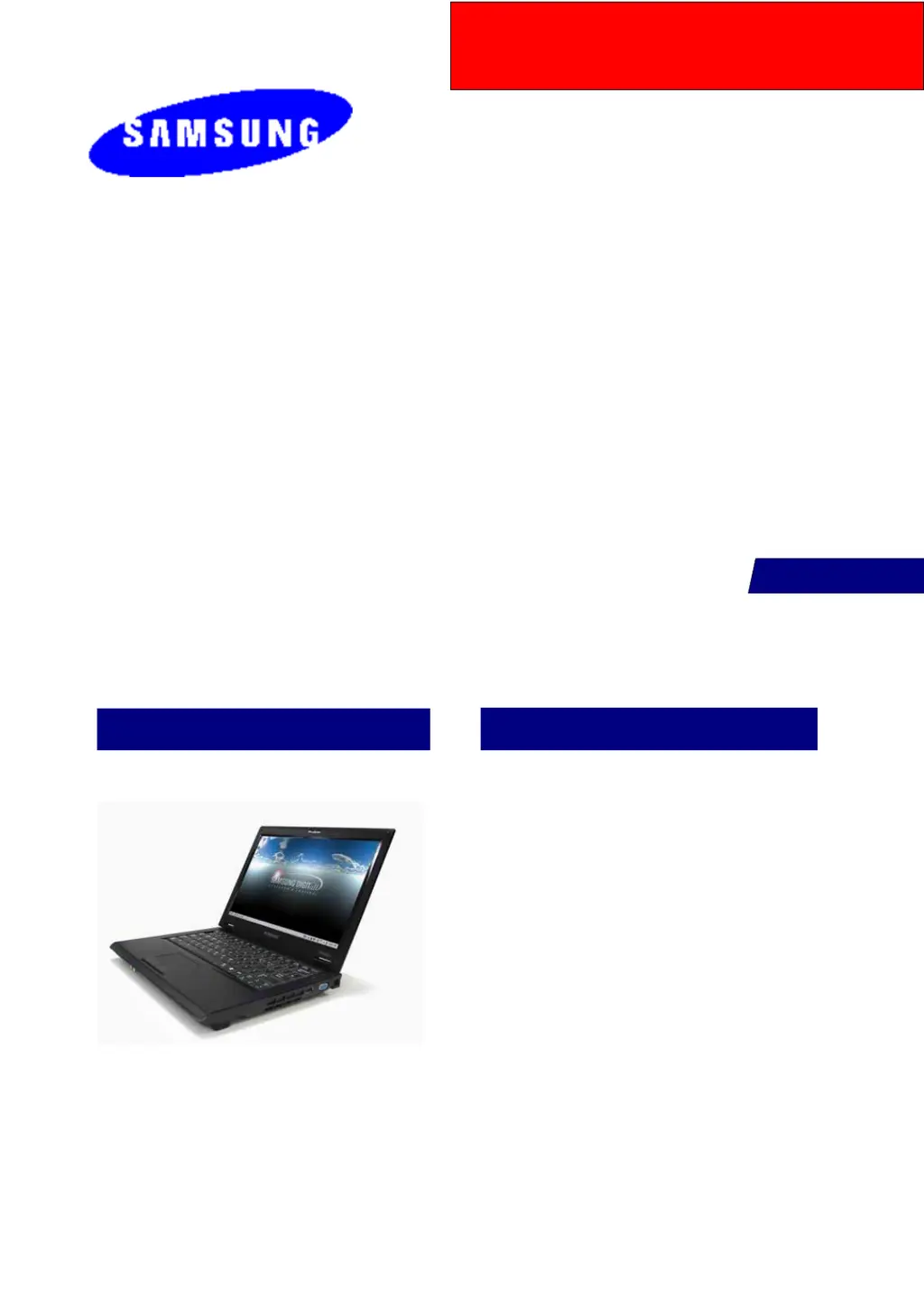
Samsung NT-Q70 Series - User Manual

Samsung NT-Q70 Series
153 pages
Print Icon
To Next Page IconTo Next Page
Loading...
If there are the Contents not included in this book, please refer to K-zone Service Manual
Q70
BEIJING
NT-Q70xxxx/xxx
SERVICE
Manual
FEATURES
SAMSUNG Q70
1. Simple & Essential Note PC
-. New Intel SantaRosa technology.
-. Internal 1.3M Camera
-. 12.1'' WXGA 200nit Glare LCD
-. Windows Vista Home/Premium Supportable.
2. High Performance
-. Intel Core™2 Duo processor
-. Powerful connectivity.
-. Convenient Multi-media.

Questions and Answers

  • M
    Mary BerryAug 19, 2025
    What to do if no picture appears on my Samsung NT-Q70 screen?
    • J
      jeffrey37Aug 19, 2025
      If your Samsung Laptop has no picture on the screen, check the connection status between the LCD module and the LCD cable, between the LCD cable and the main board LCD connector, and between the LCD cable and the LCD inverter. Consider replacing the LCD cable or LCD inverter. Also, check if the System LED on the main board is blinking to verify operation. Ensure the memory module is functioning correctly, and confirm that the power button can be pressed normally.
  • K
    Kelly RosalesAug 21, 2025
    What to do if Samsung Laptop does not boot?
    • J
      Jessica SchmidtAug 21, 2025
      If your Samsung Laptop does not boot or immediately turns off after being turned on, disconnect the power immediately. Disassemble the system and check for any conducting foreign objects like screws inside, as this may indicate a short circuit. Also, check the connection status between the CPU and the RHE. Replace the memory module to check if it is out of order. Reset the RTC Reset terminal. If the issue persists, replace the main board.
  • M
    Martin AtkinsonAug 23, 2025
    Why is the battery not charging on my Samsung NT-Q70 Laptop?
    • T
      Troy FrenchAug 23, 2025
      If the battery on your Samsung Laptop is not charging or the battery charge LED malfunctions, check the standard voltage of the adapter. Determine if the battery is defective. If problems persist, replace the main board.
  • A
    Annette JensenAug 26, 2025
    Why is my Samsung NT-Q70 Laptop screen dark or colors distorted?
    • A
      Alicia JacksonAug 26, 2025
      If your Samsung Laptop screen is dark or the colors are distorted, check the connection status between the LCD module and the LCD cable, between the LCD cable and the main board LCD connector, and between the LCD cable and the LCD inverter. You may need to replace the LCD cable or LCD inverter. Also, inspect the LCD for any bent or broken parts due to impact.
  • J
    Janet ParsonsAug 27, 2025
    How to fix no sound from Samsung NT-Q70 speaker?
    • M
      Monique SmithAug 27, 2025
      If there is no sound from the speaker on your Samsung Laptop, check if earphones or headphones are connected to the MIC jack, and remove any foreign substances from the jack. Ensure the sound isn't muted in Windows. Check the connection status of the speaker cable and verify the speaker is working correctly. Also, check for any magnetic objects near the speaker.
  • D
    davisrichardAug 30, 2025
    How to fix Samsung NT-Q70 Laptop LAN function not working?
    • B
      Blake AdamsAug 30, 2025
      If the LAN function on your Samsung Laptop isn't working, ensure the LAN cable is properly connected and that the LAN driver is correctly installed. If the driver is installed correctly, inspect the LAN cable jack for any damage. If problems persist, replace the main board.
  • K
    kleeSep 1, 2025
    How to fix Samsung NT-Q70 Touch Pad when it doesn't work?
    • T
      Tony McdonaldSep 1, 2025
      If the Touch Pad on your Samsung Laptop is not working or malfunctioning, check the connection status of the Touch Pad FFC and the Touch Pad module. If the connections are secure, replace any suspicious parts to see if they are defective.
  • S
    Stacey ArmstrongSep 3, 2025
    Why does my Samsung Laptop LCD blink?
    • D
      Dan WheelerSep 3, 2025
      If your Samsung Laptop LCD blinks while in operation, check for any magnetic objects near the touchpad button or the system itself, and inspect the LCD or system for external defects. Replace the LCD cable or LCD inverter to check if they are faulty. Ensure a standard adapter (19V/3.16A/60W) is being used.
  • M
    Mary MitchellSep 5, 2025
    How to fix no sound through headphones on Samsung NT-Q70?
    • M
      Mr. Eric BentonSep 5, 2025
      If you cannot hear sound through headphones on your Samsung Laptop, first check if the sound is muted in Windows. Then, increase the volume. If the issue continues, replace the main board.
  • R
    Rebecca HunterSep 7, 2025
    How to fix external microphone that doesn't work on Samsung NT-Q70 Laptop?
    • A
      Angela OrrSep 7, 2025
      If the external microphone on your Samsung Laptop does not work normally, check the audio driver settings and adjust them if necessary. Selecting the "1. Front panel microphone" option activates the external MIC. If the issue persists, replace the main board.

Samsung NT-Q70 Series Specifications

General IconGeneral
ModelNT-Q70 Series
CategoryLaptop
CPUIntel Core 2 Duo
Wireless802.11a/b/g/n
RAM2GB DDR2
Hard Drive250GB HDD
Optical DriveDVD Super Multi
Operating SystemWindows Vista Home Premium

Related product manuals