62
Chapter 2.
Using the computer
3
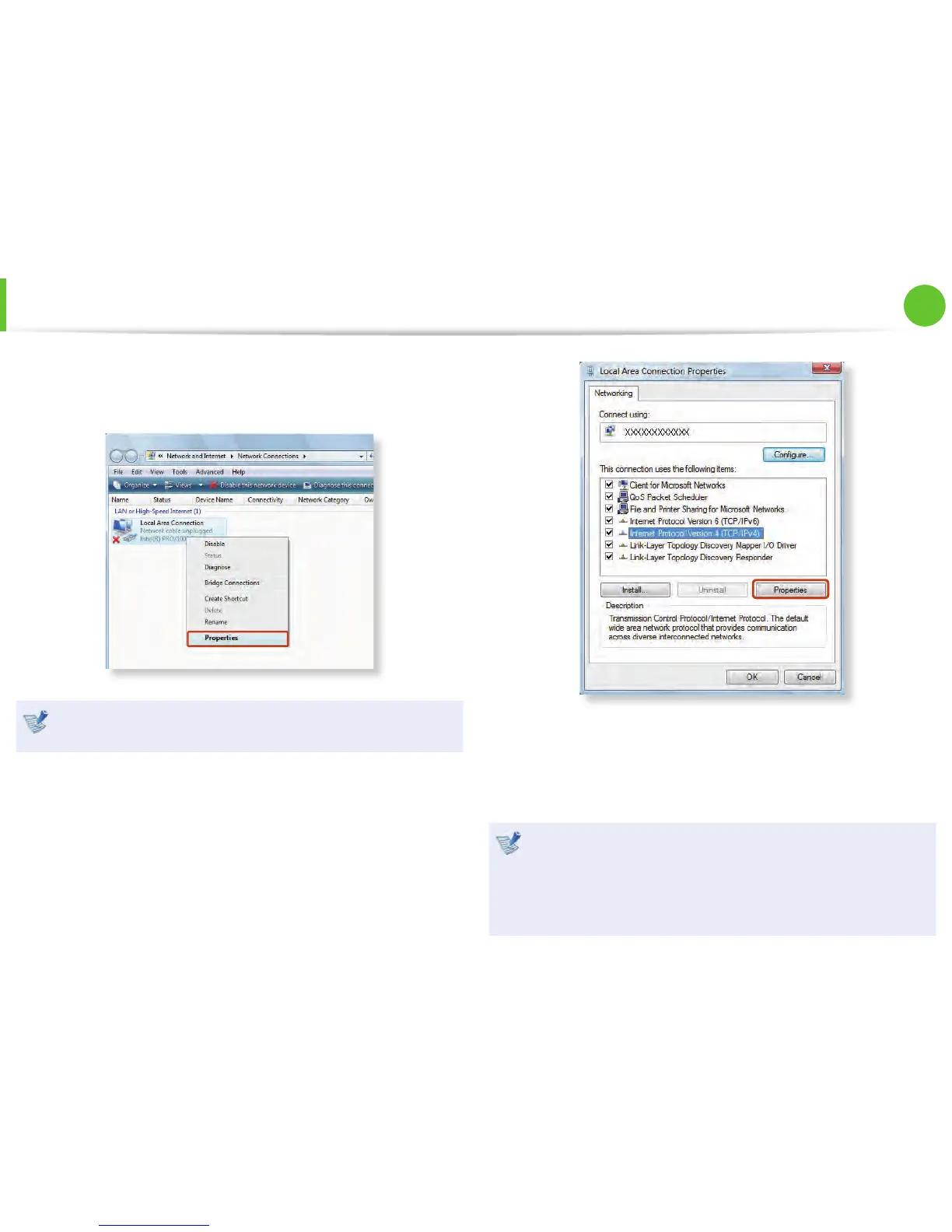
Select Local Area Connection and click the right button of
the touch pad and select Properties.
The LAN Device name may diff er depending on your
computer’s Network Device.
4
►
For Windows 7/Vista
Select Internet Protocol Version 4(TCP/IPv4) from the list
of Network Components and click Properties.
►
For Windows XP
Click General tab and select a LAN driver from Connect
using:. Select Internet Protocol(TCP/IP) and click
Properties.
The Network Component name may diff er depending on •
the Operating System Installed.
To add a network component, click Install in the screen •
shown in the fi gure above. You can add clients, services,
and protocols.
Wired Network



 To Next Page