EasyManua.ls Logo

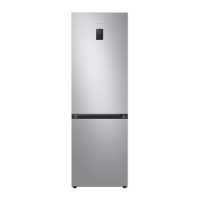
Samsung RB30N Series - User Manual

Samsung RB30N Series
48 pages
Print Icon
To Next Page IconTo Next Page
Loading...
Refrigerator
User manual
RB30N*/RB27N*
Free Standing Appliance
Untitled-4 1 2018-08-22  2:29:13

Questions and Answers

  • H
    Heather HermanAug 5, 2025
    Why is my Samsung RB30N Refrigerator not cooling?
    • D
      Daniel HopkinsAug 5, 2025
      Your Samsung Refrigerator might not be cooling because the power cord isn't properly plugged in; make sure it is securely connected. The temperature control might not be set correctly; try setting it to a lower temperature. The refrigerator could be near a heat source or in direct sunlight; keep it away from these conditions. Insufficient clearance between the refrigerator and the walls can also cause this; ensure there's more than 50 mm of space. Overloading the refrigerator or blocking the vents with food can also lead to this issue; avoid overloading and ensure proper ventilation.

Summary

Safety Information

Important Safety Symbols and Precautions

Explains the meaning of WARNING, CAUTION, and NOTE symbols used in the manual for safe operation.

Transportation and Installation Safety

Highlights critical safety measures for moving, transporting, and installing the refrigerator.

Critical Usage Warnings

Details critical warnings for safe and proper operation of the refrigerator.

Installation

Step-by-step Installation Guide

Provides a detailed, sequential guide for installing the refrigerator correctly and safely.

Troubleshooting

Temperature and Environmental Issues

Addresses common problems related to refrigerator and freezer temperatures and external heat.

Odors, Frost, and Condensation

Provides solutions for common issues like odors, frost buildup, and condensation inside the unit.

Samsung RB30N Series Specifications

General IconGeneral
Energy RatingA+
Ice TrayYes
Noise Level39 dB
ShelvesTempered Glass
ColorSilver
RefrigerantR600a

Related product manuals