EasyManua.ls Logo

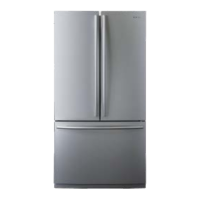
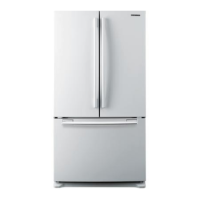
Samsung RF25 Series - User Manual

Samsung RF25 Series
240 pages
Print Icon
To Next Page IconTo Next Page
Loading...
Refrigerator
User manual
RF25*******
Free Standing Appliance
Untitled-7 1 2022-11-21  3:41:12

Table of Contents

Questions and Answers

  • M
    Michael WallaceAug 16, 2025
    Why is my Samsung RF25 not cold enough?
    • A
      Amanda LeeAug 16, 2025
      There are several reasons why your Samsung Refrigerator might not be cooling properly. Ensure the power cord is correctly plugged in. Check the temperature control settings and lower the temperature if needed. Keep the refrigerator away from heat sources and direct sunlight. Allow at least 2.5 inches (5 cm) of clearance on the back and sides for proper ventilation. Avoid overloading the refrigerator and ensure food isn't blocking the vents.
  • T
    Tiffany AdamsAug 19, 2025
    What to do if my Samsung RF25 water dispenser doesn't work?
    • W
      wdavilaAug 19, 2025
      If water is not dispensing from your Samsung Refrigerator, check the water line connection and ensure the water supply is turned on. If you have installed a third-party water filter, replace it with a Samsung-provided or approved filter to prevent leaks and damage. Also, if the water filter replacement icon is on, replace the water filter and reset the alarm.
  • H
    hpearsonAug 22, 2025
    Why is my Samsung Refrigerator ice maker not making ice?
    • K
      Kathy StevensonAug 22, 2025
      If your Samsung Refrigerator's ice maker isn't producing ice, consider these points: If the ice maker was just installed, allow 12 hours for ice production to begin. Ensure the freezer temperature is set below 0 °F (-18 °C), or -4 °F (-20 °C) in warmer environments. Also, verify that the ice maker is turned on.
  • B
    Brenda WilliamsAug 26, 2025
    What to do if ice does not dispense from my Samsung RF25?
    • G
      gerald53Aug 26, 2025
      If ice is not dispensing from your Samsung Refrigerator, the ice may be jammed if the dispenser hasn't been used in about 3 weeks. If you won't be using the refrigerator for a long time, empty the ice bucket and turn off the ice maker. Also, ensure the ice bucket is properly inserted and that the water line is correctly connected with the water supply on.
  • R
    Robert YoungAug 28, 2025
    What to do if my Samsung Refrigerator is too cold?
    • P
      Paula NelsonAug 28, 2025
      If your Samsung Refrigerator is over-cooling, the temperature control may not be set correctly. Try setting the temperature higher.
  • J
    Jennifer NunezAug 31, 2025
    Why is there frost around the vents in my Samsung Refrigerator?
    • A
      Alexa CrossAug 31, 2025
      If you notice frost around the vents in your Samsung Refrigerator, it may be due to food blocking the vents. Make sure no food obstructs the refrigerator vents.
  • T
    Tony ShepherdSep 3, 2025
    Why is there frost on the interior walls of my Samsung RF25 Refrigerator?
    • C
      Crystal HuffmanSep 3, 2025
      If there's frost on the interior walls of your Samsung Refrigerator, it could be that the door isn't closing properly. Ensure food isn't blocking the door and clean the door gasket.
  • A
    Anna LopezSep 6, 2025
    Why is the water flow weak in my Samsung Refrigerator?
    • Q
      qlindseySep 6, 2025
      If the water flow in your Samsung Refrigerator is weaker than normal, it could be due to low water pressure. Ensure the water pressure is between 30 to 125 psi (206 to 861 kPa).
  • D
    David DonaldsonSep 9, 2025
    How to get rid of odors in my Samsung RF25?
    • A
      Alexander ClarkSep 9, 2025
      To eliminate odors in your Samsung Refrigerator, inspect for spoiled food and remove it. Also, ensure that strong-smelling foods are wrapped airtight.
  • C
    Carl CabreraSep 12, 2025
    Why is there condensation on the inside of my Samsung RF25?
    • J
      Jennifer BellSep 12, 2025
      Condensation on the interior walls of your Samsung Refrigerator can occur if the door is left open, allowing moisture to enter. Remove the moisture and avoid leaving the door open for extended periods. It can also be caused by food with high moisture content, so ensure such food is wrapped airtight.

Summary

Safety Information

Safety Instructions Overview

Key safety guidelines and purpose of the manual.

Important Safety Symbols and Precautions

Explains warning symbols like WARNING, CAUTION, and NOTE for safe operation.

Proposition 65 Warning

California warning regarding cancer and reproductive harm.

Key Safety Precautions

Essential safety measures for operating the refrigerator.

Transportation and Site Warnings

Safety advice for moving and positioning the appliance.

Critical Installation Warnings

Crucial safety rules during refrigerator installation.

Usage and Cleaning Cautions

Guidelines for safe and proper use and cleaning.

Disposal Warnings

Safety instructions for environmentally sound disposal of the appliance.

Installation Guide

Refrigerator Overview

General introduction to the refrigerator and its components.

Step-by-Step Installation Process

Detailed instructions for setting up the refrigerator.

Site Selection and Clearance

Guidelines for choosing a location and required clearances.

Flooring Preparation

Instructions for protecting floors during installation.

Door Removal and Reinstallation

Procedures for detaching and reattaching refrigerator doors.

Refrigerator Leveling

Steps to ensure the refrigerator is stable and level.

Fridge Door Alignment

Instructions for adjusting fridge doors for proper fit.

Water Line Connection

Guide for connecting the water supply for dispenser/ice maker.

Initial Settings and Final Check

Final steps before using the refrigerator and post-installation checks.

Operations and Features

Main Control Panel Overview

Explanation of the refrigerator's main display and indicators.

Fridge;Freezer Status Indicators

Details on indicators for fridge and freezer temperatures and functions.

Connectivity and Feature Indicators

Information on network, AutoFill, Ice Maker, and Filter indicators.

Control Panel Buttons and Modes

How to use control panel buttons and AI Energy Mode.

Temperature and Function Settings

Guide to setting desired temperatures and functions like Power Cool/Freeze.

AutoFill Pitcher Usage

Instructions for using and managing the AutoFill Pitcher.

Ice Maker and Wi-Fi Control

How to turn the ice maker and Wi-Fi on or off.

Special Modes Activation

Procedures for activating Sabbath and Cooling Off modes.

Water Filter Alarm Management

How to reset or dismiss the water filter replacement alert.

SmartThings Connectivity

Steps to connect the refrigerator to the SmartThings app.

Smart Grid and Energy Management

Explanation of Smart Grid, Demand Response, and Energy Management functions.

Special Features Usage

Details on using specific features.

Water Pitcher (AutoFill Pitcher)

How to fill and use the water pitcher for infused water.

Water Dispenser Operation

Instructions for dispensing chilled water and notes on water clouding.

Ice Maker Functionality

Guide to ice making, diagnosis, and common issues.

Maintenance and Care

General Handling and Care

Basic care instructions for refrigerator parts.

Ice Bucket and AutoFill Pitcher Care

Cleaning and maintenance for ice bucket and pitcher.

Shelving System

Instructions for removing and installing refrigerator shelves.

Fridge Shelf Removal and Insertion

Detailed steps for handling fridge shelves.

Quick Space and Vegetable Shelves

Specific instructions for special shelf types.

Storage Bin Management

How to remove and reinstall door bins, drawers, and baskets.

Cleaning Procedures

Comprehensive guide to cleaning the refrigerator.

Interior, Exterior, and Dispenser Nozzle Cleaning

Methods for cleaning internal/external surfaces and dispenser parts.

Rubber Seals and Rear Panel Care

Maintaining door seals and cleaning the rear panel.

Component Replacement

Procedures for replacing key components.

Water Filter Replacement

Step-by-step guide to replacing the water filter.

Filtration Systems and Lamp Replacement

Information on RO systems and LED lamp replacement.

Troubleshooting and Support

Temperature Issues

Solutions for problems related to refrigerator temperature.

Odors, Frost, and Condensation

Troubleshooting steps for common internal issues.

Water and Ice System Problems

Solutions for issues with water flow and ice making.

Refrigerator Sounds Explained

Identifying normal operating sounds and potential causes.

SmartThings App Issues

Common problems and solutions related to the SmartThings app.

Smart Grid Functionality Problems

Troubleshooting for Smart Grid and Energy Management features.

Warranty Information

U.S.A. Limited Warranty

Details of the limited warranty for products sold in the USA.

Warranty Exclusions (U.S.A.)

Specific conditions and damages not covered by the U.S. warranty.

Remedy Limitations (U.S.A.)

Limitations on remedies available under the U.S. warranty.

Canada Limited Warranty

Details of the limited warranty for products sold in Canada.

Service and Purchaser Obligations (Canada)

Requirements for warranty service and owner responsibilities in Canada.

Warranty Exclusions (Canada)

Specific conditions and damages not covered by the Canadian warranty.

Regulatory Notices

FCC Compliance Information

FCC rules and statements regarding radio frequency emissions.

IC Compliance Information

Industry Canada regulations for radio certification.

Open Source Announcement

Samsung RF25 Series Specifications

General IconGeneral
Cooling SystemTwin Cooling Plus
Ice MakerYes
Water DispenserYes
Energy Star CertifiedYes
Counter DepthNo
ColorStainless Steel
TypeFrench Door
Smart FeaturesWi-Fi Enabled

Related product manuals