EasyManua.ls Logo

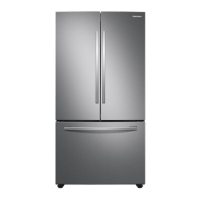
Samsung RF26J Series - User Manual

Samsung RF26J Series
14 pages
Print Icon
To Next Page IconTo Next Page
Loading...
quick start guide
RF26J*
English
Before using your new Samsung French Door Refrigerator, please read this manual thoroughly to ensure that you know
how to operate the features and functions that your new appliance offers safely and efficiently.
This appliance is not intended for use by persons (including children) with reduced physical, sensory, or mental
capabilities, or those who lack experience and knowledge, unless they have been given supervision or instruction
concerning the use of the appliance by a person responsible for their safety.
Because the following instructions cover various models, the characteristics of your refrigerator may differ slightly from
the refrigerator described in this manual.
If you have any question, contact us at 1-800-SAMSUNG or find help and information online at www.samsung.com.
WARNING
Hazards or unsafe practices that may result in severe personal injury or death.
CAUTION
Hazards or unsafe practices that may result in minor personal injury or property damage.
Important safety symbols and precautions:
Safety information
1. Safety Information
OTHER SYMBOLS USED
Do NOT attempt.
Do NOT disassemble.
Do NOT touch.
Follow directions carefully.
Unplug the power plug from the wall socket.
Make sure the refrigerator is grounded to prevent electric shock.
Call the contact center for help.
Note.
These warning symbols are here to prevent injury to you and others.
Please follow them carefully.
After reading this section, keep it in a safe place for future reference.


Questions and Answers

  • J
    Julia MolinaAug 13, 2025
    Why is my Samsung RF26J not cooling?
    • B
      Brian SanchezAug 13, 2025
      Your Samsung Refrigerator might not be cooling due to several reasons. Ensure the power plug is properly connected. Check if the set temperature on the digital display is warmer than the internal temperature; if so, set it colder. Also, check if the refrigerator is in direct sunlight or near a heat source, and relocate it if necessary. Make sure the back of the refrigerator has enough space for ventilation. Finally, avoid overfilling the refrigerator, which can block the outlet vent.
  • J
    Jennifer CruzAug 16, 2025
    What to do if Samsung Refrigerator ice maker is not producing ice?
    • M
      Mary ChristensenAug 16, 2025
      If your Samsung refrigerator's ice maker isn't producing ice, it could be due to a few reasons. It might take longer to make ice when first installed if it is not sufficiently cool. Ensure the water line is connected and the shut-off valve is open. Check if you've manually stopped the ice-making function. Also, verify that the filter is properly installed, as an improperly installed filter can prevent ice production.
  • R
    Rebecca ByrdAug 20, 2025
    What to do if Samsung RF26J Refrigerator water dispenser is not working?
    • K
      Kristen CallahanAug 20, 2025
      If the water dispenser on your Samsung refrigerator isn't working, start by checking if the water line is connected and the shut-off valve is open. Inspect the water supply line tubing for any crushing or kinking, and ensure it's free from obstructions. If the fridge temperature is too low, the water tank might be frozen, so try selecting a warmer setting on the digital display. Also, make sure the water filter is properly installed; otherwise, the dispenser may not function.
  • K
    Kendra MaysAug 25, 2025
    Why is food freezing in my Samsung RF26J Refrigerator?
    • W
      William JacksonAug 25, 2025
      If food is freezing in your Samsung refrigerator, it could be because the set temperature on the digital display is too low; try setting it to a warmer temperature. The room temperature might also be too low, so adjust the refrigerator to a warmer setting. Also, if you're storing juicy foods in the coldest part of the refrigerator, move them to other shelves or bins.
  • J
    Jessica SaundersAug 28, 2025
    Why does my Samsung RF26J make unusual noises?
    • H
      hsimmonsAug 28, 2025
      Unusual noises from your Samsung refrigerator can stem from several factors. Ensure the refrigerator is level and stable. Check if the back of the refrigerator is too close to the wall, and if so, move it at least 2 inches away. Also, check for anything that might have dropped behind or under the refrigerator. A 'ticking' sound is normal due to temperature changes, and sounds like something hitting inside are typically from the compressor operating at high capacity.
  • N
    Nancy BrownSep 1, 2025
    Why is there condensation on my Samsung RF26J door?
    • M
      mnelsonSep 1, 2025
      Some heat and condensation are normal on the cabinet-door sealing area of your Samsung refrigerator because anti-condensators are installed to prevent condensation. Condensation can also occur if the refrigerator door is left ajar for an extended period.
  • L
    Lynn WrightSep 4, 2025
    What to do if the auto close system doesn't work on Samsung RF26J Refrigerator freezer door?
    • W
      walkerrobertSep 4, 2025
      If the auto-close system isn't working on your Samsung refrigerator's freezer door, it might be due to an imbalance between the right and left parts of the door. Try opening and closing the door smoothly a couple of times, as this usually resolves the issue. Also, ensure you open the door smoothly to avoid unbalancing it.
  • J
    Jason FisherSep 8, 2025
    Why is there condensation on the central part of my Samsung RF26J door?
    • C
      Cindy ReidSep 8, 2025
      Condensation or water drops may form on both sides of your Samsung fridge door’s central part if the humidity is too high while the refrigerator is operating. If this occurs, turn the Energy Saver mode off after removing the condensation.

Summary

Safety Information

Safety Information Overview

General safety guidelines for operating the refrigerator and understanding its features.

Important Safety Symbols and Precautions

Explanation of warning symbols and precautions for safe use to prevent injury or death.

Other Symbols Used

Explanation of various symbols indicating operations, warnings, and instructions.

Critical Installation Warnings

Critical warnings related to the installation of the refrigerator to prevent electrical hazards and fire.

Installation Cautions

Cautions and recommendations for installing the refrigerator properly to ensure stability and efficiency.

Critical Usage Warnings

Critical warnings to be observed during the usage of the refrigerator to prevent injury and damage.

Usage Cautions

Cautions to follow during general use of the refrigerator, including handling food and avoiding misuse.

Cleaning Cautions

Cautions to follow when cleaning the refrigerator to avoid hazards like electric shock or fire.

Critical Disposal Warnings

Critical warnings regarding the safe and environmentally friendly disposal of the refrigerator.

Additional Tips for Proper Usage

Power Failure Procedures

Guidance on actions to take during and after a power failure to protect the refrigerator and food.

Saving Energy Tips

Tips to optimize energy consumption and reduce electricity bills for efficient operation.

Installation Space

Selecting the Best Location

Guidance on choosing the optimal location for refrigerator installation considering space and environment.

Flooring Requirements

Requirements for the floor surface to ensure proper and stable installation of the refrigerator.

Names and Basic Functions

Parts and Features Overview

Overview of refrigerator parts and their basic functionalities and features.

Operating Your Refrigerator

Using the Control Panel

Explanation of how to use the refrigerator's control panel and its various functions and buttons.

Control Panel Functions (Alarm, Energy Saver, Fridge;Power Cool)

Detailed explanation of Alarm, Energy Saver, and Fridge/Power Cool functions on the control panel.

Control Panel Functions (Lighting, Ice Maker, Water)

Detailed explanation of Lighting, Ice Maker Off, and Water dispensing functions on the control panel.

Control Panel Functions (Ice Type, Ice Maker Off;Lock, Cooling Off Mode)

Details on Ice Type selection, Ice Maker Off/Lock, and Cooling Off Mode operations.

Troubleshooting

Refrigerator Not Working or Insufficient Cooling

Solutions for issues where the refrigerator is not operating or cooling properly.

Food Freezing in Fridge

Solutions for when food items inside the refrigerator are freezing unexpectedly.

Unusual Noises and Sounds

Troubleshooting steps for unusual noises or sounds coming from the refrigerator.

Hot Cabinet Area and Condensation

Explains why the cabinet area might be hot and condensation occurs.

Ice Maker Not Producing Ice

Steps to resolve issues with the ice maker not producing ice.

Water Dispenser Malfunctions

Troubleshooting steps if the water dispenser is not working correctly.

Door Auto-Close System Issues

Solutions for when the automatic door closing system fails.

Door Condensation or Water Drops

Addresses condensation or water drops on the door's central part.

Samsung RF26J Series Specifications

General IconGeneral
Cooling SystemTwin Cooling Plus
Ice MakerYes
Water DispenserYes
Energy Star CertifiedYes
TypeFrench Door
ColorStainless Steel

Related product manuals