Installation
English26
Installation
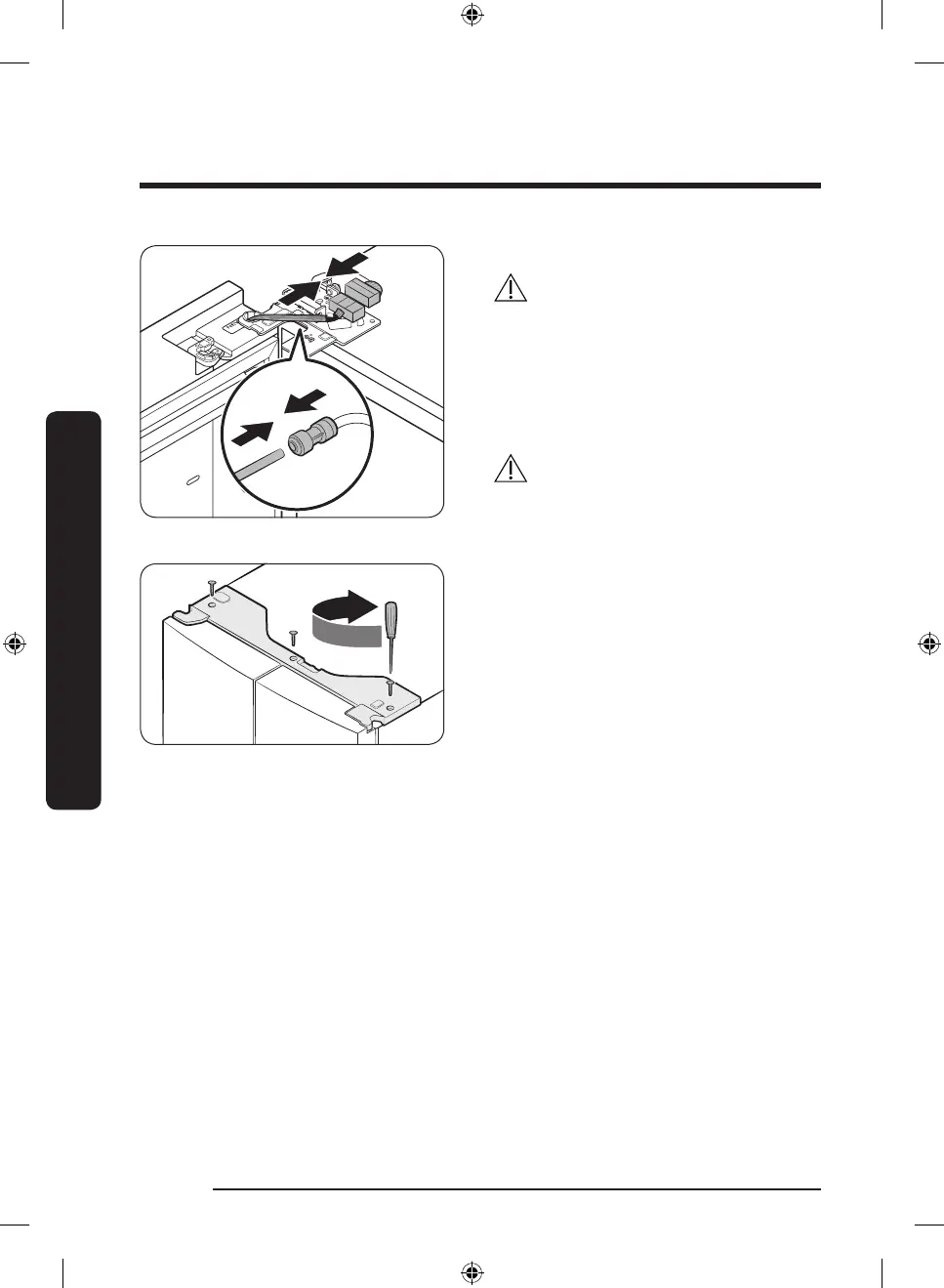
5. Connect the wire connectors.
CAUTION
• Make sure the wire connectors are
connected properly. Otherwise, the
display will not operate.
6. Connect the water tube.
- This step does not apply to the
models without the AutoFill Pitcher
and the water dispenser.
CAUTION
• To prevent water leaks, make sure the
red clips tighten the coupler properly.
• Keep the clips out of children’s reach.
7. Repeat steps 1-5 for the other door.
- Step 5 does not apply to the models
without the Showcase door.
8. Attach the top cover with the front side
rst, and then press down on its back
to get it into position. Then, tighten the
screws (x3).
Untitled-6 26 2021-12-02 6:12:20



 To Next Page