EasyManua.ls Logo

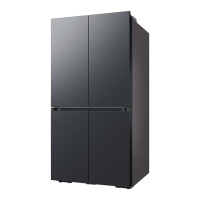
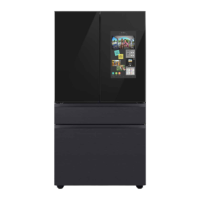
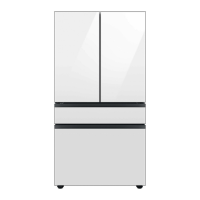
Samsung RF29A9675 Series - User Manual

Samsung RF29A9675 Series
88 pages
Print Icon
To Next Page IconTo Next Page
Loading...
Refrigerator
User manual
Free Standing Appliance
Untitled-1 1 2021-10-07  3:58:57

Questions and Answers

  • J
    Jeff HoffmanAug 18, 2025
    What to do if my Samsung Refrigerator is not working?
    • T
      Timothy SmithAug 18, 2025
      If your Samsung Refrigerator is not operating or the temperature is too warm, first ensure the power cord is properly plugged in. Then, check the temperature control and set it lower if needed. Also, keep the refrigerator away from heat sources and direct sunlight. Provide enough clearance (at least 2.5 inches) between the refrigerator and walls or cabinets. Avoid overloading the refrigerator and ensure food isn't blocking the vents.
  • P
    petersonrobertAug 20, 2025
    Why is my Samsung Refrigerator not cold enough?
    • R
      Rebecca ChapmanAug 20, 2025
      If your Samsung Refrigerator isn't cooling properly or seems warm, there are several possible reasons. First, ensure the power cord is correctly plugged in. Next, check the temperature control and set it to a lower setting if needed. Also, make sure the refrigerator isn't near a heat source or in direct sunlight. Ensure there's at least 2.5 inches (5 cm) of space between the refrigerator's back and sides and any walls or cabinets. Finally, avoid overloading the refrigerator and ensure food isn't blocking the vents.
  • J
    Jacob DavilaAug 23, 2025
    Why is no water coming out of my Samsung RF29A9675 Refrigerator?
    • P
      Patrick JohnsonAug 23, 2025
      If your Samsung Refrigerator is not dispensing water, there are a few things to check. First, make sure the water line is properly connected and the water supply is turned on. Also, if you've installed a third-party water filter, replace it with a Samsung-provided or approved filter to prevent leaks and damage. Finally, if the 'Replace water filter' message is on the control panel, replace the water filter and reset it by going to More Options, then Filter Reset.
  • A
    Amanda Barker MDAug 26, 2025
    Why is my Samsung Refrigerator ice maker not working?
    • K
      Kaitlyn CaldwellAug 26, 2025
      If your Samsung Refrigerator's ice maker isn't producing ice, consider these possibilities: If the refrigerator was just installed, allow 12 hours for ice production to begin. Ensure the freezer temperature is set below 0 °F (-18 °C), or -4 °F (-20 °C) in warmer conditions. Also, verify that the ice maker is turned on.
  • N
    Nancy SmithAug 27, 2025
    What to do if ice is not dispensing from my Samsung RF29A9675?
    • G
      gjonesAug 27, 2025
      If ice is not dispensing from your Samsung Refrigerator, it could be due to a few reasons. If the ice dispenser hasn't been used for about 3 weeks, the ice may be jammed. If you won't be using the refrigerator for an extended period, empty the ice bucket and turn off the ice maker. Also, make sure the ice bucket is properly inserted. Finally, check if the water line is correctly installed and the water supply is on.
  • J
    Joanne CarterAug 30, 2025
    Why is my Samsung Refrigerator too cold?
    • S
      shamiltonAug 30, 2025
      If your Samsung Refrigerator is over-cooling, the temperature control might not be set correctly. Try setting the temperature higher.
  • T
    Taylor GonzalesSep 1, 2025
    Why is there frost around the vents in my Samsung RF29A9675?
    • B
      Brenda PowellSep 1, 2025
      If you find frost around the vents in your Samsung Refrigerator, it's likely that food is blocking them. Make sure no food is obstructing the refrigerator vents.
  • L
    lunakimberlySep 3, 2025
    Why are my fruits and vegetables freezing in my Samsung Refrigerator?
    • G
      Gary SilvaSep 3, 2025
      If fruits or vegetables are freezing in your Samsung Refrigerator, it might be because they are stored in the FlexZone. Avoid storing most kinds of fruit or vegetables in the FlexZone.
  • Z
    Zoe RomanSep 5, 2025
    Why is there frost on the interior walls of my Samsung RF29A9675 Refrigerator?
    • J
      Joshua JenningsSep 5, 2025
      If you notice frost on the interior walls of your Samsung Refrigerator, it could be because the door isn't closing properly. Make sure food isn't blocking the door and clean the door gasket.
  • K
    Kelly YoungSep 8, 2025
    How to get rid of odors in my Samsung RF29A9675 Refrigerator?
    • D
      Danielle RiceSep 8, 2025
      If your Samsung Refrigerator has odors, the cause may be spoiled food. Clean the refrigerator and remove any spoiled food. It could also be due to food with strong odors. Ensure that such food is wrapped airtight.

Summary

Safety Information

Critical Installation Warnings

Crucial warnings about electrical safety, grounding, and proper cord handling during installation.

Critical Usage Warnings

Warnings about wet hands, placing items on top, frostbite, water spills, and flammable substances.

Installation

Leveling and Door Adjustment

Procedures for leveling the refrigerator and adjusting door height and alignment.

Water Line Connection

Instructions for connecting the water dispenser line and filter for ice maker and water.

Operations

Maintenance

Water Filter Replacement

Step-by-step guide for replacing the water filter and resetting the indicator.

Troubleshooting

Temperature and Frost Issues

Solutions for problems like no operation, temperature variations, and frost buildup.

Limited Warranty

Samsung RF29A9675 Series Specifications

General IconGeneral
TypeFrench Door
Total Capacity29 cu. ft.
Cooling SystemTwin Cooling Plus
Ice MakerYes
Water DispenserYes
Weight350 lbs
Energy Star CertifiedYes
Counter DepthYes
Refrigerator Capacity19.5 cu. ft.
Freezer Capacity8.5 cu. ft.
ColorStainless Steel
Fresh Food Capacity19.5 cu. ft.
Smart FeaturesWi-Fi Enabled, Bixby

Related product manuals