English 71
Operations
Water dispenser (applicable models only)
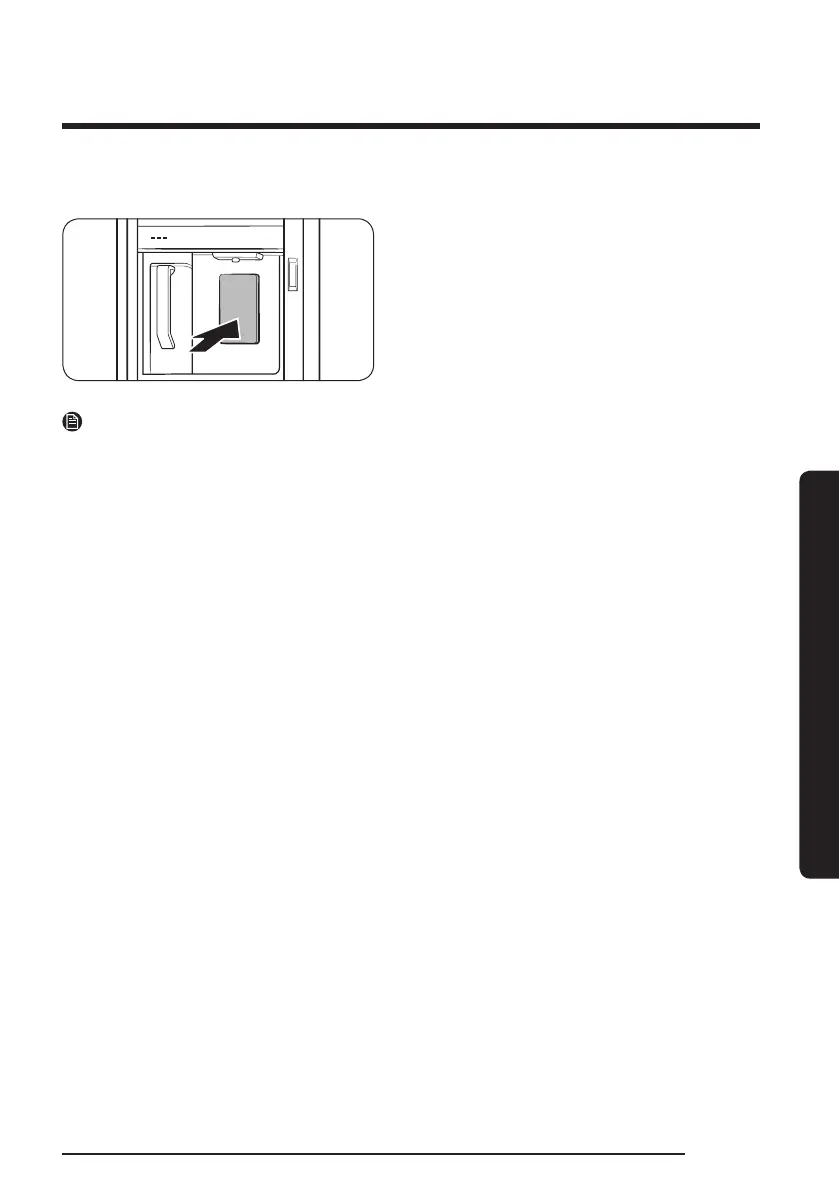
To dispense chilled water, open the
Beverage Center and press the dispenser
lever.
NOTE
• The dispenser will stop dispensing if you keep pushing the dispenser lever for about
1 minute. To dispense more water, release and push the lever again.
• Make sure the glass is in line with the dispenser to prevent the dispensed water from
spilling out.
• If you do not use the water dispenser for 2-3 days, the dispensed water may have an
abnormal smell or taste. This is not a system failure. Discard the rst 1-2 glasses of
water.
Water clouding
Water supplied to the refrigerator ows through a core alkaline lter. During this ltering
process, the water pressure of the water increases and the water becomes saturated with
oxygen and nitrogen. This causes the water to look misty or cloudy temporarily when
dispensed. This is normal and the water will look clear after a few seconds.



 To Next Page