EasyManua.ls Logo

Samsung RS20CC Series - User Manual

Samsung RS20CC Series
10 pages
Print Icon
To Next Page IconTo Next Page
Loading...
Model
RS20BR**
RS20CR**
RS20NR**
USER'S MANUAL AND
INSTALLATION INSTRUCTIONS
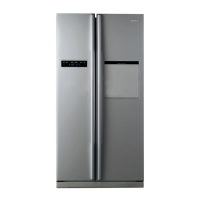
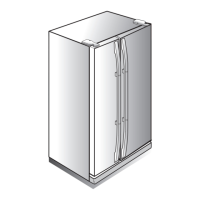
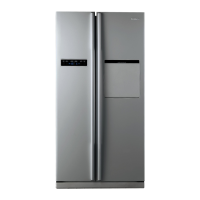
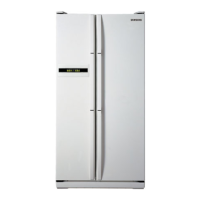
SIDE BY SIDE REFRIGERATOR
Before operating the appliance, please read this manual carefully
and keep for further reference in a handy and safe place.
Please
follow the operation instructions and the related safety
precautions
in this manual before your proper operation.
Our
products are improved constantly and it will not be otherwise
informed if there is any change.
Contact SAMSUNG WORLD WIDE
If you have any questions or comments relating to Samsung products, please
contact the SAMSUNG customer care centre.
SINGAPORE 1800-SAMSUNG (7267864) www.samsung.com/sg
MA
LAYSIA 1800-88-9999 www.samsung.com/my
PHILIPP
INES www.samsung.com/ph
PANAM
A 800-7267 www.samsung.com/latin
COSTA RICA 0-800-507-7267 www.samsung.com/latin
VIETNAM 1 800 588 889 www.samsung.com/vn
HONG KONG (852) 3698-4698
www.samsung.com/hk
www.samsung.com/hk_en/
www.samsung.
com/in
www.samsung.com/th
INDIA
1800-29-3232
02-689-3232
THAILAND
www.samsung.com/za0860-SAMSUNG(726-7864 )SOUTH AFRICA
3030
8282/
1800
110011
1800 3000 8282/1800 266 8282
Free Standing Appliance
1-800-10-SAMSUNG(726-7864)
1-800-3-SAMSUNG(726-7864)
1-800-8-SAMSUNG(726-7864)
02-5805777
DA68-02437C
RS20CC**
Question and Answer IconNeed help?

Do you have a question about the Samsung RS20CC Series and is the answer not in the manual?

Summary

Ambient Room Temperature Limits

Safety Precautions

Caution and Warning Signs

Explains symbols indicating potential hazards like injury or material damage.

Other Important Signs

Explains symbols for mandatory actions like 'Must Follow' or prohibitions like 'Never Do'.

Troubleshooting Common Issues

Refrigerator Not Working or Insufficient Cooling

Addresses issues like power connection, temperature settings, or appliance placement.

Food Freezing Inside Fridge

Covers problems related to temperature control and food placement in cold areas.

Abnormal Noise or Sound

Helps diagnose issues from floor stability to internal component sounds.

Odor Inside Refrigerator

Provides guidance on proper food wrapping and disposal of spoiled items.

Frost Formation in Freezer

Addresses potential causes like blocked air vents or improper door closure.

Understanding Refrigerator Sounds

Humming Sound

Normal operational sound from the compressor, especially during startup.

Air or Water Flow Sound

Indicates refrigerant circulation within the appliance pipes.

Clattering Sound

Caused by electrical components like the control panel during operation.

Whishing Sound

Result of the internal fan circulating air for even cooling.

Frost Crack and Pooping Sounds

Occurs due to temperature variations causing expansion and contraction.

Adjusting Door Clearance

Preparing Appliance for Use

Install Shelves and Containers

Place removed shelves and containers in their correct positions.

Clean Refrigerator Interior

Clean the interior and accessories with a mild detergent.

Verify Electrical Connection

Check voltage compatibility and socket capacity before connecting power.

Set Temperature Control

Set to lowest temperature, wait one hour, and check compressor operation.

Begin Storing Food

Wait for the refrigerator to reach the appropriate temperature before storing food.

Appliance Features

Multi-flow System

Circulates cooling air evenly for optimal food preservation.

High Humidity for Fresher Food

Maintains high humidity for keeping food, fruits, and vegetables fresh.

Door Alarm

Sounds a musical alarm if the door is left open for more than two minutes.

Bar Counter Feature

Convenient storage for drinks and food, reducing cold air loss.

Control Panel and Digital Display

Control Panel Overview

Details buttons for Power Freeze, Freeze Temp, Fridge Temp, and Power Cool.

Digital Panel Indicators

Shows current freeze and fridge temperatures and active modes.

Installation Instructions

Leveling the Refrigerator

Adjusting front legs higher than rear legs for easier door operation.

Earthing the Appliance

Ensuring the appliance is properly earthed to prevent electric shock.

Installing the Refrigerator

Check Entrance Door Dimensions

Verify if the refrigerator fits through the entrance door.

Remove Packing Materials

Remove foam pads and packing for proper installation.

Ensure Proper Clearance

Allow 10cm clearance on sides and rear for ventilation and power saving.

Clean Refrigerator Interior

Wipe the inside and outside with a dry cloth before use.

Store Food After Cooling

Wait 2-3 hours after plugging in before storing food items.

Temperature Control Guide

Freeze Temperature Settings

Adjust freezer temperature from level 1 (cold) to 9 (colder).

Refrigerator Temperature Settings

Adjust fridge temperature from level 1 (cold) to 9 (colder).

Recommended Settings

Factory preset 'NORMAL' (level 5 for Freeze, level 3 for Fridge).

Refrigerator Overview and Components

Freezer Compartment

Details components like Light, Food Guard, Ice Tray, Shelf, and Drawer.

Refrigerator Compartment

Lists components like Dairy Compartment, Egg Tray, Wine Rack, and Drawers.

Cleaning Refrigerator Accessories

Cleaning Inside Accessories

Use mild detergent and dry thoroughly before reassembly.

Cleaning Exterior Surfaces

Use mild detergent and a cloth; clean exterior once or twice a year.

Cleaning Rear Dust

Use a vacuum cleaner to remove dust from the rear.

Cleaning Door Seals

Use mild detergent and damp cloth to ensure efficient door closure.

Removing Freezer Accessories

Tempered Glass Shelf Removal

Pull out shelf, lift up, and remove.

Food Guard Removal

Hold guard with both hands and lift up.

Drawer Removal

Pull out drawer and lift up slightly.

Ice Tray and Cube Removal

Remove ice tray by pulling it outwards.

Leg Cover Removal

Remove only when necessary, by unscrewing.

Removing Fridge Accessories

Tempered Glass Shelf Removal

Pull out shelf, lift up, and remove.

Bottle Guard and Food Guard Removal

Hold guards with both hands and lift up.

Counter Compartment Removal

Follow sequence: remove food guard, then counter compartment.

Fresh Fruit & Salad Drawer Removal

Remove drawer by handle, pull out and lift up.

Lower Shelf Removal

Follow sequence: remove fruit drawer, then lower shelf.

Making Ice

Prepare Ice Tray

Pull out ice tray and place it inside.

Fill Ice Tray with Water

Pour cool water into tray up to the water level indicator.

Release Ice Cubes

Twist the ice tray gently to release individual ice cubes.

Counter Usage

Open Counter Door

Access the counter space for food or drinks.

Place Food or Drink

Put items into the counter space.

Close Counter Door

Close the door after retrieving items.

Food Storage Guide

Food Guard

For storing small packages of frozen food.

Tempered Glass Shelf (Frozen Food)

For storing all types of frozen food.

Meat and Dry Goods Compartment

For storing meat and dry goods securely wrapped.

Tempered Glass Shelf (General)

Can be used safely for general storage.

Fresh Center (Option)

Preserves taste and prolongs freshness for cheese, meat, fish.

Fresh Fruit & Salad Drawer (Upper)

Store vegetables and fruits.

Fresh Fruit & Salad Drawer (Lower)

Store vegetables and fruits in an airtight environment.

Dairy Compartment

Stores fatty food, like butter and cheese.

Food Guard (Dairy)

Stores small packages of milk and yogurt.

Bottle Guard

Stores various types of bottles and cans.

Egg Tray

Stores eggs in the tray on the tempered glass shelf.

Wine Shelf

Stores wine for a short time.

Counter Storage

Conveniently stores drinks and food.

Ice Tray

For ice making; can be placed outside when not in use.

Overview

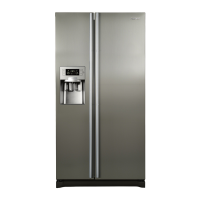
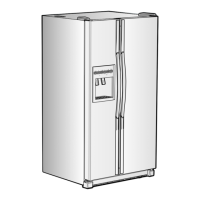
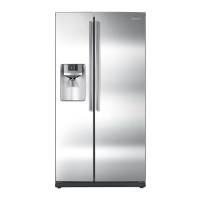
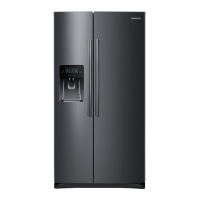
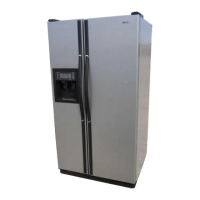
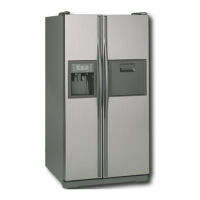
This document describes a Side-by-Side Refrigerator, specifically covering models RS20BR**, RS20CR**, RS20NR**, and RS20CC**. The RS20BR** model is used as the primary example due to the similar construction across all listed models.

Function Description

This appliance is a Side-by-Side Refrigerator designed for food preservation through refrigeration and freezing. It operates by circulating refrigerant via a compressor to lower the internal temperature, ensuring the freshness and nutritional value of stored food. The refrigerator is a Free Standing Appliance and is designed to operate within specific ambient room temperature limits, ranging from 10°C (50°F) to 43°C (109°F) depending on its temperature class (Subtemperate, Temperate, Subtropical, Tropical).

A key feature is the Multi-flow System, which ensures even distribution of cooling air throughout the refrigerator via multiple vents, maintaining consistent temperatures for prolonged food freshness. For specific items, the refrigerator provides High Humidity for Fresher Food, creating an optimal environment for fruits and vegetables.

The appliance includes a Door Alarm feature that triggers a musical alarm if a refrigerator door is left open for more than two minutes. This helps conserve energy and preserve stored food by preventing cold air loss. Some models also feature a Bar Counter, designed for convenient storage of frequently used drinks and food, further reducing cold air loss when accessing these items.

The refrigerator's internal components include various storage options:

  • Food Guards for small packages of frozen food, milk, and yogurt.
  • Tempered Glass Shelves for all types of frozen food and general storage.
  • Meat and Dry Goods Storage Compartment for specific items, which should be securely wrapped.
  • Fresh Center (option) for quick-use items like cheese, meat, snacks, and fish, preserving their taste and freshness.
  • Fresh Fruit & Salad Drawers (upper and lower) for storing vegetables and fruits, with the lower drawer being comparatively airtight to prevent flavor transfer between foods.
  • Dairy Compartment for fatty foods like butter and cheese.
  • Bottle Guard for various types of bottles and cans.
  • Egg Tray for storing eggs on a tempered glass shelf.
  • Wine Shelf for short-term wine storage.
  • Counter for conveniently placing drinks and food.
  • Ice Tray for ice making, which can be placed outside when not in use.

Ice making is a manual process involving filling the ice tray with cool water up to a level indicator, placing it inside the ice tray compartment, and then turning a button to release ice automatically into the storage compartment below.

Usage Features

Preparing the Appliance for Use:

  1. Placement of Shelves and Containers: After unpacking, place all shelves and containers back into their appropriate positions.
  2. Cleaning: Clean the freezer and refrigerator interiors and accessories to remove any dust accumulated during packaging and shipping.
  3. Initial Power-Up: When the refrigerator is plugged in, the interior bulb should light when the door is opened. Ensure the electrical circuit can handle above 10A.
  4. Temperature Setting: Set the temperature control to the lowest temperature and wait for one hour. The refrigerator should begin to cool slightly, and the compressor should run smoothly with soft humming noises.
  5. Food Storage: Once the refrigerator reaches a sufficiently low temperature (which may take a few hours), you can begin storing food.

Temperature Control: The refrigerator features a Control Panel (for RS20BR*/RS20CR*/RS20CC* models) or a Digital Panel (for RS20NR** models) to manage temperatures.

  • Freezer Temperature: Adjustable between -14°C and -25°C.
  • Fridge Temperature: Adjustable between 1°C and 7°C.
  • Power Freeze Button: Speeds up the freezing process in the freezer. A light indicates when this mode is active. Pressing it again cancels the mode.
  • Power Cool Button: Speeds up the cooling process in the fridge. A light indicates when this mode is active. Pressing it again cancels the mode.

For the RS20NR** models, the FRE. TEMP BUTTON and REF. TEMP BUTTON allow setting freeze and refrigerator temperatures from level 1 (cold) to level 9 (colder). LED indicators show the selected level. The factory preset is "NORMAL" (level 5: -20°C for Freeze and 3°C for Fridge). If there's a power outage, users should check the temperature controller status. For freezing large amounts of food, it's recommended to set the freezer temperature to the coldest setting at least 24 hours beforehand.

Installation:

  • Levelling: Adjust the front legs slightly higher than the rear legs to facilitate door opening and closing. This involves disassembling the leg cover and turning the adjusting legs.
  • Clearance: Allow at least 10cm clearance on the right, left, and rear sides for proper ventilation and reduced power consumption.
  • Flat Surface: Install the appliance on a flat surface; otherwise, the internal cooling system may not work properly.
  • Earthing: The appliance must be earthed to prevent power leakage or electric shock. Do not use gas pipes, phone lines, or lightning rods as earthing points. Connect the earthing wire (yellow/green or green) to an earthing screw. Never use an unearthed power plug.
  • Door Dimensions: Before installation, check the dimensions of your entrance door (width 855mm, depth 756mm with door, height 1728mm with hinge) to ensure the refrigerator can pass through.
  • Initial Storage: Wait at least two to three hours after plugging in the appliance before storing food.

Adjusting Door Clearance: If there are slight differences in door height, open the doors and adjust them:

  1. Release the nut on the lower hinge by turning it counterclockwise with a hexagonal wrench.
  2. Adjust the height by turning the bolt clockwise (door goes up) or counterclockwise.
  3. After adjustment, turn the nut clockwise to tighten the bolt. Ensure the nut is fixed firmly to prevent the bolt from releasing. Do not press the power cord during this process.

Food Storage Guidelines:

  • Avoid overfilling the refrigerator.
  • Do not store bottles or glass containers in the freezer, as they may break when contents freeze.
  • Wrap strong-smelling food properly and discard spoiled food immediately to prevent odors.
  • Allow sufficient space between food items for efficient air circulation.
  • For liquid or very humid food (fruits and vegetables), store them in sealed conditions or dry them first.
  • Avoid frequent or prolonged door openings to maintain efficiency.
  • Condensation or fog on internal surfaces is normal, especially when the freezer door is opened or in high ambient temperatures.
  • When making ice, do not use hot water.

Maintenance Features

Cleaning the Accessories:

  • Inside: Clean accessories with a mild detergent, then wipe with a dry cloth. Ensure accessories are dry before re-using.
  • Exterior: Clean doors and door handles with a mild detergent and cloth, then dry with a clean cloth. The exterior should be cleaned once or twice a year.
  • Rear: Use a vacuum cleaner to remove dust once or twice a year.
  • Rubber Door Seals: If dirty, seals can prevent the door from closing properly, reducing efficiency. Clean them with a mild detergent and damp cloth, then wipe with a dry cloth.

General Cleaning Warnings:

  • Always turn off the power when cleaning or if the appliance will not be used for a long time. Leave doors open and keep the appliance dry.
  • Do not spray water directly onto the appliance.
  • Do not use benzene, thinner, or car detergent for cleaning.

Removing Accessories for Cleaning or Rearrangement:

  • From the Freezer:
    • Tempered Glass Shelf: Pull out, lift up, and remove.
    • Food Guard: Hold with both hands, then lift up.
    • Drawers: Pull out and lift up slightly.
    • Ice Tray and Cube: Pull out outwards.
    • Leg Cover: Only remove if absolutely necessary by opening doors, removing three screws, and detaching. Reassemble by reversing the steps.
    • Warnings: Do not use excessive force; do not place top-side freezer shelves in other locations; remove stored food before removing accessories; do not put food on ice tray when not in use.
  • From the Fridge:
    • Tempered Glass Shelf: Pull out, lift up, and remove.
    • Bottle Guard and Food Guard: Hold with both hands, then remove by lifting up.
    • Fresh Fruit & Salad Drawer and Lower Shelf: Remove by holding the handle, pulling outwards, and lifting up slightly. Remove the lower shelf by pulling it outwards. Follow the sequence of removing the fresh fruit & salad drawer before the lower shelf.
    • Counter: Hold with both hands, then remove by lifting up. Follow the sequence of removing the food guard first, then the counter compartment.

Troubleshooting (General Knowledge of Refrigerator Silence): The refrigerator produces various sounds during operation, which are normal and do not affect its function:

  1. Slight "humming" sound: From the compressor, especially when starting up or due to its strong working capacity in high-efficient models.
  2. Air or Water flow Sound: As refrigerant (gas and liquid) flows through pipes and when the internal fan operates to improve air circulation and rapidly decrease temperature.
  3. "Clattering" Sound: From electrical components (main control panel, startup breaker, heat protector) turning on or off.
  4. Slight "Whishing" Sound: From the fan running to improve air circulation and ensure even temperature distribution.
  5. Frost Crack Sound and "Pooping" Sound: Due to temperature variations causing expansion and contraction of food, evaporator, and pipe lines.

Troubleshooting (Malfunctions):

  • Refrigerator not working or insufficient chilling: Check power plug connection and fuse, temperature control setting, direct sunlight exposure, proximity to heat sources, and wall clearance.
  • Food frozen in fridge: Check temperature control setting, room temperature, and if high-water-content food is near the coldest part.
  • Abnormal noise/sound: Check if the floor is level, appliance is too near the wall, if anything dropped behind/under it. "Ticking" sounds from contracting/expanding accessories are normal.
  • Hot front corners/sides: Normal due to heat radiators preventing condensation.
  • Condensate water inside refrigerator: Normal if door is open too long or unwrapped food with high water content is stored in high humidity.
  • Odor inside refrigerator: Due to improperly wrapped strong-smelling food or old food. Wrap food airtight and discard spoiled food.
  • Frost on freezer wall: Check if air inlet/outlet is blocked, if sufficient space is allowed for air circulation, and if the door is closed properly.

Safety Precautions:

  • General: Read manual thoroughly, keep it safe, and follow instructions. Children or weak persons should not use the refrigerator unsupervised. Prevent children from playing with it.
  • Refrigerant: The refrigerator contains a small amount of high-temperature, environmentally protected Isobutane refrigerant (R600a or R134a), which is flammable. Handle carefully to prevent damage to the refrigerant system during transport and installation. If leakage is suspected, avoid fire sources, ventilate the room, and contact a service center. The room size must be adequate for the refrigerant quantity (8g of R600a per cubic meter).
  • Electrical: Never plug multiple appliances into one socket. Avoid crushing or damaging the power socket. Do not spill water on the refrigerator. Do not use sprays near it. Do not put heavy objects on the power cord. Do not pull the plug with wet hands. Do not store containers full of water on top. Do not install in damp areas.
  • Flammable Materials: Do not store easily volatilized or flammable materials (benzene, thinner, ethanol, aether, LP gas) inside.
  • Repair: Do not dismantle or repair the refrigerator yourself. Contact specialized staff for LED lamp replacement.
  • Disposal: Before disposing, dismantle the door and rubber seal to prevent children from being locked inside.
  • Earthing: The refrigerator must be earthed to prevent electric shock from power leakage. Do not use gas pipes, phone lines, or lightning rods as earth points.
  • Air Circulation: Keep air vents and channels clean.
  • Defrosting: Remove frost according to manufacturer recommendations; do not use mechanical equipment.
  • Refrigerant System: Do not damage the refrigerant system or electrical circuit.
  • Other Electronics: Do not use other electronic products inside the refrigerator unless recommended by the manufacturer.
  • Leg Cover: Do not tread on the leg cover.
  • Overfilling: Avoid overfilling to prevent food from falling out and causing injury/damage.
  • Power Cord: If loose, do not insert plug. Disconnect by pulling the plug, not the cord. If damaged, it must be replaced by a certified service agent.
  • Articles on Top: Do not store articles on top to prevent them from falling when opening/closing doors.
  • Temperature-Sensitive Products: Do not store medicine or scientific materials in the freezer unless product label permits.
  • Children: Do not let children hang on counters, doors, or shelves.
  • Abnormalities: If abnormal noise, odor, or smoke occurs, pull the plug immediately and contact a service center.
  • Underneath Area: Do not put hands underneath the unit due to sharp edges.
  • Freezer Walls: Do not touch with wet hands to avoid frostbite.
  • Moving: Hold by handles on the back and bottom.
  • Power Disconnection: Wait at least five minutes before plugging back in after disconnection.
  • Long-Term Storage: Pull out the power plug if not used for a long time to prevent insulation deterioration and fire risk.

Samsung RS20CC Series Specifications

General IconGeneral
Climate ClassSN-T
Defrost SystemFrost Free
Ice MakerYes
Water DispenserYes
TypeSide by Side

Related product manuals