EasyManua.ls Logo

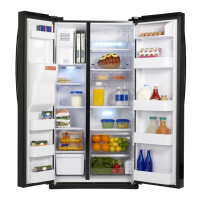
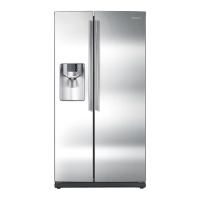
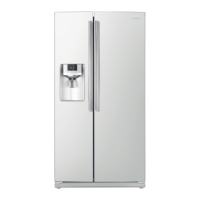
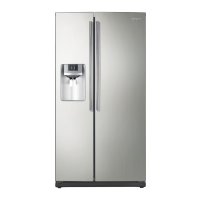
Samsung RS263TDBP - User Manual

Samsung RS263TDBP
68 pages
Print Icon
To Next Page IconTo Next Page
Loading...
Refrigerator
user manual
imagine the possibilities
Thank you for purchasing this Samsung product.
To receive more complete service,
please register your product at
www.samsung.com/register
RS263TD
English
Free Standing Appliance

Other manuals for Samsung RS263TDBP

Questions and Answers

  • T
    Tami ChavezAug 20, 2025
    Why is the water dispenser not working on my Samsung Refrigerator?
    • D
      David BakerAug 20, 2025
      First, ensure the water line is properly connected and the shut-off valve is open. Also, check the water supply line tubing for any crushing or kinks that might obstruct water flow. Finally, if the refrigerator temperature is too low, the water tank might be frozen; try selecting a warmer setting on the main display panel.
  • M
    Megan OlsonAug 22, 2025
    How to fix a Samsung RS263TDBP Refrigerator that is not cooling?
    • B
      Brandon ThomasAug 22, 2025
      First, make sure the power plug is properly connected. Check that the temperature control on the display panel is set to the correct temperature; try setting it to a lower temperature. Ensure the refrigerator isn't in direct sunlight or near a heat source, and that the back of the refrigerator isn't too close to the wall, preventing air circulation. Finally, verify if the cooling off function is enabled and, if so, disable it.
  • A
    Amy WillisAug 25, 2025
    What to do if my Samsung RS263TDBP Refrigerator is not dispensing ice?
    • D
      Dana VegaAug 25, 2025
      First, verify that the water line is connected and the shut-off valve is open. Check if you waited 12 hours after installing the water supply line before attempting to make ice. Ensure that the ice making function hasn't been manually stopped and that 'Ice Type' is set to 'Cubed' or 'Crushed'. Check for any ice blockage within the ice maker bucket. Lastly, if the freezer temperature is too warm, try setting it lower.
  • Y
    Yvette Robertson MDAug 27, 2025
    Why is my Samsung RS263TDBP Refrigerator not cooling?
    • E
      Erin HarrisAug 27, 2025
      There are several possible reasons why your Samsung Refrigerator isn't cooling properly. First, ensure the power plug is properly connected. Check the temperature control on the display panel and set it to a lower temperature. Make sure the refrigerator isn't in direct sunlight or too close to a heat source. Also, ensure the back of the refrigerator isn't too close to the wall, restricting air circulation. Finally, check if the cooling off function is enabled and, if so, disable it.
  • M
    Michael CollinsAug 27, 2025
    What to do if ice is not dispensing from my Samsung Refrigerator?
    • T
      Thomas MartinAug 28, 2025
      If ice is not dispensing from your Samsung Refrigerator, consider these potential solutions: First, ensure you waited 12 hours after the water supply line installation before expecting ice. Verify the water line is connected and the shut-off valve is open. Check if you've manually stopped the ice-making function and ensure 'Ice Type' is set to 'Cubed' or 'Crushed'. Inspect the ice maker bucket for any ice blockage. Finally, if the freezer temperature is too warm, try setting it lower.
  • N
    nunezanthonyAug 30, 2025
    Why is my Samsung RS263TDBP Refrigerator freezing food?
    • A
      Amy BlankenshipAug 30, 2025
      If your food is freezing in your Samsung Refrigerator, try these solutions. Adjust the temperature control on the display panel to a warmer setting. Consider if the room temperature is very low. Also, avoid storing food with high water content in the coldest part of the fridge.
  • Y
    yrodriguezSep 1, 2025
    How to get rid of bad smell in Samsung RS263TDBP?
    • A
      Amy LarsonSep 1, 2025
      To address a bad smell in your refrigerator: * Check for any spoiled food items. * Ensure strong-smelling foods, like fish, are wrapped airtight. * Clean out your freezer regularly, discarding any spoiled or questionable food.
  • N
    nicolejohnsonSep 3, 2025
    How to prevent frost on the walls of my Samsung RS263TDBP freezer?
    • M
      monica29Sep 3, 2025
      To address frost forming on the walls of the freezer, ensure the air vent is not blocked and remove any obstructions to allow free air circulation. Also, allow enough space between stored foods for efficient air circulation. Finally, make sure the freezer door is closed properly.
  • T
    Troy SpencerSep 5, 2025
    What to do if my Samsung RS263TDBP water dispenser is not working?
    • M
      Michele GreenSep 5, 2025
      If the water dispenser on your Samsung Refrigerator isn't working, check the following: Confirm that the water line is connected and the shut-off valve is open. Inspect the water supply line tubing for any crushing or kinks, ensuring it's free of obstructions. Also, if the water tank is frozen because the refrigerator temperature is too low, select a warmer setting on the main display panel.
  • W
    waltonpaulaSep 7, 2025
    Why is there frost forming on the walls of my Samsung RS263TDBP Refrigerator freezer?
    • C
      Cynthia WilliamsonSep 7, 2025
      If frost is forming on the walls of your Samsung Refrigerator's freezer, check if the air vent is blocked and remove any obstructions to allow free air circulation. Ensure sufficient space between stored foods for efficient air circulation. Also, verify that the freezer door is closed properly.

Summary

Features of Your Side-By-Side Refrigerator

KEY FEATURES OF YOUR NEW REFRIGERATOR

Lists the primary innovative storage and energy-efficient features.

Safety Information

SAFETY INFORMATION

General safety instructions and precautions for using the appliance.

Important Safety Symbols and Precautions

Explains warning symbols and their meanings for safe operation.

Severe Warning Signs for Installation

Critical warnings regarding safe installation practices to prevent hazards.

Caution Signs for Installation

Precautions to follow during the installation process for user safety.

Severe Warning Signs for Using

Critical warnings for safe operation and use of the refrigerator.

Caution Signs for Using

Precautions to observe during the daily use of the refrigerator.

Caution Signs for Cleaning

Safety guidelines to follow when cleaning the refrigerator.

Severe Warning Signs for Disposal

Critical safety instructions for the environmentally responsible disposal of the appliance.

Setting Up Your Side-By-Side Refrigerator

Getting Ready to Install the Refrigerator

Initial steps and considerations before installing the refrigerator.

Setting Up the Refrigerator

Procedures for setting up the refrigerator after installation.

Installing the Handles

Step-by-step guide for attaching the refrigerator handles.

Removing the Front Leg Cover

Instructions on how to remove the front leg cover for access.

Separating the Water Supply Line from the Refrigerator

Procedure to disconnect the water supply line from the unit.

Reattaching the Water Supply Line

Steps to reconnect the water supply line correctly.

Removing the Freezer Door

Instructions for safely removing the freezer door.

Removing the Fridge Door

Instructions for safely removing the refrigerator door.

Leveling the Refrigerator

Guide to ensure the refrigerator is properly leveled for optimal performance.

Making Minor Adjustments to the Doors

How to make small adjustments to align the refrigerator doors.

Checking the Water Dispenser Line

Verifying the water dispenser line installation and water pressure.

Installing the Water Dispenser Line

Step-by-step guide for connecting the water supply to the dispenser.

Removing Residual Matter Inside the Water Supply Line

Flushing the water system after filter installation to remove impurities.

Check the Amount of Water Supplied to the Ice Tray

Verifying the water fill level for the ice maker.

Operating Your Side-By-Side Refrigerator

Checking the Control Panel

Overview of the refrigerator's control panel buttons and indicators.

Using the Control Panel

Detailed explanation of how to use the various functions via the control panel.

Using the Ice and Cold Water Dispenser

Instructions for dispensing water and ice from the unit.

Storing Food

Guidelines for proper food storage to maintain freshness and prevent odors.

Storing Food in the Freezer

Specific advice for organizing and storing food items in the freezer.

Storing Food in the Fridge

Specific advice for organizing and storing food items in the refrigerator.

Cleaning and Maintaining Your Side-By-Side Refrigerator

Removing the Freezer;Fridge Accessories

Steps for safely removing internal parts for cleaning.

Cleaning the Refrigerator

General procedures for cleaning the interior and exterior of the appliance.

Cleaning the Interior

Detailed instructions for cleaning the inside surfaces and accessories.

Cleaning the Exterior

How to clean the outer surfaces, including the digital display.

Cleaning the Rubber Door Seals

Proper methods for cleaning door seals to ensure efficient operation.

Changing the LED Type Lighting

Guidance on how to handle or replace the LED lighting.

Changing the Water Filter

Step-by-step instructions for replacing the water filter.

Appendix

Troubleshooting

Solutions for common problems encountered with the refrigerator.

Warranty

Warranty

Details of the product's limited warranty terms and conditions.

Ambient Room Temperature Limits

Contact SAMSUNG WORLD WIDE

Samsung RS263TDBP Specifications

General IconGeneral
TypeSide-by-Side
Cooling SystemTwin Cooling Plus
Ice MakerYes
Water DispenserYes
Energy Star CompliantYes
Defrost SystemFrost Free
ColorBlack

Related product manuals