EasyManua.ls Logo

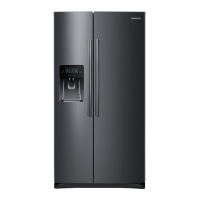
Samsung RS76 Series - User Manual

Samsung RS76 Series
152 pages
Print Icon
To Next Page IconTo Next Page
Loading...
Refrigerator
user manual
Free Standing Appliance
SEAG_SWISS
RS7*
RS54H*
RS57H*
RS76*
imagine the possibilities
Thank you for purchasing this Samsung product.
DA68-02710R-07.indb 1DA68-02710R-07.indb 1 14. 11. 15.  9:1614. 11. 15.  9:16

Other manuals for Samsung RS76 Series

Questions and Answers

  • E
    Elizabeth FreemanAug 14, 2025
    How to fix a Samsung RS76 Refrigerator that is not cooling?
    • R
      Randy SkinnerAug 14, 2025
      If your Samsung Refrigerator isn't working or chilling properly, ensure the power plug is correctly connected. Also, check the temperature control on the display panel and try setting it to a lower temperature. Make sure the refrigerator isn't in direct sunlight or near a heat source. Finally, ensure the back of the refrigerator isn't too close to the wall, obstructing air circulation.
  • K
    Kevin BryantAug 17, 2025
    What to do if the water dispenser is not working on my Samsung RS76 Refrigerator?
    • B
      Bailey HardyAug 17, 2025
      If the Samsung Refrigerator water dispenser isn't working, first check if the water line is connected and the shut-off valve is open. Then, inspect the water supply line tubing for any crushing or kinks, ensuring it's free from obstructions. Finally, if the water tank is frozen due to a low refrigerator temperature, try selecting a warmer setting on the main display panel.
  • D
    Deborah GalvanAug 21, 2025
    Why is ice not dispensing from my Samsung RS76?
    • R
      Robert CaseyAug 21, 2025
      If ice is not dispensing from your Samsung Refrigerator, first ensure you waited 12 hours after installing the water supply line before attempting to make ice. Verify the water line is connected and the shut-off valve is open. Confirm you haven't manually stopped the ice-making function and that 'Ice Type' is set to 'Cubed' or 'Crushed'. Check for any ice blockage within the ice maker bucket, and ensure the freezer temperature isn't too warm by setting it lower.
  • K
    Kristin ScottAug 25, 2025
    What to do if food is freezing in my Samsung RS76 Refrigerator?
    • A
      Ann SanchezAug 25, 2025
      If food is freezing in your Samsung Refrigerator, try adjusting the temperature control on the display panel to a warmer setting. Also, consider whether the room temperature is very low. If you've stored food with a high water content in the coldest part of the fridge, such as the CoolSelect Zone™ drawer, try moving those items to the main section of the fridge.
  • D
    David YoungAug 27, 2025
    How to prevent frost from forming in my Samsung Refrigerator freezer?
    • A
      Ashley SmithAug 27, 2025
      If you notice frost forming on the walls of your Samsung Refrigerator's freezer, check if the air vents are blocked and remove any obstructions to allow free air circulation. Ensure sufficient space between stored foods to promote efficient air circulation. Also, make sure the freezer door is closing properly.
  • W
    Whitney LopezAug 30, 2025
    How to eliminate bad smell in Samsung RS76?
    • W
      Wanda VelezAug 31, 2025
      If you detect a bad smell in your Samsung Refrigerator, check for any spoiled food items. Make sure strong-smelling foods, like fish, are wrapped airtight. Periodically clean out your freezer and discard any spoiled or questionable food.
  • A
    Aaron VelasquezSep 3, 2025
    What causes unusual noises in a Samsung RS76?
    • C
      Christopher SmithSep 3, 2025
      If you are hearing unusual noises or sounds from your Samsung Refrigerator, check that the refrigerator is level and stable. Ensure the back of the refrigerator is not too close to the wall, restricting air circulation. Check whether something might have dropped behind or under the refrigerator. A 'ticking' sound is normal, caused by accessories contracting or expanding due to temperature changes inside the refrigerator.
  • N
    ngraySep 6, 2025
    Why are the front corners of my Samsung RS76 hot and causing condensation?
    • C
      Cheryl CaldwellSep 6, 2025
      Some heat on the front corners of your Samsung Refrigerator is normal because anti-condensators are installed there to prevent condensation. However, condensation can also occur if the refrigerator door is left ajar for an extended period.
  • P
    Patricia ClarkSep 9, 2025
    Why can I hear water bubbling in my Samsung RS76 Refrigerator?
    • J
      Judy WebbSep 9, 2025
      This bubbling sound in your Samsung Refrigerator is normal. It comes from the refrigerant coolant liquid circulating through the refrigerator.

Summary

Safety Information

Important Safety Symbols and Precautions

Explains warning and caution symbols used in the manual.

Severe Warning Signs for Transportation and Site

Hazards and precautions during transport and site installation.

Severe Warning Signs for Installation

Critical safety warnings for appliance installation.

Severe Warning Signs for Using

Critical safety warnings for operating the appliance.

Severe Warning Signs for Disposal

Safety warnings for proper product disposal.

Setting Up Your Side-by-Side Refrigerator

Getting Ready to Install the Refrigerator

Initial steps and considerations before installation.

Operating the Samsung Side-by-Side Refrigerator

Operating the Refrigerator Using the Control Panel; Digital Display

Explanation of control panel functions and display.

Controlling the Freezer Temperature

How to adjust freezer temperature settings.

Controlling the Fridge Temperature

How to adjust refrigerator temperature settings.

Using the Ice and Cold Water Dispenser

Guide on dispensing ice and water.

Troubleshooting

Refrigerator Not Working or Insufficient Cooling

Solutions for power or cooling issues.

Samsung RS76 Series Specifications

General IconGeneral
BrandSamsung
ModelRS76 Series
CategoryRefrigerator
LanguageEnglish

Related product manuals