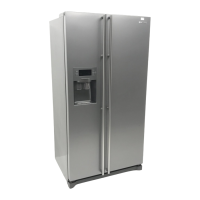
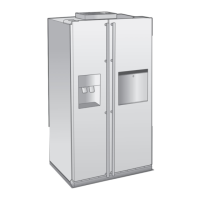
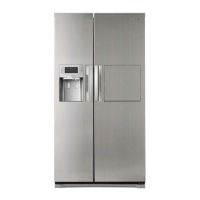
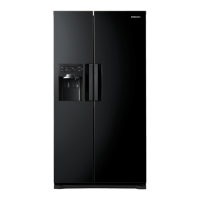
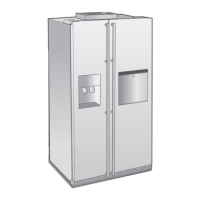
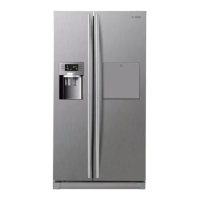
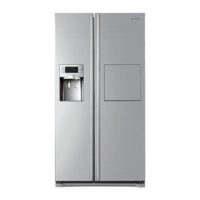
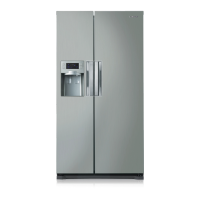
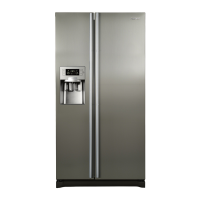
This document provides a comprehensive overview of a Samsung refrigerator (RSH5**** model), detailing its features, usage, safety guidelines, and troubleshooting tips.
Product Features
The refrigerator boasts several design and functional enhancements:
- Hidden Hinges & Door S/W: Features slick-covered hidden hinges and a door switch, contributing to a neat and stylish square frontal view.
- Black Clear LED Display (optional): A luxurious black window display offers a clean and clear aesthetic.
- CoolSelect Zone™ Drawer (optional): This advanced drawer allows users to select "Quick Cool," "Thaw," or "Cool" options to rapidly chill, thaw, or cool items. It also offers "Cool" or "Zero Zone" settings for precise temperature control within the drawer.
- Soft Touch Type Home Bar (optional): A soft-touch home bar opens and closes with a push-and-catch mechanism, incorporating a latch and damping system for smooth operation.
- Easy Opening (optional): Designed with an "Easy Handle" for effortless and smooth door opening, enhancing user satisfaction.
- Easily Movable Tray (optional): A new concept tray increases movability for food items, useful for storing desserts, cakes, and other delicate items.
General Safety:
Before operating, users must read and retain the manual. The appliance is intended for its described purpose and should not be used by individuals (including children) with reduced physical, sensory, or mental capabilities without supervision. Users are responsible for exercising common sense, caution, and care during installation, maintenance, and operation.
Important Safety Symbols and Precautions:
- WARNING: Indicates hazards or unsafe practices that may result in severe personal injury or death.
- CAUTION: Indicates hazards or unsafe practices that may result in minor personal injury or property damage.
- Do NOT attempt: Prohibits specific actions.
- Do NOT disassemble: Prohibits disassembling the appliance.
- Do NOT touch: Prohibits touching specific parts.
- Follow directions carefully: Emphasizes adherence to instructions.
- Unplug the power plug from the wall socket: Instructs to disconnect power.
- Make sure the machine is grounded to prevent electric shock: Highlights the importance of grounding.
- Call the contact center for help: Advises seeking professional assistance.
- Note: Provides additional information.
Severe Warning Signs for Transportation and Site:
- Refrigerating Circuit: During transport and installation, ensure the refrigerating circuit is not damaged. Leaking refrigerant is flammable and can cause eye injury; avoid naked flames and ventilate the room if a leak is detected.
- Room Size: The room where the appliance is sited must be at least 1m³ for every 8g of R600a refrigerant.
- Damage: Do not start a damaged appliance; consult a dealer.
- Refrigerant Amount: The amount of refrigerant is indicated on the identification plate inside the appliance.
Severe Warning Signs for Installation:
- Location: Do not install in damp places or where it may contact water to prevent electric shock or fire. Avoid direct sunlight, stoves, room heaters, or other heat sources.
- Power Connection: Do not plug multiple appliances into a single power board. The refrigerator requires its own individual electrical outlet with a matching voltage rating to prevent overloading and fire hazards.
- Wall Socket: Do not insert the power plug into a loose wall socket to prevent electric shock or fire.
- Power Cord: Do not use a damaged cord, bend it excessively, or place heavy articles on it.
- Unplugging: Always grip the plug firmly and pull straight out from the outlet; never pull the cord to prevent damage, short-circuit, fire, or electric shock.
- Aerosols: Do not use aerosols near the refrigerator to prevent explosion or fire.
- Proper Installation: Install and locate the refrigerator according to the manual.
- Packing Materials: Keep packing materials out of reach of children to prevent suffocation.
- Power Plug Position: Connect the power plug correctly with the cord hanging down to prevent wire damage, fire, or electric shock.
- Power Cord Protection: Ensure the power plug is not squashed or damaged by the back of the refrigerator.
- Moving: Be careful not to roll over or damage the power cord when moving the refrigerator.
- Accessibility: Position the appliance so the plug is accessible after installation.
Caution Signs for Installation:
- Space: Allow sufficient space for installation on a flat surface. An unlevel refrigerator may not cool correctly.
- Ventilation: Keep ventilation openings clear of obstruction.
- Settling Time: Allow the appliance to stand for 2 hours after installation.
Severe Warning Signs for Using:
- Wet Hands: Do not insert the power plug with wet hands.
- Top Storage: Do not store articles on top of the appliance; they may fall and cause injury or damage when opening/closing the door.
- Water Items: Do not place items filled with water on the refrigerator to prevent fire or electric shock if spilled.
- Children: Do not let children hang on the door to prevent serious injury.
- Open Doors: Do not leave doors open unattended or let children enter the refrigerator to prevent entrapment and injury from low temperatures.
- Bottom Area: Do not insert hands into the bottom area under the appliance to avoid injury from sharp edges.
- Drawer Cover: Do not let children step on the drawer cover; it may break and cause slip hazards.
- Overfilling: Do not overfill the refrigerator; items may fall out and cause injury or damage when opening the door.
- Dispenser Hole: Never put fingers or other objects into the dispenser hole to prevent injury or damage.
- Flammable Substances: Do not store volatile or flammable substances (benzene, thinner, alcohol, ether, LP gas) to prevent explosions.
- Temperature-Sensitive Products: Do not store pharmaceuticals, scientific materials, or other low temperature-sensitive products requiring strict temperature controls.
- Electrical Appliances: Do not place or use electrical appliances inside the refrigerator unless recommended by the manufacturer.
- Hair Dryer/Candle: Do not use a hair dryer to dry the inside or a lighted candle to remove odors to prevent electric shock or fire.
- Freezer Walls: Do not touch inside freezer walls or frozen products with wet hands to prevent frostbite.
- Defrosting: Do not use mechanical devices or other means to accelerate defrosting other than those recommended.
- Refrigerant Circuit: Do not damage the refrigerant circuit.
Additional Tips for Proper Usage:
- Food Storage: This product is intended only for domestic food storage.
- Bottles: Store bottles tightly to prevent them from falling out.
- Gas Leak: If a gas leak is detected, avoid naked flames and ventilate the room.
- LED Lamps: Use only LED lamps provided by the manufacturer or service agents.
- Children Supervision: Supervise children to ensure they do not play with or climb into the appliance.
- Repair: Do not disassemble or repair the refrigerator yourself to prevent fire, malfunction, or injury. Contact service agents for malfunctions.
- Interior Lamps: Pull the power plug before changing interior lamps to prevent electric shock.
- Strange Noise/Smell/Smoke: Unplug immediately and contact service center if strange noise, burning smell, or smoke occurs. Keep ventilation openings clear.
- Light Change Difficulty: Contact service agents if experiencing difficulty changing the light.
- LED Lamp Disassembly: If equipped with LED lamps, do not disassemble the lamp cover or LED lamp yourself. Contact service agents.
- Dust/Water: If dust or water is in the refrigerator, pull out the power plug and contact Samsung Electronics service center to prevent fire.
Caution Signs for Using:
- Power Disconnection: If disconnected from power, wait at least five minutes before plugging it back in.
- Long Absence: If away for more than three weeks or not using the refrigerator for a long time, empty and clean it, pull out the power plug, wipe excess moisture, and leave doors open to prevent odor, mold, and insulation deterioration.
- Water/Ice Dispensers: If on a long vacation or business trip and not using water or ice dispensers, close the water valve to prevent leakage.
- Performance: Do not place food too closely to rear vents to avoid obstructing air circulation. Wrap food properly or place in airtight containers.
- Frozen Foods: Do not refreeze completely thawed frozen foods.
- Carbonated Drinks/Glass Containers: Do not place carbonated or fizzy drinks or glass containers in the freezer to prevent breakage and injury.
- Modifications: Do not change or modify the refrigerator's functionality; unauthorized modifications are not covered by warranty and may cause injury or damage.
- Air Holes: Do not block air holes, especially with plastic bags, to prevent overcooling, water filter breakage, and water leakage. Do not place newly introduced food for freezing near already frozen food.
- Storage Times: Observe maximum storage times and expiry dates of frozen goods.
- Water Tank/Ice Tray: Fill water tank, ice tray, and water cubes only with potable water.
- Haphazard Storage: Do not place food haphazardly to ensure proper cooling.
- Cool Select Zone Rail: If the model has Cool Select Zone, do not insert a shell into its rail to prevent collision with and breakage of the beverage station cover.
- Ice Maker: Use only the ice maker provided.
- Water Supply: Water supply must be installed/connected by a qualified person to a potable water supply only.
- Ice Maker Pressure: Water pressure of 138 ~ 862kPa (1.4~8.8kgf/cm³) is required for proper ice maker operation.
- Flooding: If the appliance is flooded, cut power immediately and contact the nearest service center.
Caution Signs for Cleaning and Maintenance:
- Water Spray: Do not directly spray water inside or outside the refrigerator to prevent fire or electric shock.
- Flammable Gas: Do not spray inflammable gas near the refrigerator to prevent explosion or fire.
- Cleaning Products: Do not spray cleaning products directly on the display to prevent printed letters from coming off.
- Power Plug Cleaning: Remove foreign matter or dust from power plug pins. Do not use a wet or damp cloth when cleaning the plug to prevent fire or electric shock.
- Dispenser/Ice Chute: Never put fingers or other objects into the dispenser hole and ice chute to prevent injury or material damage.
- Unplugging for Maintenance: Unplug the refrigerator before cleaning and performing maintenance.
Names and Basic Functions
External Components:
- Door Handle
- Button & Display
- Dispenser
- Home Bar
- Freezer Door
- Fridge Door
- Front Leg Cover
Internal Components (Fridge & Freezer):
- Ice Chute
- Shelves (Freezer)
- Door Bins (Freezer)
- Drawers (Freezer)
- Shelves (Fridge)
- Wine Shelf (optional)
- Moving Shelf (optional)
- Z-Shelf (optional)
- Egg Tray
- CoolSelect Zone Drawer (optional)
- Fruit & Vegetable Drawer
- Dairy Bin
- Door Bins (Fridge)
- Beverages Station (optional)
Storage of Food
Freezer Compartment:
- Ice Chute: Do not put fingers, hands, or other objects into the ice chute or ice maker bucket to prevent injury.
- Shelves: For storing all types of frozen food.
- Door Bins: For small packages of frozen food.
- Drawers: Best for meats or dry foods, wrapped securely in foil or other suitable materials.
Fridge Compartment:
- Shelves: Crack-resistant, for all types of food and drinks. Circular marks on glass surfaces are normal and can be wiped clean.
- Wine Shelf (optional): Optimizes wine storage to maintain taste.
- Moving Shelf (optional): Crack-resistant, for all types of food and drinks. Circular marks on glass surfaces are normal and can be wiped clean.
- Z-Shelf (optional): Maximizes space, can store wine bottles and 2-liter milk cartons.
- Egg Tray: Best place for eggs, placed on the shelf for easy access.
- CoolSelect Zone Drawer (optional): Preserves taste and freshness of cheese, meat, poultry, fish, or other regularly consumed foods.
- Fruit & Vegetable Drawer: Preserves freshness of vegetables and fruits by controlling humidity.
- Dairy Bin: For smaller dairy items like butter, margarine, yogurt, or cream cheese.
- Door Bins: For large, bulky items like milk gallons or other large bottles.
- Beverages Station (optional): Stores frequently used items (canned beverages, snacks) for access without opening the main refrigerator door.
Storage Tips:
- Store bottles tightly to prevent tipping.
- If going away for a significant time, empty and turn off the refrigerator, wipe excess moisture, and leave doors open to prevent odor and mold.
- If not used for a long time, pull out the power plug to prevent power cord insulation deterioration and fire.
Controlling the Temperature
CoolSelect Zone™ Drawer (Optional) Functions:
-
Quick Cool:
- Cools 1-3 canned beverages within 60 minutes.
- Press "Quick Cool" again to cancel; it returns to the previous temperature or "Cool" temperature setting when finished.
-
Thaw:
- Reduces drip loss and quality deterioration of meats.
- Alternately supplies warm and cold air into the drawer.
- Thawing time (4, 6, 10, or 12 hours) can be selected based on meat weight.
- Returns to "Zero Zone" condition when finished.
- Meats are half-frozen and easy to cut.
- Press any button except "Thaw" to cancel.
- Approximate thawing times for meat and fish (1-inch thickness) are provided (e.g., 400g beef and 600g chicken for 10 hours).
- WARNING: Remove food not needed for thawing when using the "Thaw" option.
-
Zero Zone (0°C):
- Maintains the drawer at 0°C regardless of the set refrigerator temperature.
- Helps keep meat or fish fresh longer.
-
Cool:
- Sets the drawer temperature to match the refrigerator's set temperature.
- The digital panel shows the same temperature as the display panel.
- Provides extra refrigerator space.
- Cool-down time may vary depending on beverages.
- WARNING: Remove food stored in the CoolSelect Zone™ Drawer for "Quick Cool" option.
Troubleshooting
Common Problems and Solutions:
-
Refrigerator not working or not chilling sufficiently:
- Check power plug connection.
- Verify temperature control on display panel; set to a lower temperature.
- Ensure refrigerator is not in direct sunlight or near a heat source.
- Check if the back of the refrigerator is too close to the wall, obstructing air circulation.
-
Food in the fridge is frozen:
- Verify temperature control on display panel; set to a warmer temperature.
- Check if room temperature is very low.
- Avoid storing high-water-content food in the coldest part; move to the main fridge body instead of the CoolSelect Zone™ drawer.
-
Unusual noises or sounds:
- Check if the refrigerator is level and stable.
- Ensure the back of the refrigerator is not too close to the wall.
- Check for anything dropped behind or under the refrigerator.
- A "ticking" sound from inside is normal, caused by accessories contracting/expanding with temperature changes.
-
Front corners are hot and condensation is occurring:
- Some heat is normal due to anti-condensators preventing condensation.
- Check if the refrigerator door is ajar; condensation occurs when the door is left open for a long time.
-
Ice is not dispensing:
- Wait 12 hours after water supply line installation before making ice.
- Check if the water line is connected and the shut-off valve is open.
- Ensure ice making function is not manually stopped.
- Verify Ice Type is set to Cubed or Crushed.
- Check for ice blocked within the ice maker bucket.
- If freezer temperature is too warm, set it lower.
-
Water bubbling in the refrigerator:
- This is normal, caused by refrigerant coolant liquid circulating.
-
Bad smell in the refrigerator:
- Check for spoiled food items.
- Ensure strong-smelling food (e.g., fish) is wrapped airtight.
- Periodically clean the freezer and discard spoiled or suspect food.
-
Frost forms on freezer walls:
- Check if the air vent is blocked; remove obstructions for free air circulation.
- Allow sufficient space between stored foods for efficient air circulation.
- Ensure the freezer door is closed properly.
-
Water dispenser not functioning:
- Check if the water line is connected and the shut-off valve is open.
- Ensure water supply line tubing is not crushed or kinked.
- If the water tank is frozen due to low refrigerator temperature, select a warmer setting on the main display panel.

 Need help?
 General

 To Next Page