28
_RECORDING
When the menu is displayed on the LCD monitor, pressing the Right but-
ton makes the cursor shift to the right tab.
When the menu is not displayed on the LCD monitor, the RIGHT button
operates as the Self-timer (
) button. This function is used when the
photographer would also like to be in the image.
Self-timer
(
)
/ Right button
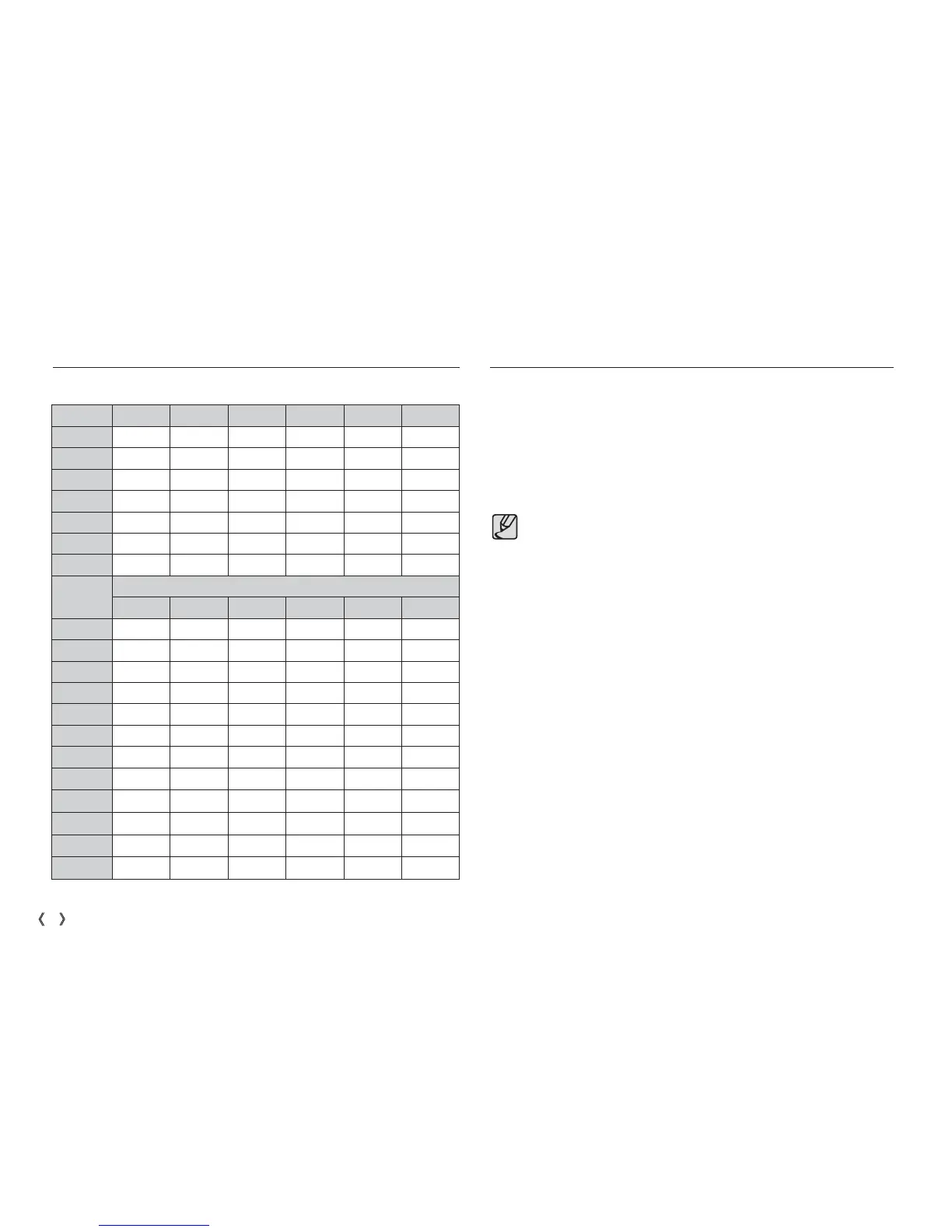
Available fl ash mode, by recording mode
If you operate the Self-timer button during the self-timer operation, the
self-timer function is cancelled.
Use a tripod to prevent the camera from shaking.
In Movie Clip mode, only the 10SEC self-timer will work.
Mode
^] ª Œ
Š
oo oo
‰
oooooo
‚
o
oo
ooo
ooo
†
o
Mode
SCENE
^] ª Œ
ooo
o
o
o
o
o
o
o
o
„
o
…
o
ˆ
o
Flash
(
)
/ Left button
( o : Selectable)


 To Next Page