EasyManua.ls Logo

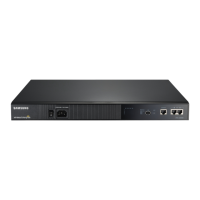
Samsung SBB-SNOWJAU - User Manual

Samsung SBB-SNOWJAU
99 pages
Print Icon
To Next Page IconTo Next Page
Loading...
User Manual
© Samsung Electronics
Samsung Electronics owns the copyright for this manual. Use or reproduction of this manual in parts or entirety without the authorization of Samsung Electronics is prohibited. Trademarks other than Samsung Electronics are
property of their respective owners.
SNOW-1810U
The colour and the appearance may differ depending on the product, and the content in the
manual is subject to change without prior notice to improve the performance.
An administration fee may be charged in the following situations:
(a) An engineer is called out at your request, but it is found that the product has no defect (i.e.,
where the user manual has not been read).
(b) You bring the unit to a repair centre, but it is found that the product has no defect (i.e.,
where the user manual has not been read).
You will be informed of the administration fee amount before a technician visits.

Table of Contents

Questions and Answers

Summary

Chapter 01 Before Using the Product

Safety Precautions

Instructions to ensure personal safety and prevent property damage.

Electricity and Safety

Safety guidelines related to power plugs, cables, and sockets.

Installation and Operation

Cleaning

Chapter 02 Preparations

Checking the Components

List and identification of all included product components.

Parts Identification

Remote Control

Chapter 03 Connecting and Using Devices

Connection Basics

Preliminary checks and guidelines before making connections.

Connecting to a PC

Instructions for connecting the device to a personal computer.

Connecting to Video Devices

Connecting the LAN Cable

Input Source Management

Web Browser

Chapter 04 Multiple Display Control

Cable Connections

Details on RS232C cable interface and pin assignments.

Control Codes

Reference for control commands and their hexadecimal values.

Chapter 05 Player Feature

Player Functionality

Overview of the Player function for content playback.

Content Playback Controls

Functions of remote control buttons during content playback.

File Formats Compatible with Player

Chapter 06 Screen Adjustment

Picture Modes

Selecting the best picture mode for the viewing environment.

Brightness, Contrast, and Sharpness

Adjusting picture quality settings for brightness, contrast, and sharpness.

Advanced Settings

Configuring advanced picture settings for preferred picture.

LED Picture Size and Resolution

Setting details of the picture size and resolution.

LED HDR Settings

Options to provide an optimal HDR effect.

Picture Options

Selecting colour tone, clean view, and motion settings.

Chapter 07 OnScreen Display

Screen Protection

Activating screen saver to prevent burnt-in images.

Message Display Settings

Configuring display of source, signal, and download messages.

Language and Menu Size

Setting the menu language and aspect ratio.

Reset OnScreen Display

Returning OnScreen Display settings to factory defaults.

Chapter 08 Network

Network Status and Settings

Checking and configuring network and Internet connection status.

IPv6 Configuration

Enabling or disabling IPv6 and checking its status.

Server Network Settings

Connecting to the MagicInfo server and configuring mode.

Chapter 09 System

Accessibility Settings

Adjusting settings for accessibility.

Start Setup

Performing initial setup steps for the product.

Time and Date Settings

Configuring clock set, NTP, DST, and power on delay.

Auto Source Switching

Automatically searching for active video input sources.

Power Management

Managing auto power on, power saving, and standby modes.

Eco Solutions

Optimising brightness and power saving via eco sensor.

Security Features

Managing safety lock, button lock, and other security settings.

Chapter 10 Support

Software Update

Upgrading product software to the latest version.

Contact Samsung

Viewing Samsung website, call centre info, and model details.

Reset All Settings

Returning all settings to default factory settings.

Chapter 11 Troubleshooting Guide

Pre-Contact Service Checks

Steps to test product and check settings before seeking service.

Troubleshooting Common Issues

Solutions for common installation, screen, and source issues.

Chapter 12 Specifications

General Specifications

Product specifications including model, power, and environmental considerations.

Preset Timing Modes

Recommended resolutions and frequencies for optimal picture quality.

Chapter 13 Appendix

Service Responsibilities

Cases where service charges may apply for visits and product defects.

Licence Information

Information regarding HDMI terms and Open Source Licence Notice.

Samsung SBB-SNOWJAU Specifications

General IconGeneral
BrandSamsung
ModelSBB-SNOWJAU
CategoryServer
LanguageEnglish

Related product manuals