EasyManua.ls Logo

Samsung SC6360 - User Manual

Samsung SC6360
16 pages
Print Icon
To Next Page IconTo Next Page
Loading...
imagine the possibilities
Thank you for purchasing a Samsung product.
To receive a more complete service,
please register your product at
www.samsung.com/global/register
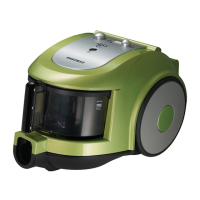
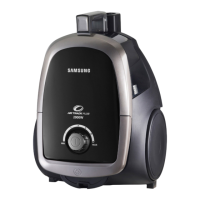
Vacuum Cleaner
user manual
Before operating this unit, please read the instructions carefully.
For indoor use only.
English
Question and Answer IconNeed help?

Do you have a question about the Samsung SC6360 and is the answer not in the manual?

Summary

Safety Information

General Safety Precautions

Read manual, supervise children, use as intended.

Important Safeguards

Assembling the Cleaner

Operating the Cleaner

Remote Control Operation

Using the handle's remote control for power and suction adjustments.

Maintain Tools and Filter - General

Filter Indicators and Maintenance

Dust Full Indicator Explanation

Understanding the dust full indicator light and bag change requirement.

Dust Bag, Inlet, and Outlet Filter Care

Replacing the Dust Bag

Step-by-step guide to replacing the dust bag.

Cleaning the Inlet Filter

Instructions on how to clean the inlet filter.

Troubleshooting Guide

Samsung SC6360 Specifications

General IconGeneral
BrandSamsung
ModelSC6360
CategoryVacuum Cleaner
LanguageEnglish

Related product manuals