6
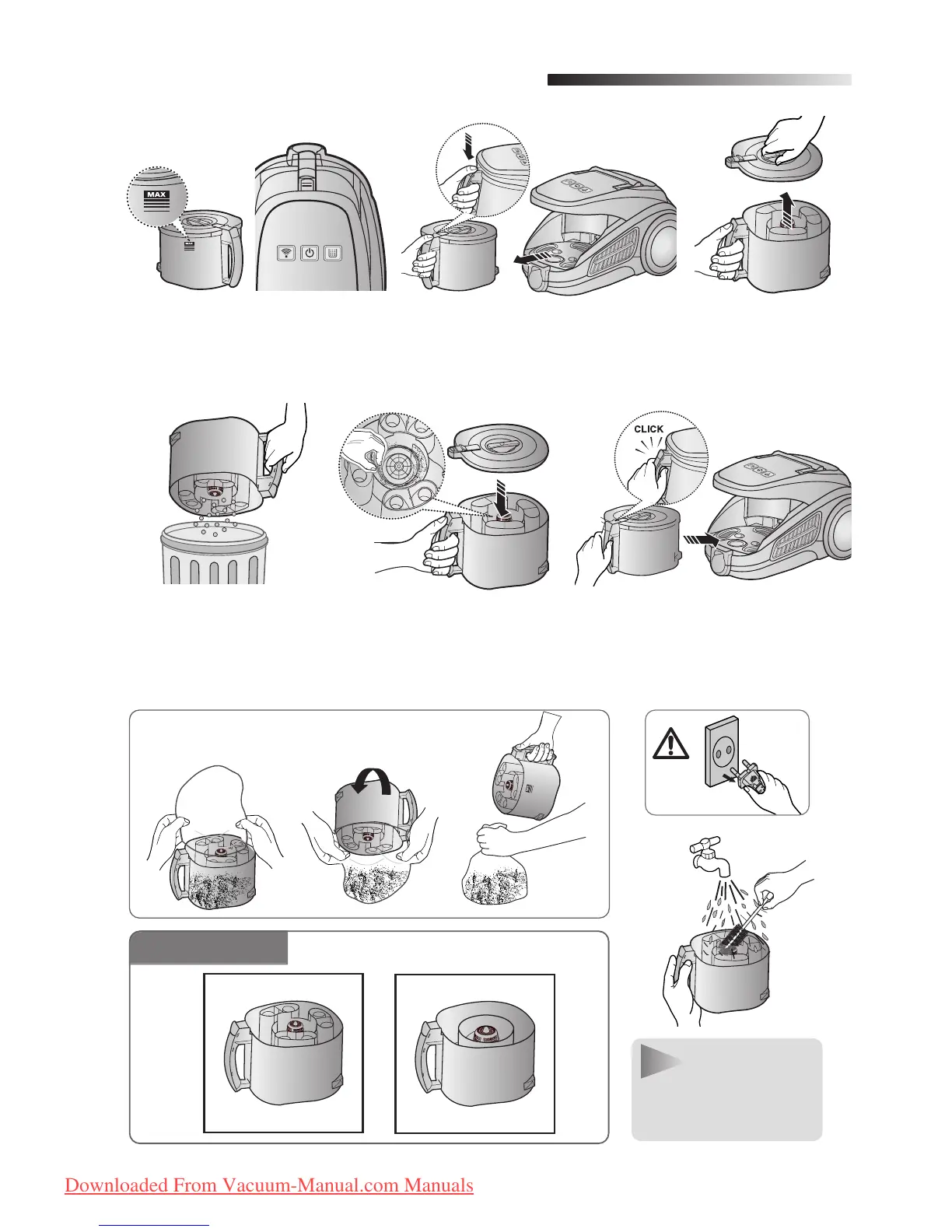
Once dust reaches the DUST
FULL mark, empty the dust bin.
Take the dust bin out by
pressing the button.
Throw the dust away
in the bin.
After empting the DUST
BIN, remove the obstacles
like hair, fur on the cap of
the DUST BIN.
Before use, push the dust bin
into the main body of the vac-
uum cleaner until you hear
the "click" sound.
1 2 3
4 5 6
3
EMPTYING THE DUST BIN
- Empty into a plastic bag
(recommended for asthma/allergy sufferers)
Separate the dust
bin cover.
NOTE
You may rinse
the dust bin with
cold water
OPTION
DJ68-00369L(0.3)-EN 2/19/08 5:26 PM Page 7
Downloaded From Vacuum-Manual.com Manuals


 To Next Page