Step outside the phone
28
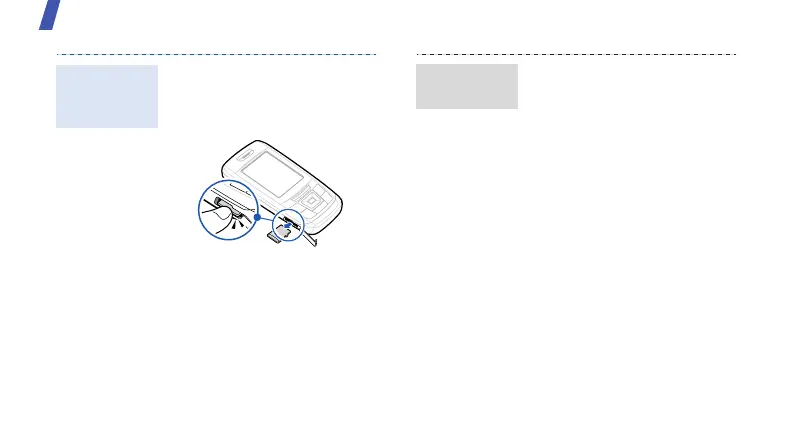
1. Press the card so that it is
disengaged from the phone.
2. Slide the card out of the
slot.
Remove the
memory
card
Using a card adapter and a
USB card reader/writer, you
can read the card on a PC.
1. Insert a memory card into a
card adapter, and then the
adapter into a card reader/
writer.
2. Plug the USB connector of
the card reader/writer into
the USB port on your PC.
3. Access the appropriate
memory disk and copy to
and from the card.
Use a card
adapter



 To Next Page